


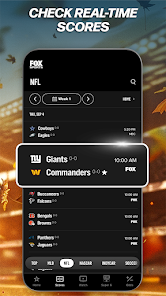
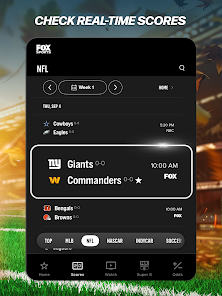



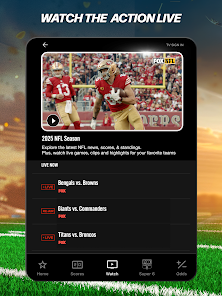









"FOX Sports: Watch Live Games" offers a comprehensive suite of features designed to enhance the sports viewing experience. One of the standout features is the ability to stream live games from various sports leagues, including NFL, MLB, NBA, and college sports. This allows fans to catch their favorite teams in action, no matter where they are. The app also provides access to on-demand highlights, enabling users to relive key moments from games they may have missed.
Another notable feature is the personalized notifications, which keep users updated on game scores, player stats, and breaking news related to their favorite teams. The app also includes a user-friendly interface that makes navigation seamless, allowing fans to easily find live games, highlights, and news articles. Additionally, the app supports multiple devices, meaning users can watch games on their smartphones, tablets, or smart TVs. Overall, "FOX Sports: Watch Live Games" combines live streaming, personalized content, and a user-friendly design to create an engaging sports app experience.
Using "FOX Sports: Watch Live Games" is straightforward and user-friendly. First, download the app from the App Store or Google Play Store and install it on your device. Once installed, open the app and create an account or log in using your existing credentials. After logging in, you will be greeted with a home screen that showcases live games, upcoming events, and trending sports news.
To watch a live game, simply navigate to the "Live" section, where you can see all the ongoing matches. Select the game you want to watch, and if you have a valid cable subscription, you can stream it directly. For those without a cable subscription, the app may offer options for purchasing a subscription or accessing specific games. Additionally, you can customize your experience by setting up notifications for your favorite teams, ensuring you never miss an important moment. Overall, the app is designed to provide a seamless and enjoyable sports viewing experience.
Like any app, "FOX Sports: Watch Live Games" has its advantages and disadvantages. One of the primary pros is the extensive coverage of live sports events, allowing fans to watch a wide range of games from various leagues. The app's user-friendly interface makes it easy to navigate, and the personalized notifications keep users informed about their favorite teams. Additionally, the ability to watch on multiple devices adds to its convenience, making it accessible for users on the go.
However, there are some cons to consider. One significant drawback is that the app requires a cable subscription for full access to live games, which may deter users who prefer streaming services without a cable package. Additionally, some users have reported occasional buffering issues during live streams, which can disrupt the viewing experience. Lastly, the app may not cover all sports events, limiting options for fans of less popular sports. Overall, while "FOX Sports: Watch Live Games" offers a robust sports viewing experience, potential users should weigh these pros and cons before downloading.

 Enjoy real-time access to your favorite sports events from anywhere. Experience high-quality streaming with minimal interruptions. Benefit from expert analysis and commentary during live games. Stay updated with live scores and stats for every match. Access exclusive behind-the-scenes content and highlights.
 Limited regional access can restrict viewership for some fans. High subscription costs may deter casual viewers. Technical issues can disrupt live streaming experiences.
  Google Play
  App Store
 Yes, users can submit suggestions or feedback through the app's support section or the official FOX Sports website.
Yes, the app collects personal data to enhance user experience, but it adheres to privacy policies to protect user information.
No, FOX Sports: Watch Live Games does not support offline viewing; a stable internet connection is required to stream content.
Users can cancel their subscription through the app settings or by managing their subscription through the app store where they purchased it.
Subscription costs vary based on the plan selected, with options for monthly or yearly access to live sports content.
Customer numbers are typically assigned and cannot be changed. For specific requests, please contact customer service for more information.
Yes, you can log in to your FOX Sports account on multiple devices as long as you use your correct credentials.
To activate your account, follow the link in the activation email you received after signing up, and complete the steps provided.
You can reach FOX Sports customer service by calling their support number or visiting their website for live chat assistance.
To log in, visit the FOX Sports website or app, click on the login button, and enter your username and password.