

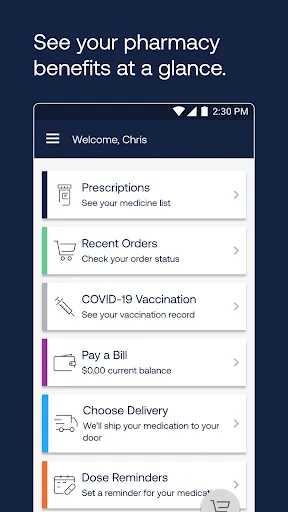
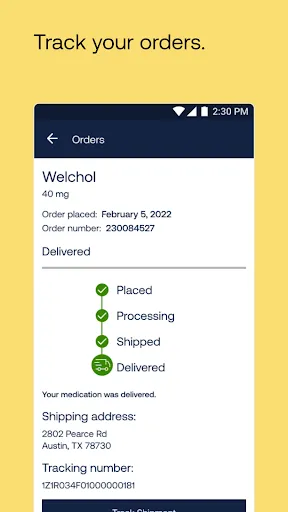
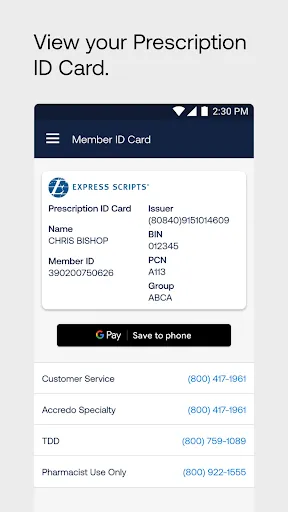
Express Scripts is a leading pharmacy benefit management organization that offers a variety of features designed to streamline the medication management process for both patients and healthcare providers. One of its primary features is the ability to manage prescriptions online, allowing users to order refills, check medication status, and view their prescription history from a user-friendly interface. This convenience is complemented by a mobile app that provides access to these services on-the-go.
Another notable feature is the 24/7 customer support, which ensures that users can get assistance whenever they need it. Express Scripts also offers a medication adherence program that helps patients stay on track with their prescriptions, reducing the risk of missed doses. Additionally, the platform provides cost-saving options, such as home delivery services and access to a wide network of pharmacies, making it easier for patients to obtain their medications at competitive prices.
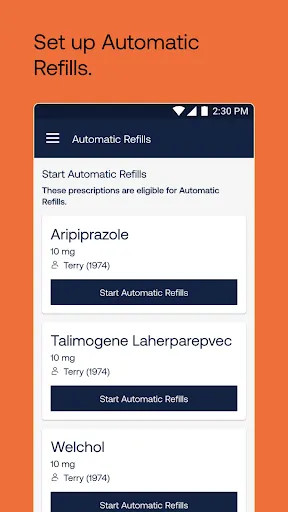
Furthermore, Express Scripts emphasizes safety through its medication management tools, which include alerts for potential drug interactions and reminders for medication refills. Overall, these features work together to enhance the user experience, promote adherence to treatment plans, and improve health outcomes.
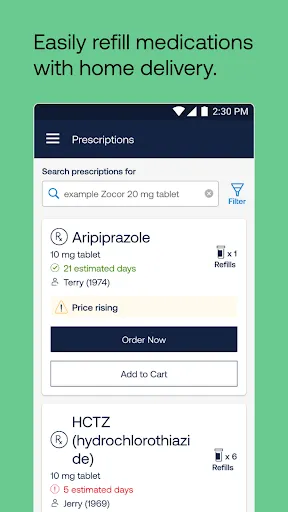
Using Express Scripts is a straightforward process that begins with creating an account on their website or mobile app. Users need to provide some basic information, including their insurance details and personal identification, to set up their profile. Once registered, individuals can easily manage their prescriptions by adding medications, requesting refills, and tracking orders.
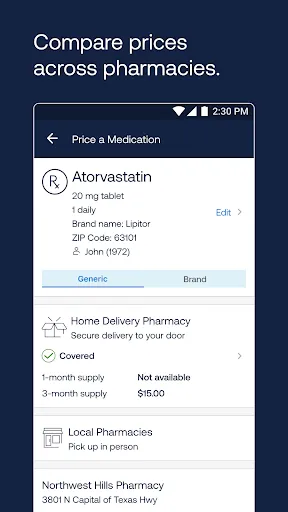
To order a prescription, users can either upload a prescription from their healthcare provider or have their doctor send it directly to Express Scripts. The platform allows for easy navigation, enabling users to search for medications, view pricing options, and select preferred delivery methods, such as home delivery or local pharmacy pickup.
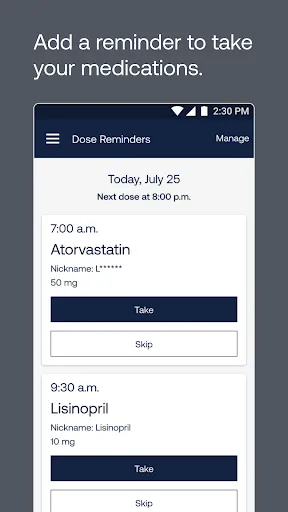
Additionally, users can take advantage of the medication adherence tools available on the platform. These tools include reminders for taking medications and alerts for upcoming refills, which help ensure that patients stay on track with their treatment plans. Overall, Express Scripts provides a comprehensive and user-friendly experience for managing prescriptions and improving medication adherence.
Like any service, the Express Scripts app has its advantages and disadvantages. One of the primary pros is the convenience it offers. Users can manage their prescriptions, order refills, and access their medication history from anywhere, making it easier to stay organized. The app also provides 24/7 customer support, which is beneficial for users who may have questions or need assistance at any time.
Another advantage is the cost-saving features, such as home delivery and access to a wide network of pharmacies, which can help users find the best prices for their medications. Additionally, the app includes medication adherence tools that remind users to take their medications, promoting better health outcomes.

 Express Scripts offers cost-effective prescription medication solutions for patients. Their user-friendly online platform simplifies ordering and managing prescriptions. Fast and reliable home delivery ensures convenience for patients. Comprehensive medication management supports better health outcomes. 24/7 customer support is available for any questions or concerns.
 Limited transparency in pricing can lead to unexpected costs for patients. Customer service can be slow, impacting timely assistance for urgent needs. Some users report difficulties with prescription fulfillment and timely delivery.
  Google Play
  App Store
 Yes, users can submit suggestions or feedback through the app's support section or by contacting customer service directly.
Yes, Express Scripts collects personal data to provide tailored services, process prescriptions, and enhance user experience, adhering to privacy regulations.
Certain features of the Express Scripts app can be accessed offline, but most functionalities require an internet connection for full use.
Users can cancel their subscription by logging into their account through the app or website and following the cancellation instructions provided in the account settings.
There is no subscription fee for using the app itself, but costs may arise from the medications ordered through the service.
Yes, you can update your customer number information by logging into your account and navigating to your profile settings.
Log in to your account and go to the profile settings to update your email address. If you need further assistance, contact customer service.
You can reach Express Scripts customer service by calling the number on the back of your member ID card or visiting our website for support options.
To activate your account, visit our website and click on the "Activate Account" link. Follow the prompts to complete the activation process.
To log in, visit the Express Scripts website and enter your username and password in the designated fields.