
 Home
Home  Apps
Apps  Games
Games  Windows
  Topics
  Terms of Service
  Cookies & Privacy Policy
  Disclaimer
DuckStation


Information
- Category: Arcade
- Price: free
- Age Rating: Everyone
- Rating: 4.1
- Developer: Stenzek
- Version: 0.1-8969-g611bb8fb4
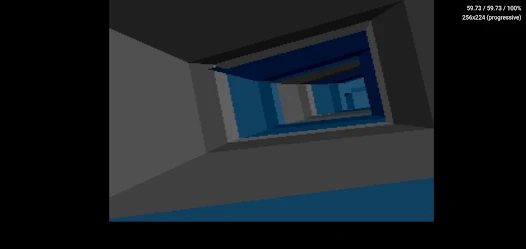
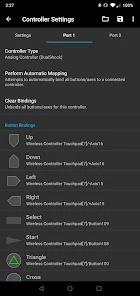
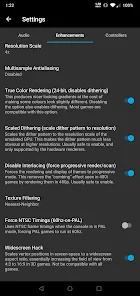
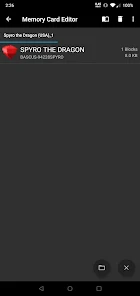
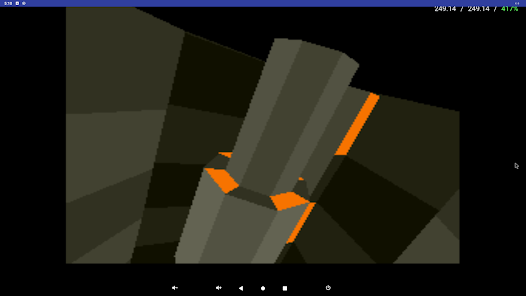
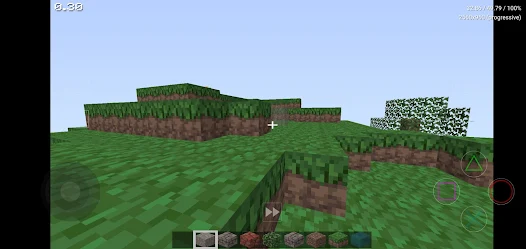
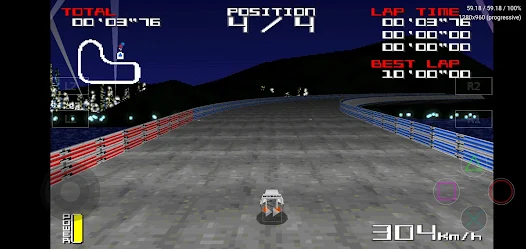
DuckStation is a high-performance PlayStation 1 emulator designed to provide an authentic gaming experience on modern devices. With a user-friendly interface and extensive compatibility, it allows players to enjoy classic PS1 titles with enhanced graphics and features. DuckStation supports various platforms, including Windows, macOS, and Linux, making it accessible to a wide audience. Its focus on accuracy and optimization ensures smooth gameplay, while customizable settings cater to both casual gamers and enthusiasts seeking to relive their favorite memories.
Features of DuckStation
DuckStation is a highly regarded PlayStation 1 emulator that offers a range of features designed to enhance the gaming experience. One of its standout features is its high compatibility with a vast library of PS1 games, ensuring that most titles run smoothly without significant issues. The emulator supports various graphical enhancements, including upscaling, texture filtering, and shader effects, allowing players to enjoy classic games with improved visuals. Additionally, DuckStation provides customizable controls, enabling users to configure their gamepads or keyboards to suit their preferences.
Another notable feature is the save state functionality, which allows players to save their progress at any point in the game, making it easier to revisit challenging sections. DuckStation also includes support for cheat codes, enabling players to modify gameplay for a unique experience. Furthermore, the emulator is available on multiple platforms, including Windows, macOS, and Linux, making it accessible to a wide audience. With its user-friendly interface and regular updates, DuckStation continues to be a popular choice for retro gaming enthusiasts.
How to Use DuckStation
Using DuckStation is a straightforward process that allows gamers to dive into their favorite PlayStation 1 titles quickly. First, download the latest version of DuckStation from the official website and install it on your device. Once installed, launch the emulator and configure the settings according to your preferences. This includes selecting the graphics options, audio settings, and input devices. You can customize the controls to match your gamepad or keyboard layout, ensuring a comfortable gaming experience.
Next, you will need to load your PS1 game ROMs. DuckStation supports various formats, including ISO, BIN, and CUE files. Simply navigate to the "File" menu and select "Run ISO" to choose your game. After loading the game, you can utilize features like save states and cheats to enhance your gameplay. Additionally, DuckStation allows you to adjust the emulator's performance settings to optimize the experience based on your hardware capabilities. With these steps, you can enjoy a seamless gaming experience with DuckStation.
Pros & Cons of DuckStation
DuckStation comes with several advantages that make it a popular choice among retro gaming enthusiasts. One of the primary pros is its high compatibility with a wide range of PlayStation 1 games, ensuring that most titles run without issues. The emulator also offers impressive graphical enhancements, allowing players to enjoy classic games with improved visuals and performance. Additionally, DuckStation's user-friendly interface makes it easy for both newcomers and experienced users to navigate and configure settings. The regular updates and active development community further enhance its reliability and functionality.
However, DuckStation is not without its drawbacks. Some users may encounter occasional bugs or glitches, particularly with less popular titles. Additionally, while the emulator is designed to be user-friendly, the initial setup process may be daunting for those unfamiliar with emulation. Furthermore, DuckStation requires a relatively powerful system to fully utilize its graphical enhancements, which may limit accessibility for users with older hardware. Overall, while DuckStation offers a fantastic emulation experience, potential users should weigh these pros and cons before diving in.
Get Installation Details  Google Play
  App Store
Google Play App Store FAQ
Can I create playlists on Spotify?
Yes, users can create, share, and collaborate on playlists with friends.
Can I download music on Spotify?
Yes, premium users can download songs and playlists for offline listening.
Can I listen to Spotify offline?
Yes, premium users can listen to downloaded music offline without an internet connection.
Can I use Spotify on multiple devices?
Yes, you can use Spotify on multiple devices, but only one device can stream at a time.
Does Spotify have podcasts?
Yes, Spotify hosts a wide range of podcasts across various genres.
Similar Games















You May Like

Fairy Rush: Genetic Fusion
Arcade
4.3
Galaxy Attack: Shooting Game
Arcade
4.7

Hoard Master
Arcade
4.0

John GBA
Arcade
3.1

Kungfu Ragdoll
Arcade
4.6
M64Plus FZ Pro Emulator
Arcade
4.8

MD.emu (Genesis Emulator)
Arcade
4
Merge Super - Monster Fight
Arcade
4.6

My Boy! - GBA Emulator
Arcade
4.0
My OldBoy! - GBC Emulator
Arcade
3.9
Pizza Boy A Pro
Arcade
4.8
Pizza Boy C Pro
Arcade
4.5