
 Home
Home  Apps
Apps  Games
Games  Windows
  Topics
  Terms of Service
  Cookies & Privacy Policy
  Disclaimer
MD.emu (Genesis Emulator)


Information
- Category: Arcade
- Price: 4.99
- Age Rating: Everyone
- Rating: 4
- Developer: Robert Broglia
- Version: 45413
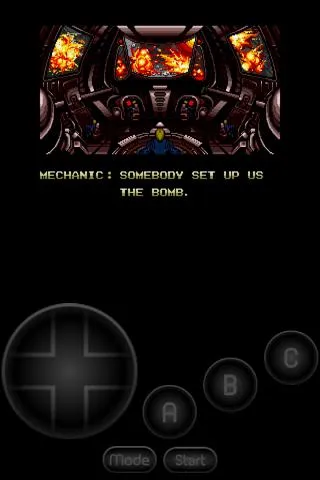
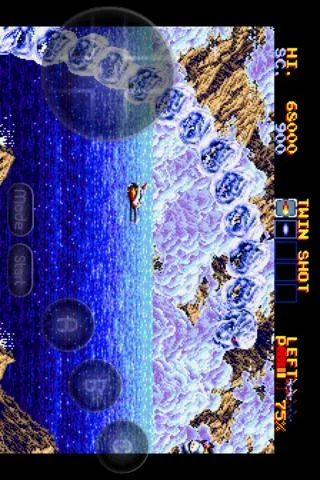
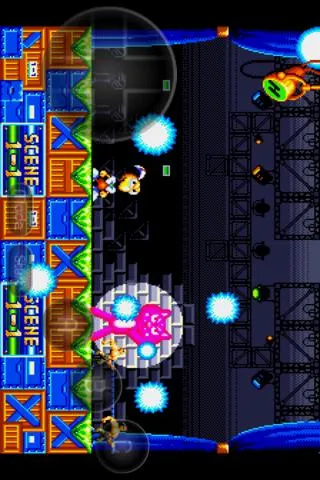
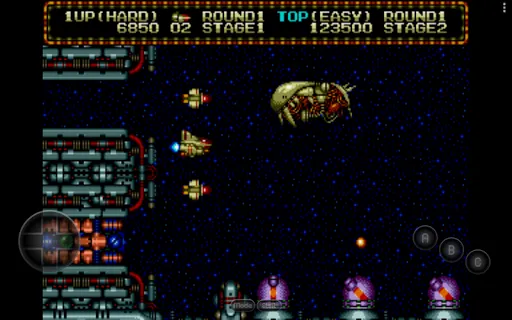
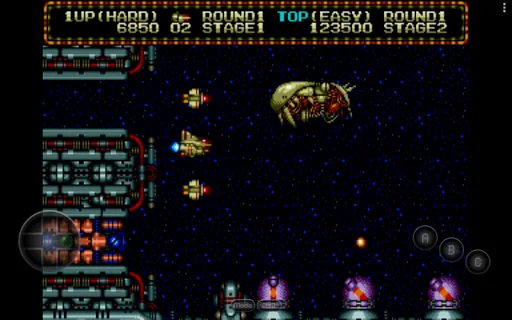
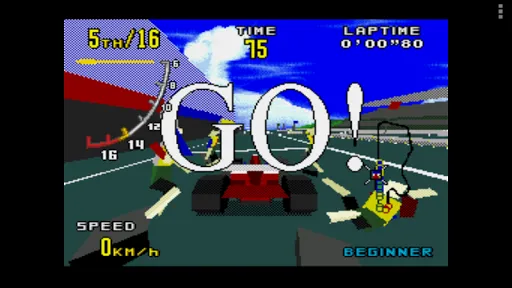
MD.emu is a powerful Sega Genesis emulator that brings classic gaming to your device. With high compatibility and support for a wide range of ROMs, it offers an authentic retro experience. Features include customizable controls, save states, and various display options to enhance gameplay. Whether you're revisiting old favorites or discovering new titles, MD.emu delivers smooth performance and nostalgia in the palm of your hand. Enjoy the best of Sega Genesis gaming anytime, anywhere!
Features of MD.emu (Genesis Emulator)
MD.emu is a versatile emulator designed for playing Sega Genesis and Mega Drive games on various platforms. One of its standout features is its high compatibility with a wide range of games, ensuring that most titles run smoothly without significant issues. The emulator supports various file formats, including .gen, .md, and .zip, allowing users to easily load their game collections.
Another notable feature is the customizable on-screen controls, which can be tailored to suit individual preferences, enhancing the gaming experience. Additionally, MD.emu offers save state functionality, enabling players to save their progress at any point in the game, making it easier to resume later. The emulator also supports cheat codes, allowing users to enhance their gameplay with various cheats.
Furthermore, MD.emu includes options for video and audio enhancements, such as scaling and filtering, which improve the overall visual and auditory experience. The emulator also supports Bluetooth controllers, providing a more authentic gaming experience. With regular updates, MD.emu continues to improve its performance and compatibility, making it a reliable choice for retro gaming enthusiasts.
How to Use MD.emu (Genesis Emulator)
Using MD.emu is straightforward, making it accessible for both seasoned gamers and newcomers. First, download and install the emulator from a trusted source on your device. Once installed, launch the application to access its user-friendly interface. To start playing, you will need to load a game ROM. Ensure that you have legally obtained the ROM files, as piracy is illegal.
To load a game, navigate to the "Load Game" option within the emulator. From there, browse your device's storage to locate the ROM file you wish to play. After selecting the file, the game will load, and you can begin playing. Customize your controls by accessing the settings menu, where you can adjust the on-screen buttons to your liking.
Additionally, familiarize yourself with the emulator's features, such as save states and cheat codes, to enhance your gaming experience. Regularly check for updates to ensure you have the latest features and improvements. With these steps, you can enjoy a seamless retro gaming experience with MD.emu.
Pros & Cons of MD.emu (Genesis Emulator)
MD.emu offers several advantages that make it a popular choice among retro gaming enthusiasts. One of its primary benefits is its high compatibility with a vast library of Sega Genesis and Mega Drive games, allowing users to enjoy a wide range of titles without significant issues. The emulator's customizable controls enhance user experience, enabling players to tailor their setup to their preferences. Additionally, the inclusion of save states and cheat code support adds layers of convenience and fun to gameplay.
However, MD.emu is not without its drawbacks. One potential downside is that it may require a more powerful device to run certain games smoothly, particularly those with advanced graphics. Some users may also find the initial setup process a bit challenging, especially if they are unfamiliar with emulators. Furthermore, while the emulator is regularly updated, occasional bugs or compatibility issues may arise with specific games, which can be frustrating for players.
In summary, MD.emu is a robust emulator with numerous features that enhance the retro gaming experience. While it has its pros and cons, its strengths often outweigh its weaknesses, making it a worthwhile option for those looking to relive classic Sega games.
Get Installation Details  Google Play
  App Store
Google Play App Store FAQ
Can I create playlists on Spotify?
Yes, users can create, share, and collaborate on playlists with friends.
Can I download music on Spotify?
Yes, premium users can download songs and playlists for offline listening.
Can I listen to Spotify offline?
Yes, premium users can listen to downloaded music offline without an internet connection.
Can I use Spotify on multiple devices?
Yes, you can use Spotify on multiple devices, but only one device can stream at a time.
Does Spotify have podcasts?
Yes, Spotify hosts a wide range of podcasts across various genres.
Similar Games















You May Like
Fairy Rush: Genetic Fusion
Arcade
4.3
Galaxy Attack: Shooting Game
Arcade
4.7

Hoard Master
Arcade
4.0

John GBA
Arcade
3.1

Kungfu Ragdoll
Arcade
4.6
M64Plus FZ Pro Emulator
Arcade
4.8
Merge Super - Monster Fight
Arcade
4.6
My Boy! - GBA Emulator
Arcade
4.0
My OldBoy! - GBC Emulator
Arcade
3.9

Pizza Boy A Pro
Arcade
4.8

Pizza Boy C Pro
Arcade
4.5

RESET Collection
Arcade
4.1