
 Home
Home  Apps
Apps  Games
Games  Windows
  Topics
  Terms of Service
  Cookies & Privacy Policy
  Disclaimer
ePSXe for Android


Information
- Category: Arcade
- Price: $3.75
- Age Rating: Everyone
- Rating: 4.5
- Developer: epsxe software s.l.
- Version: 2.0.18
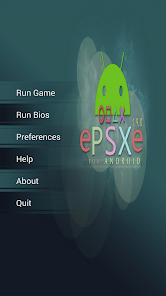
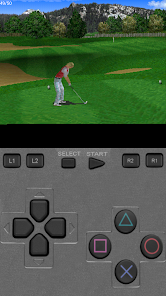
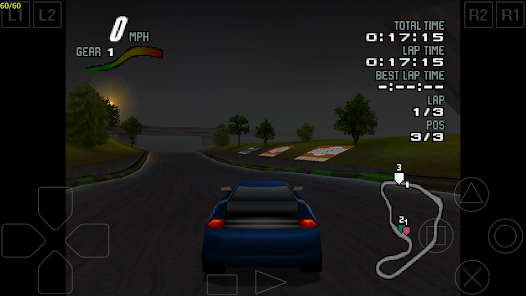
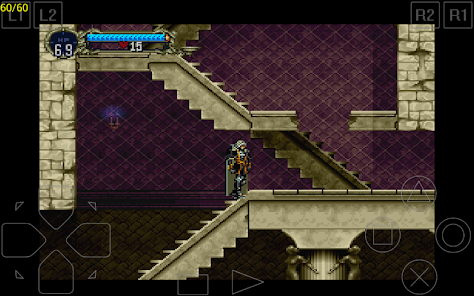
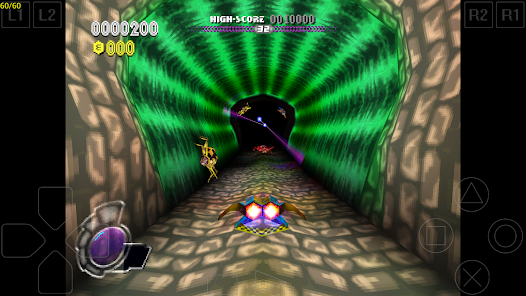

ePSXe for Android is a powerful PlayStation emulator that allows users to enjoy classic PS1 games on their mobile devices. With high compatibility, enhanced graphics, and customizable controls, ePSXe delivers an authentic gaming experience. The app supports various file formats, offers save states, and features multiplayer options, making it a versatile choice for retro gaming enthusiasts. Whether you're revisiting old favorites or discovering new ones, ePSXe brings the nostalgia of PlayStation gaming to your fingertips.
Features of ePSXe for Android
ePSXe for Android is a highly regarded PlayStation emulator that brings classic gaming to mobile devices. One of its standout features is its compatibility with a wide range of PlayStation games, allowing users to enjoy their favorite titles from the original console. The emulator supports both .bin and .iso file formats, making it easy to load games from various sources.
Another notable feature is its customizable controls. Users can adjust the on-screen buttons to suit their preferences, ensuring a comfortable gaming experience. Additionally, ePSXe offers support for external controllers, enhancing gameplay for those who prefer a more traditional setup. The app also includes a save state feature, allowing players to save their progress at any point in the game, which is particularly useful for challenging titles.
Graphics enhancement options are another highlight, with the ability to upscale textures and apply filters for improved visuals. The emulator supports various screen resolutions, ensuring that games look great on modern devices. Furthermore, ePSXe provides multiplayer support, enabling users to enjoy games with friends via local Wi-Fi connections. Overall, ePSXe for Android combines functionality and user-friendly design, making it a top choice for retro gaming enthusiasts.
How to Use ePSXe for Android
Using ePSXe for Android is a straightforward process that allows users to dive into their favorite PlayStation games quickly. First, download and install the ePSXe app from the Google Play Store. Once installed, launch the app, and you will be greeted with a user-friendly interface. The next step is to load your game files, which can be done by tapping on the "Run Game" option. You can browse your device's storage to locate your game files, which should be in .bin or .iso format.
After selecting a game, ePSXe will automatically configure the necessary settings for optimal performance. You can customize the controls by accessing the settings menu, where you can adjust the layout and size of the on-screen buttons. If you prefer using an external controller, simply connect it to your device, and ePSXe will recognize it for use.
To enhance your gaming experience, explore the graphics settings, where you can adjust resolution and apply filters. The save state feature allows you to save your progress at any time, making it easy to pick up where you left off. With these simple steps, you can enjoy a seamless gaming experience on ePSXe for Android, reliving the nostalgia of classic PlayStation titles.
Pros & Cons of ePSXe for Android
ePSXe for Android comes with a variety of advantages that make it a popular choice among gamers. One of the primary pros is its extensive compatibility with a wide range of PlayStation games, allowing users to relive their favorite titles from the past. The emulator's customizable controls and support for external gamepads enhance the gaming experience, making it more enjoyable and accessible. Additionally, the graphics enhancement options provide a modern touch to classic games, improving visuals significantly.
However, there are some drawbacks to consider. One of the main cons is that users need to source their own game ROMs, which can be a legal gray area depending on the game's copyright status. Furthermore, while the app is generally stable, some users may experience occasional bugs or performance issues, particularly with certain games. The initial setup may also be daunting for those unfamiliar with emulators, requiring a bit of technical know-how to get everything running smoothly.
In summary, ePSXe for Android offers a robust platform for enjoying classic PlayStation games, with numerous features that enhance gameplay. While there are some challenges, the overall experience is rewarding for those looking to revisit their favorite titles on mobile devices.
Get Installation Details  Google Play
  App Store
Google Play App Store FAQ
Can I create playlists on Spotify?
Yes, users can create, share, and collaborate on playlists with friends.
Can I download music on Spotify?
Yes, premium users can download songs and playlists for offline listening.
Can I listen to Spotify offline?
Yes, premium users can listen to downloaded music offline without an internet connection.
Can I use Spotify on multiple devices?
Yes, you can use Spotify on multiple devices, but only one device can stream at a time.
Does Spotify have podcasts?
Yes, Spotify hosts a wide range of podcasts across various genres.
Similar Games
















You May Like

Fairy Rush: Genetic Fusion
Arcade
4.3

Galaxy Attack: Shooting Game
Arcade
4.7

Hoard Master
Arcade
4.0

John GBA
Arcade
3.1

Kungfu Ragdoll
Arcade
4.6
M64Plus FZ Pro Emulator
Arcade
4.8

MD.emu (Genesis Emulator)
Arcade
4

Merge Super - Monster Fight
Arcade
4.6

My Boy! - GBA Emulator
Arcade
4.0

My OldBoy! - GBC Emulator
Arcade
3.9

Pizza Boy A Pro
Arcade
4.8

Pizza Boy C Pro
Arcade
4.5