
 Home
Home  Apps
Apps  Games
Games  Windows
  Topics
  Terms of Service
  Cookies & Privacy Policy
  Disclaimer
John GBA


Information
- Category: Arcade
- Price: $2.99
- Age Rating: Everyone
- Rating: 3.1
- Developer: John emulators
- Version: v4.14
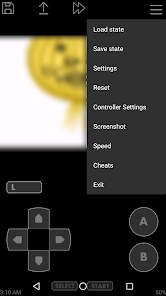
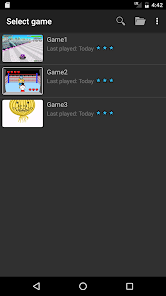
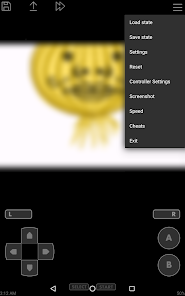
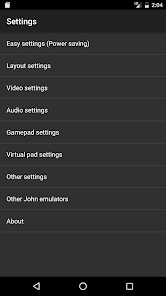
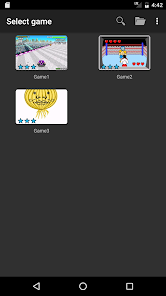
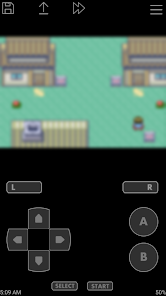
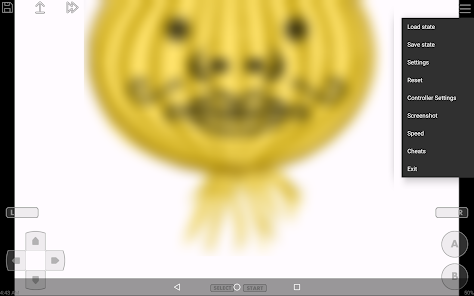
John GBA is a powerful Game Boy Advance (GBA) emulator for Android devices, allowing users to enjoy their favorite GBA games on the go. With features like customizable controls, save states, and high compatibility with various GBA titles, John GBA provides an authentic gaming experience. The app supports various file formats and offers options for screen layout adjustments, making it user-friendly for both casual gamers and retro enthusiasts alike. Rediscover classic gaming with John GBA!
Features of "John GBA"
John GBA is a popular emulator designed specifically for playing Game Boy Advance (GBA) games on iOS devices. One of its standout features is its ability to run GBA games smoothly, providing a seamless gaming experience. The emulator supports a wide range of GBA ROMs, allowing users to enjoy their favorite titles without any hassle. Additionally, John GBA offers customizable controls, enabling players to adjust the on-screen buttons to their liking for optimal gameplay.
Another notable feature is the save state functionality, which allows users to save their progress at any point in the game. This is particularly useful for challenging games where players may want to retry difficult sections without starting over. The emulator also supports cheat codes, giving players the ability to enhance their gaming experience by unlocking special features or gaining advantages. Furthermore, John GBA includes a user-friendly interface, making it easy for both novice and experienced gamers to navigate and enjoy their favorite GBA titles.
How to Use "John GBA"?
Using John GBA is a straightforward process that allows users to dive into their favorite Game Boy Advance games quickly. First, download the John GBA app from a trusted source, as it may not be available on the official App Store. Once installed, launch the app and navigate to the settings to customize your controls and preferences according to your gaming style. After setting up, you can import GBA ROMs into the emulator. This can typically be done by transferring files from your computer or downloading them directly onto your device.
Once your ROMs are loaded, simply tap on the game you wish to play, and the emulator will start running it. You can utilize the save state feature to save your progress at any point, allowing for a more flexible gaming experience. Additionally, if you want to use cheat codes, you can enter them in the designated section of the app. Overall, John GBA provides a user-friendly platform for enjoying GBA games, making it accessible for gamers of all skill levels.
Pros & Cons of the App
John GBA comes with several advantages that make it a favored choice among gamers. One of the primary pros is its smooth performance, allowing users to play GBA games without lag or interruptions. The customizable controls enhance the gaming experience, as players can tailor the layout to suit their preferences. Additionally, the save state feature is a significant benefit, enabling users to save their progress easily and return to it later. The app also supports a wide variety of cheat codes, adding an extra layer of fun to gameplay.
However, there are some drawbacks to consider. One of the main cons is that John GBA may not be available on official app stores, which can make downloading and installing the app a bit tricky for some users. Furthermore, the legality of downloading ROMs can be a concern, as it may infringe on copyright laws. Additionally, while the emulator is generally stable, some users may experience occasional bugs or crashes, which can disrupt gameplay. Overall, while John GBA offers a great gaming experience, potential users should weigh these pros and cons before diving in.
Get Installation Details  Google Play
  App Store
Google Play App Store FAQ
Can I create playlists on Spotify?
Yes, users can create, share, and collaborate on playlists with friends.
Can I download music on Spotify?
Yes, premium users can download songs and playlists for offline listening.
Can I listen to Spotify offline?
Yes, premium users can listen to downloaded music offline without an internet connection.
Can I use Spotify on multiple devices?
Yes, you can use Spotify on multiple devices, but only one device can stream at a time.
Does Spotify have podcasts?
Yes, Spotify hosts a wide range of podcasts across various genres.
Similar Games















You May Like
Fairy Rush: Genetic Fusion
Arcade
4.3
Galaxy Attack: Shooting Game
Arcade
4.7

Hoard Master
Arcade
4.0

Kungfu Ragdoll
Arcade
4.6
M64Plus FZ Pro Emulator
Arcade
4.8

MD.emu (Genesis Emulator)
Arcade
4
Merge Super - Monster Fight
Arcade
4.6
My Boy! - GBA Emulator
Arcade
4.0
My OldBoy! - GBC Emulator
Arcade
3.9
Pizza Boy A Pro
Arcade
4.8
Pizza Boy C Pro
Arcade
4.5
RESET Collection
Arcade
4.1