

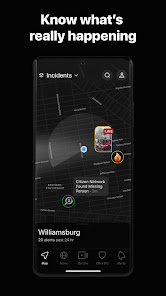
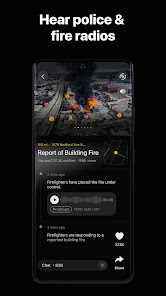
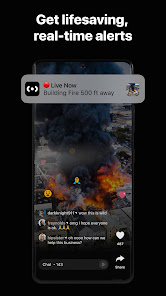
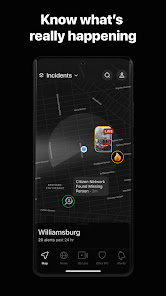
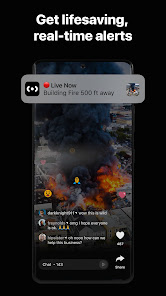
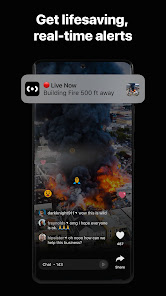
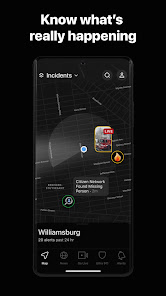
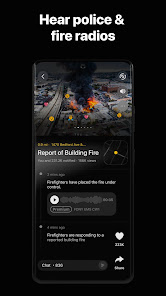
"Citizen: Protect The World" is a cutting-edge safety app designed to keep users informed about real-time incidents in their vicinity. One of its standout features is the live incident feed, which provides updates on emergencies, crimes, and other significant events happening nearby. Users can receive alerts based on their location, ensuring they are always aware of potential dangers. The app also allows users to report incidents, contributing to a community-driven safety network.
Another notable feature is the ability to view safety ratings for specific areas, helping users make informed decisions about where to go. The app includes a user-friendly interface that makes navigation simple, even for those who may not be tech-savvy. Additionally, "Citizen" offers a unique "Safety Check" feature, which allows users to notify friends and family when they are in potentially risky situations. This fosters a sense of community and support among users, enhancing overall safety.
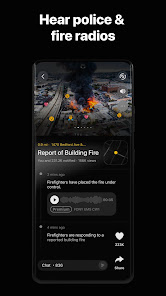
Furthermore, the app integrates with local law enforcement agencies, providing users with verified information and updates directly from authorities. This feature enhances the credibility of the information shared within the app, making it a reliable resource for personal safety. Overall, "Citizen: Protect The World" combines technology and community engagement to create a comprehensive safety tool for users everywhere.
Using "Citizen: Protect The World" is straightforward and user-friendly. To get started, users need to download the app from their respective app store and create an account. Once registered, users can customize their notification settings to receive alerts based on their location and preferences. This ensures that they are informed about incidents that matter most to them.
After setting up the app, users can explore the live incident feed, which displays real-time updates on various events in their area. By tapping on any incident, users can view detailed information, including the nature of the event and its location. Additionally, users can report incidents they witness, contributing to the community's safety awareness. The app also allows users to share alerts with friends and family, enhancing their safety network.
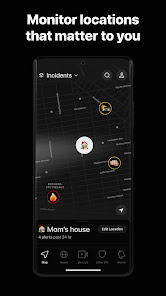
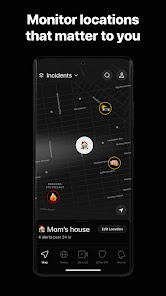
For those who want to stay informed about specific neighborhoods or areas, the app provides the option to follow certain locations. This feature is particularly useful for individuals who may be traveling or moving to new areas. Overall, "Citizen: Protect The World" empowers users to take control of their safety by providing timely information and fostering community engagement.
Like any application, "Citizen: Protect The World" has its advantages and disadvantages. One of the primary pros is its real-time incident reporting, which keeps users informed about emergencies and potential dangers in their vicinity. This feature can be invaluable for personal safety, allowing users to make informed decisions about their surroundings. Additionally, the app fosters community engagement by enabling users to report incidents, creating a collaborative safety network.
Another advantage is the integration with local law enforcement, which enhances the credibility of the information provided. Users can trust that the alerts they receive are accurate and timely. The app's user-friendly interface also makes it accessible to a wide range of users, regardless of their tech proficiency.
However, there are some cons to consider. The app's reliance on user-generated reports can sometimes lead to misinformation or exaggerated incidents. Additionally, constant notifications may become overwhelming for some users, leading to alert fatigue. Privacy concerns may also arise, as users are sharing their location and personal information. Overall, while "Citizen: Protect The World" offers significant benefits for personal safety, users should weigh these pros and cons before fully relying on the app.

 Empowers users to report and respond to emergencies in real-time. Enhances community safety by fostering collaboration among local residents. Provides timely alerts for nearby incidents, keeping users informed and aware. Offers a user-friendly interface for easy navigation and quick reporting. Encourages proactive involvement in public safety, promoting a sense of responsibility.
 Limited user engagement can hinder community collaboration and support. Potential privacy concerns may deter users from sharing vital information. Overreliance on citizen reports can lead to misinformation and panic.
  Google Play
  App Store
 Yes, users can submit suggestions or feedback through the app's feedback feature or by contacting customer support.
Yes, Citizen: Protect The World collects certain personal data to provide its services, but it adheres to privacy policies to protect user information.
Citizen: Protect The World primarily requires an internet connection for real-time updates, so offline functionality is limited.
Users can cancel their subscription through their account settings in the app or by following the instructions provided in the app store where they purchased the subscription.
Subscription costs for premium features may vary, and users should check the app for current pricing and plans.
Customer numbers are unique and cannot be changed. For any issues, please contact customer service for support.
Yes, you can log in from multiple devices with your account credentials. Just ensure you log out from any device when finished.
To activate your account, check your email for the activation link we sent after registration and follow the instructions provided.
You can reach customer service by calling our support number listed on the website or using the live chat feature.
To log in, visit the website, enter your registered email and password, then click the "Log In" button.