

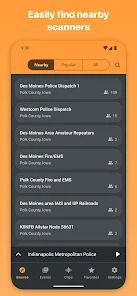
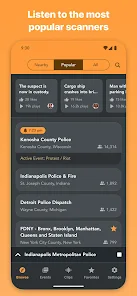
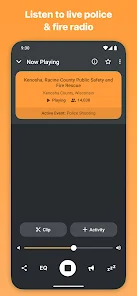
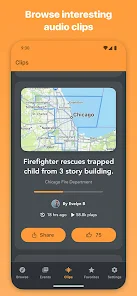
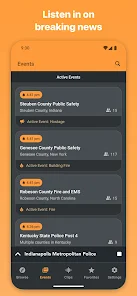
"Scanner Radio - Police Scanner" is a popular mobile application that allows users to listen to live audio feeds from police, fire, and emergency services. One of its standout features is the extensive database of radio feeds, which covers a wide range of locations and agencies, making it easy for users to find their local channels. The app also offers a user-friendly interface, allowing for quick navigation and easy access to various feeds.
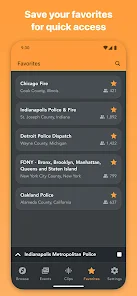
Another notable feature is the ability to create a favorites list, enabling users to save their preferred channels for quick access. The app provides real-time updates and notifications for significant incidents, ensuring users stay informed about emergencies in their area. Additionally, the app supports background audio playback, allowing users to multitask while listening. The inclusion of a search function makes it simple to locate specific feeds, and the app is regularly updated to include new channels and features, enhancing the overall user experience.
Using "Scanner Radio - Police Scanner" is straightforward and user-friendly. After downloading and installing the app, users can launch it to access the main interface, which displays a list of available radio feeds. To find a specific channel, users can either browse through the categorized lists or utilize the search function to quickly locate their desired feed. Once a channel is selected, tapping on it will initiate the audio stream, allowing users to listen live.
For those who wish to keep track of multiple channels, the app allows users to create a favorites list. This feature enables quick access to frequently listened-to feeds. Users can also customize their notification settings to receive alerts for significant incidents or updates in their area. The app's background playback feature allows users to continue listening while using other applications, making it a versatile tool for staying informed about local emergencies and public safety communications.
Like any application, "Scanner Radio - Police Scanner" has its advantages and disadvantages. One of the primary pros is its extensive coverage of various emergency services, providing users with real-time information about incidents in their vicinity. The app's user-friendly interface and customizable features, such as favorites and notifications, enhance the overall experience. Additionally, the ability to listen in the background allows for multitasking, making it convenient for users who want to stay informed while engaging in other activities.
On the downside, some users may experience occasional connectivity issues, especially if they are in areas with weak internet signals. Additionally, while the app is free, it may contain ads that can be distracting. Some users might also find that certain feeds are not available due to regional restrictions or licensing issues. Overall, while "Scanner Radio - Police Scanner" offers a wealth of features and benefits, potential users should be aware of these limitations when considering the app for their needs.

 Access real-time police and emergency broadcasts for timely information. Enjoy a user-friendly interface for easy navigation and use. Stay informed with customizable alerts for specific frequencies. Discover diverse channels, including fire, EMS, and amateur radio. Connect with a vibrant community of scanner enthusiasts for shared insights.
 Limited coverage can miss critical incidents in certain areas. User interface may feel outdated and confusing for new users. Audio quality may vary, making it hard to follow conversations.
  Google Play
  App Store
 Yes, users can submit suggestions or feedback through the app’s support section or via the developer's contact information provided in the app.
Yes, the app may collect certain personal data to enhance user experience and provide relevant services, but it typically adheres to privacy policies regarding data usage.
Scanner Radio - Police Scanner requires an internet connection to stream live audio feeds, so it does not support offline use.
To cancel your Scanner Radio - Police Scanner subscription, you can do so through your app store account settings or the subscription management section within the app.
The subscription cost for Scanner Radio - Police Scanner varies based on the plan chosen, typically around $1.99 per month or $14.99 per year.
Yes, you can activate your account directly within the app by following the prompts during the setup process.
Yes, you can change your email address in the account settings once you are logged in.
You can reach our customer service team via the support section in the app or by emailing support
To log in, open the app, tap on the login option, and enter your registered email and password.
You can retrieve your login information by using the "Forgot Password" option on the login screen or by contacting customer service.