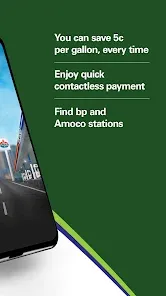
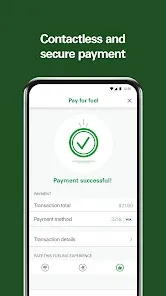
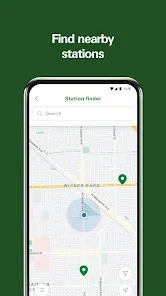
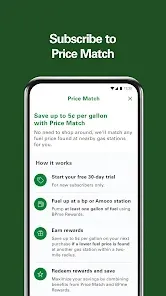
The "BPme: BP & Amoco Gas Rewards" app offers a variety of features designed to enhance the user experience for customers of BP and Amoco gas stations. One of the primary features is the ability to locate nearby BP and Amoco stations, making it easy for users to find the most convenient fueling options. The app also allows users to pay for fuel directly from their smartphones, streamlining the refueling process and reducing the need for physical transactions at the pump.
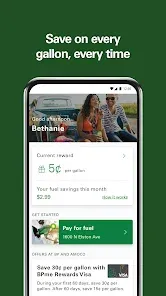
Additionally, the app provides users with access to exclusive rewards and promotions, enabling them to earn points for every gallon of gas purchased. These points can be redeemed for discounts on future fuel purchases or other rewards. Users can also track their rewards progress and view their transaction history within the app. Furthermore, the app includes a feature for managing payment methods, allowing users to save their preferred payment options for quick and easy transactions. Overall, the BPme app combines convenience, rewards, and user-friendly navigation to enhance the fueling experience.
Using the "BPme: BP & Amoco Gas Rewards" app is straightforward and user-friendly. First, users need to download the app from the App Store or Google Play Store and create an account. Once registered, users can log in and set up their profile, including adding payment methods for seamless transactions. To find a nearby BP or Amoco station, users can utilize the app's location services, which will display a list of stations along with their amenities and fuel prices.
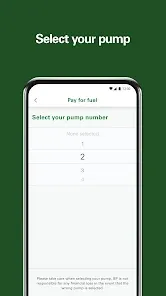
When ready to refuel, users can select the desired station and choose the pump they will be using. The app allows users to pay for their fuel directly through their smartphones, eliminating the need to enter payment information at the pump. After fueling, users can check their rewards balance and track their points earned from the transaction. Additionally, users can explore ongoing promotions and offers available exclusively through the app, making it a valuable tool for maximizing savings on fuel purchases.
The "BPme: BP & Amoco Gas Rewards" app comes with several advantages that enhance the user experience. One of the main pros is the convenience of mobile payments, which allows users to pay for fuel without needing to handle cash or cards. The rewards program is another significant benefit, as it incentivizes users to earn points for their purchases, leading to potential savings on future fuel. The app's user-friendly interface and easy navigation make it accessible for all users, regardless of their tech-savviness.
However, there are some drawbacks to consider. One potential con is that the app may not be compatible with all devices, which could limit access for some users. Additionally, while the rewards program is appealing, users may find that the points accumulate slowly, making it challenging to redeem significant discounts. There may also be occasional technical issues or glitches that can hinder the user experience. Overall, while the app offers valuable features and benefits, users should weigh these pros and cons to determine if it meets their needs.

 Earn points on every fuel purchase for discounts on future fill-ups Enjoy exclusive offers and promotions tailored for members Access to real-time fuel prices to save more at the pump Easy tracking of rewards and transactions through the mobile app Convenient locations to redeem rewards at BP and Amoco stations
 Limited redemption options may restrict how rewards can be utilized. Complicated sign-up process can deter potential users from joining. Inconsistent fuel pricing can undermine the value of earned rewards.
  Google Play
  App Store
 Yes, users can submit suggestions or feedback through the app or the official BP and Amoco customer service channels to help improve the app's features and functionality.
Yes, the app collects personal data such as location and transaction history to enhance user experience, but it adheres to privacy policies to protect user information.
Some features of BPme: BP & Amoco Gas Rewards may be available offline, but full functionality typically requires an internet connection for transactions and updates.
Since there is no subscription fee for the app, users do not need to cancel anything; they can simply uninstall the app if they no longer wish to use it.
There is no subscription cost for using BPme: BP & Amoco Gas Rewards, as it is a free app with no hidden fees.
Unfortunately, customer numbers cannot be changed. If you have issues, contact customer service for help.
To report an issue, please contact customer service through the app or website, and provide details about the problem.
To activate your BPme account, open the app and follow the prompts after entering your customer number and personal information.
You can reach BPme customer service by calling the number listed in the app or visiting the BP website for more options.
You can update your customer information by logging into your account and navigating to the settings section of the app.