



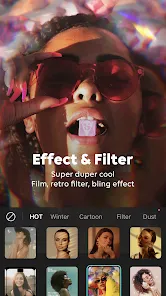

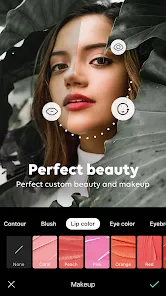
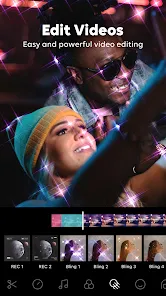
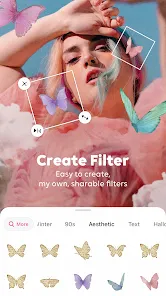
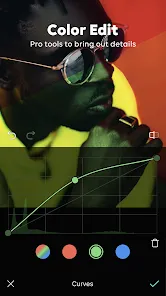
B612 Camera&Photo/Video Editor is a versatile application designed for photography enthusiasts and casual users alike. One of its standout features is the extensive collection of filters and effects, allowing users to enhance their photos and videos creatively. The app offers real-time beauty effects, enabling users to see changes as they take pictures, which is particularly useful for selfies. Additionally, B612 includes a variety of stickers and AR effects that can be applied to images, making it fun and engaging for users of all ages.
Another notable feature is the ability to create short videos with music, which is perfect for sharing on social media platforms. The app also supports various editing tools, such as cropping, rotating, and adjusting brightness and contrast, giving users full control over their images. Furthermore, B612 allows users to create collages and offers a timer function for group selfies. With its user-friendly interface, B612 makes it easy for anyone to capture and edit stunning photos and videos effortlessly.
Using B612 Camera&Photo/Video Editor is straightforward and user-friendly. To get started, download the app from your device's app store and open it. Upon launching the app, you will be greeted with the camera interface, where you can switch between photo and video modes. To take a picture, simply tap the shutter button. You can explore various filters and effects by swiping left or right on the screen before capturing your image.
After taking a photo or video, you can access the editing tools by tapping on the thumbnail in the corner of the screen. Here, you can apply additional filters, adjust brightness, and add stickers or text. Once you are satisfied with your edits, you can save your creation to your device or share it directly on social media platforms. The app also allows you to create fun collages and short videos, making it a comprehensive tool for all your photography needs.
B612 Camera&Photo/Video Editor comes with several advantages that make it a popular choice among users. One of the main pros is its extensive range of filters and effects, which can significantly enhance the quality of photos and videos. The real-time beauty effects are particularly appealing for those who enjoy taking selfies, as they can see the enhancements instantly. Additionally, the app is user-friendly, making it accessible for users of all skill levels. The ability to create short videos with music and various editing tools adds to its versatility.
However, there are some drawbacks to consider. Some users may find that the app can be resource-intensive, leading to slower performance on older devices. Additionally, while the free version offers many features, some advanced options may require in-app purchases. Lastly, the app's focus on beauty effects may not appeal to everyone, particularly those who prefer a more natural look in their photos. Overall, B612 is a fun and engaging app, but users should weigh its pros and cons based on their individual needs.

 Enjoy user-friendly interface for effortless navigation and editing experiences. Access a wide range of filters to enhance your photos creatively. Capture stunning selfies with advanced beauty and makeup tools. Edit videos with professional-grade features for impressive results. Share your creations easily across social media platforms instantly.
 Limited editing tools may restrict creative expression. Frequent ads can disrupt user experience significantly. Some features require a subscription for full access.
 Yes, users can typically submit suggestions or feedback through the app's support section or official website, where they can find contact information for customer support.
B612 Camera&Photo/Video Editor may collect personal data as outlined in its privacy policy, which typically includes information related to app usage and device information.
Yes, many features of B612 Camera&Photo/Video Editor can be used offline, although some functionalities may require an internet connection for full access.
You can cancel your subscription by going to the app store settings on your device, navigating to your subscriptions, and selecting B612 Camera&Photo/Video Editor to manage or cancel it.
Subscription costs may vary based on the plan selected and the region, so it's best to check the app store for the most current pricing information.
Yes, you can activate your account using your email or phone number. The customer number is not required for activation.
Yes, you can log in using your social media accounts like Facebook or Google if you linked them during registration.
You can reach our customer service via the app's support section or by emailing support
To update your customer number, go to your account settings and follow the prompts to update your information.
After registering, you’ll receive an activation link via email or SMS. Click the link to activate your account.











 Google Play
  App Store





