




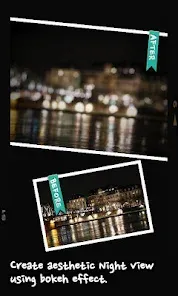
"AfterFocus" is a powerful photo editing application designed to enhance images by creating a professional-looking depth of field effect. One of its standout features is the ability to easily select the focus area of an image, allowing users to highlight specific subjects while blurring the background. This selective focus can be adjusted to achieve various artistic effects, making it ideal for portrait photography and landscape shots alike.
Another notable feature is the app's intuitive interface, which simplifies the editing process for users of all skill levels. It offers a range of editing tools, including the ability to adjust brightness, contrast, and saturation, ensuring that users can fine-tune their images to perfection. Additionally, "AfterFocus" provides various filters and effects that can be applied to enhance the overall aesthetic of the photo. The app also supports high-resolution images, ensuring that the final output maintains quality. Overall, "AfterFocus" combines ease of use with powerful editing capabilities, making it a favorite among photography enthusiasts.
Using "AfterFocus" is a straightforward process that allows users to create stunning images with depth of field effects. To begin, download and install the app on your device. Once opened, select the photo you wish to edit from your gallery. The first step is to choose the focus area by using the brush tool to outline the subject you want to keep sharp. This can be done with precision, ensuring that the edges are well-defined.
After selecting the focus area, users can adjust the blur level of the background to achieve the desired effect. The app provides options to customize the blur intensity and type, allowing for a more personalized touch. Once satisfied with the adjustments, users can apply additional filters or effects to enhance the image further. Finally, save the edited photo to your device or share it directly on social media platforms. With its user-friendly interface and powerful features, "AfterFocus" makes it easy for anyone to elevate their photography skills.
"AfterFocus" comes with several advantages that make it a popular choice among photo editing apps. One of the primary pros is its user-friendly interface, which allows even beginners to navigate the app with ease. The selective focus feature is particularly impressive, enabling users to create professional-quality images with minimal effort. Additionally, the app offers a variety of editing tools and filters, providing ample options for customization. The ability to work with high-resolution images is another significant benefit, ensuring that the final product is of excellent quality.
However, "AfterFocus" is not without its drawbacks. Some users may find that the app lacks advanced features found in more comprehensive editing software, which could limit its appeal to professional photographers. Additionally, while the app is generally reliable, occasional bugs or performance issues may arise, particularly on older devices. Lastly, the free version of the app may have limitations, prompting users to consider purchasing the full version for access to all features. Overall, while "AfterFocus" has its pros and cons, it remains a valuable tool for enhancing photography.

 Enhance photos with stunning depth-of-field effects easily. Create professional-looking images without advanced skills. Customize focus areas for unique artistic expression. Share your beautiful edits directly on social media. Enjoy a user-friendly interface designed for quick adjustments.
 Limited control over depth of field adjustments may frustrate users. App can struggle with complex backgrounds, leading to inaccurate results. Performance issues can arise, causing slow processing times on older devices.
  Google Play
  App Store
 Yes, AfterFocus encourages users to submit suggestions or feedback through the app or its official website to help improve the user experience.
AfterFocus is designed to respect user privacy and does not collect personal data unless explicitly provided by the user for specific features.
Yes, AfterFocus allows users to edit photos offline, enabling creativity without the need for an internet connection.
Users can cancel their AfterFocus subscription through the app store settings on their device or by following the cancellation instructions provided in the app.
The subscription cost for AfterFocus varies based on the plan selected, typically offering monthly and yearly options for users.
Unfortunately, customer numbers cannot be changed. If you have concerns, please reach out to customer service for further assistance.
To activate your account, click the activation link sent to your email after registration. If you didn't receive it, check your spam folder or contact support.
You can update your login information by going to your account settings after logging in. If you need more help, contact customer service.
You can reach customer service by emailing support
Please check your confirmation email for your customer number or contact customer service for assistance.