


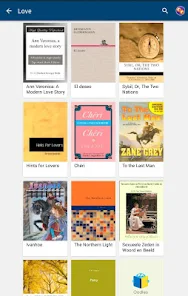
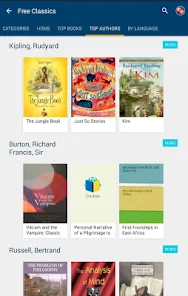
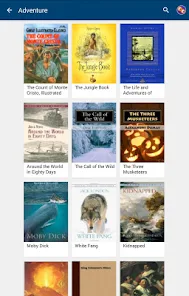
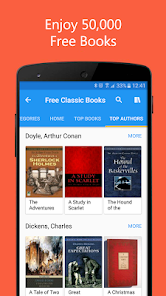
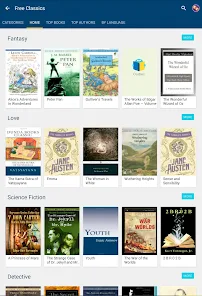
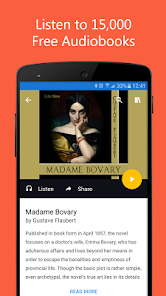
The "50000 eBooks & Audiobooks" app offers an extensive library that caters to a wide range of literary tastes. Users can access a vast collection of eBooks and audiobooks across various genres, including fiction, non-fiction, self-help, and more. The app is designed for ease of use, featuring a user-friendly interface that allows for seamless navigation through its extensive catalog. Additionally, it supports multiple formats, ensuring compatibility with various devices, including smartphones, tablets, and e-readers.
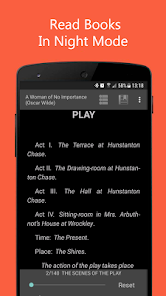
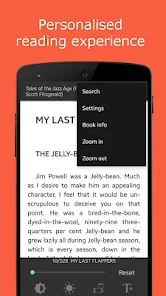
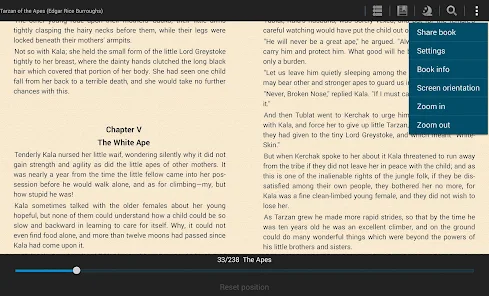
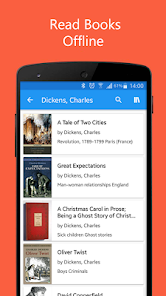
Another notable feature is the ability to download content for offline reading or listening, which is perfect for users who want to enjoy their books without needing an internet connection. The app also includes customizable reading settings, such as adjustable font sizes and background colors, enhancing the reading experience. Furthermore, users can create personalized libraries, bookmark pages, and highlight text, making it easier to revisit favorite sections. Overall, the app combines convenience and a rich selection of content, making it a valuable resource for book lovers.
Using the "50000 eBooks & Audiobooks" app is straightforward and user-friendly. First, download the app from your device's app store and create an account to access its features. Once logged in, you can browse through the extensive library by genre, popularity, or recommendations. The search function allows you to find specific titles or authors quickly, making it easy to discover new reads.
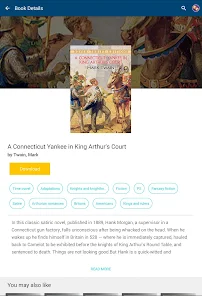
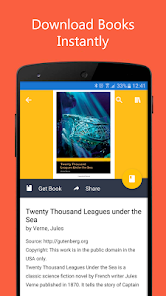
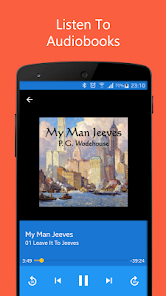
After selecting a book or audiobook, you can choose to read or listen online or download it for offline access. The app provides options to customize your reading experience, such as adjusting the font size or background color. For audiobooks, users can control playback speed and set sleep timers for convenience. Additionally, you can create a personal library to organize your favorite titles and track your reading progress. Overall, the app is designed to enhance your reading and listening experience, making it accessible and enjoyable.
The "50000 eBooks & Audiobooks" app comes with several advantages that make it appealing to users. One of the primary benefits is its vast library, which offers a diverse range of titles across multiple genres, catering to various interests. The app's user-friendly interface simplifies navigation, allowing users to find and access content easily. Additionally, the ability to download books and audiobooks for offline use is a significant plus, especially for those who travel or have limited internet access.
However, there are some drawbacks to consider. The app may have limitations in terms of the latest releases or popular titles, as not all books may be available. Some users might also find the app's performance inconsistent, with occasional bugs or slow loading times. Furthermore, while the app is free, certain premium features or exclusive content may require a subscription or in-app purchases, which could deter some users. Balancing these pros and cons is essential for potential users to determine if the app meets their reading and listening needs.

 Access a vast selection of genres and topics for every interest. Enjoy the convenience of reading or listening anywhere, anytime. Discover new authors and titles without leaving your home. Save money with a large library at your fingertips. Enhance learning and comprehension with diverse formats available.
 Limited access to physical copies can hinder deep engagement with content. Digital formats may cause eye strain and fatigue over time. The vast selection can overwhelm readers, making it hard to choose.
  Google Play
  App Store
 Yes, users are encouraged to submit suggestions or feedback through the app's support section or customer service channels to help improve the app experience.
The app may collect user data for account creation and personalization, but it adheres to privacy policies to protect personal information.
Yes, users can download eBooks and audiobooks for offline use, allowing them to enjoy content without an internet connection.
Users can cancel their subscription through the app settings or their app store account settings, following the instructions provided for subscription management.
Subscription prices may vary based on the plan selected, but typically range from a monthly fee to an annual subscription, providing access to premium content and features.
Unfortunately, customer numbers cannot be changed. If you need assistance, please contact customer service for further help.
To activate your account, click on the activation link sent to your email after purchase and follow the instructions provided.
To activate your eBook subscription, log in to your account and follow the prompts under the subscription section.
You can reach our customer service team via the support page on our website or by calling the number provided in your account details.
Customer numbers cannot be updated. If you have any issues, please contact customer service for clarification.