



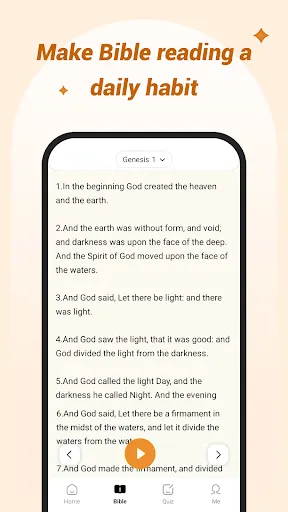
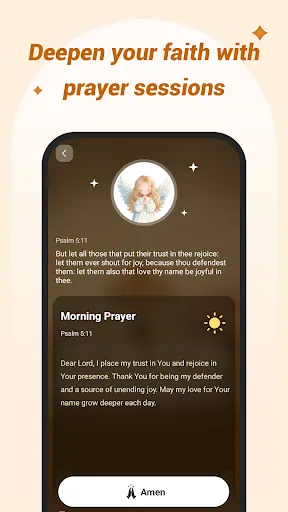


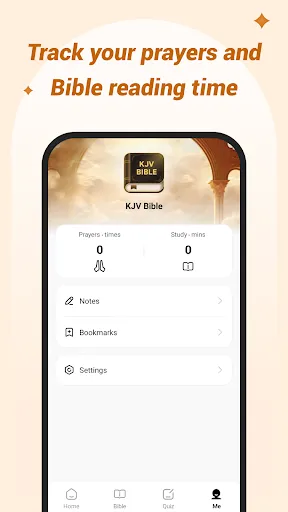
The "KJV Bible: Audio+Verse" app offers a range of features designed to enhance the user experience for those who wish to engage with the King James Version of the Bible. One of its standout features is the audio playback, which allows users to listen to the scripture being read aloud, making it easier to absorb the text while multitasking or during commutes. The app also includes a verse-by-verse display, enabling users to follow along with the audio, which can be particularly helpful for visual learners.
Additionally, the app provides a user-friendly interface that allows for easy navigation through different books and chapters of the Bible. Users can bookmark their favorite verses, making it simple to return to passages of interest. The search function is another valuable feature, allowing users to quickly find specific verses or keywords. Furthermore, the app supports offline access, meaning users can listen to the audio and read the text without needing an internet connection, making it convenient for use in various settings.
Using the "KJV Bible: Audio+Verse" app is straightforward and intuitive. After downloading and installing the app, users can open it to access the main interface, which displays the various books of the Bible. To begin, simply select the book you wish to read or listen to. Once inside a book, you can navigate through the chapters easily. To listen to the audio, tap the play button, and the app will read the selected chapter aloud.
For those who prefer to read along, the text will be highlighted in sync with the audio, enhancing comprehension. Users can also utilize the search feature to find specific verses or topics quickly. If you come across a verse that resonates with you, you can bookmark it for future reference. Additionally, the app allows for customization of text size and background color, making it easier to read according to personal preferences. Overall, the app is designed to provide a seamless experience for both reading and listening to the Bible.
The "KJV Bible: Audio+Verse" app comes with several advantages that make it appealing to users. One of the primary pros is its audio feature, which allows users to listen to the scripture, making it accessible for those who may have difficulty reading or prefer auditory learning. The app's user-friendly interface and easy navigation enhance the overall experience, allowing users to find and bookmark verses effortlessly. Additionally, the offline access feature is a significant benefit, enabling users to engage with the Bible without needing an internet connection.
However, there are some drawbacks to consider. Some users may find the audio quality inconsistent, which can detract from the listening experience. Additionally, while the app offers a range of features, it may lack some advanced study tools found in other Bible apps, such as commentary or cross-references. Furthermore, the app's reliance on the King James Version may not appeal to those who prefer more contemporary translations. Overall, while the app has its strengths, potential users should weigh these pros and cons based on their individual needs and preferences.

 Experience scripture through immersive audio narration for deeper understanding. Conveniently listen while multitasking or on the go. Enhance memorization with synchronized verse display during audio playback. Engage with classic KJV language, preserving historical richness and beauty. Foster spiritual growth with accessible daily readings and reflections.
 Language may feel outdated and difficult for modern readers to understand. Limited accessibility for those who prefer contemporary language translations. Audio quality can vary, impacting the listening experience for users. Some verses may lack context, leading to potential misunderstandings of meanings.
  Google Play
  App Store
 KJV Bible: Audio+Verse may collect some personal data in accordance with its privacy policy, but it is designed to prioritize user privacy and security.
Yes, KJV Bible: Audio+Verse typically offers a free version with limited features, as well as a free trial for users to explore premium features before committing to a subscription.
The app can be used offline once the audio files are downloaded, but an internet connection is necessary for initial downloads and updates.
You can contact support or send feedback by accessing the help section within the app or visiting the official website, where you can find contact details and support resources.
You can manage or cancel your subscription through your device's app store settings or within the app's account settings, depending on how you subscribed.
Unfortunately, customer numbers cannot be changed. For any issues, please contact customer service for support.
You can contact customer service through the support section on our website or call the provided number for assistance.
To activate your account, follow the instructions in the activation email you received after registration. If you need help, reach out to customer service.
Click on the "Forgot Password?" link on the login page to reset your password. If issues persist, contact customer service for help.
You can retrieve your customer number by checking your registration email or contacting customer service for help.