

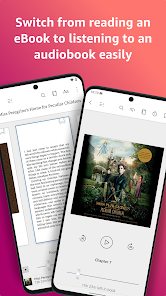
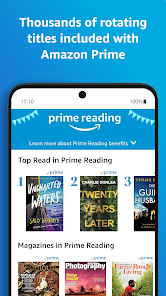
My daily life is often a whirlwind of activities, and the Amazon Kindle app fits seamlessly into it. One of my favorite scenarios is during my daily commute. As I hop on the subway, I whip out my smartphone, and within seconds, I'm diving into the pages of a thrilling sci-fi novel. The convenience of having a library in my pocket is unmatched. Even during lunch breaks, when I have a few minutes to myself, I can read a chapter or two without the bulk of carrying a physical book.
Another scenario is during travel. On a recent trip, I had long flights ahead, and I loaded my Kindle app with a stack of books. Instead of lugging around heavy books, I had an entire library at my fingertips. I settled into my seat, and as the plane took off, I lost myself in a gripping historical fiction novel, making the flight feel much shorter.
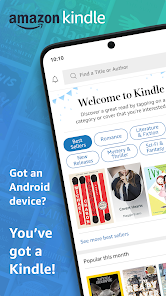
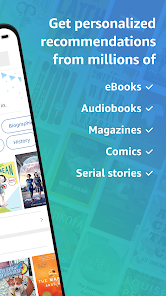
The user interface of the Kindle app is clean and intuitive, making navigation a breeze. Upon opening the app, I’m greeted with a well-organized home screen that displays my current reads and recommendations based on my interests. The workflow is seamless; I can easily switch between books, highlights, and notes without feeling lost or overwhelmed.
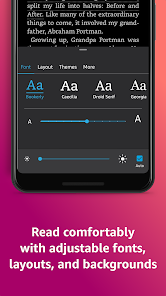
Performance-wise, the app is smooth and responsive. I’ve never encountered any lag or crashes, even when I’m downloading new books on the go. The reading experience is further enhanced by features like adjustable brightness and text size, making it easy to read in various lighting conditions. Overall, the Kindle app has significantly changed how I read, offering convenience and flexibility that suits my fast-paced lifestyle.
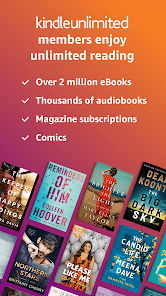
The Amazon Kindle app is free to download and offers a plethora of free books and samples. However, for avid readers like me, the optional Kindle Unlimited subscription, priced affordably, opens up a treasure trove of additional content. It’s a small investment for unlimited access to countless titles, ensuring that I never run out of material to enjoy.
Amazon consistently updates the Kindle app to enhance user experience and introduce new features. The support team is responsive and helpful, addressing any issues I’ve encountered promptly. Their extensive online help resources and community forums provide additional support, making it easy to find answers to any questions I may have about using the app.
As an American user, security and privacy are paramount for me when using any app, including Kindle. The app is readily available through official sources like the App Store and Google Play, ensuring that I’m downloading a secure version. When registering for the app, I’m only required to provide basic personal information, which is a relief. I appreciate that Amazon offers two-factor authentication for added security on my account.
In terms of tracking and ads, I’ve noticed that the Kindle app is relatively ad-free, which enhances the reading experience. Amazon may collect data to personalize recommendations, but I feel comfortable with their privacy policies, as they provide transparency about how my data is used. Overall, I trust the Kindle app to keep my information secure while providing a fantastic reading experience.

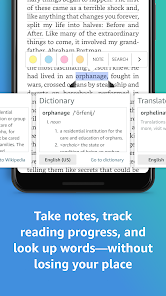
 Portable library with thousands of books available Adjustable font sizes for comfortable reading Built-in dictionary for quick definitions and insights Long battery life for uninterrupted reading sessions Access to free eBooks and Kindle Unlimited options
 Limited compatibility with non-Amazon formats No physical book experience Battery life can be insufficient for heavy use Restricted access to library lending services
 Yes, Amazon Kindle collects certain personal data to enhance user experience and provide personalized recommendations. This may include reading habits, preferences, and account information, which are governed by Amazon's privacy policy.
Amazon Kindle does not offer a free version of the app, but it often provides a free trial for its subscription service, Kindle Unlimited, allowing users to explore a wide selection of eBooks without charge for a limited time.
While an internet connection is required to initially download books and access the Kindle Store, you can read downloaded content offline without needing to be connected to the internet.
You can contact Amazon Kindle support through the Help & Customer Service section on the Amazon website or app. Additionally, you can provide feedback through the app by using the "Feedback" option found in the settings menu.
You can manage or cancel your Amazon Kindle subscription through your Amazon account settings. Simply log in, navigate to the "Your Memberships and Subscriptions" section, and follow the prompts to manage your subscription preferences.
No, you need an Amazon account to use the Kindle app for accessing content and syncing your library.
Your Kindle account number is typically your Amazon account email; log in to your account for details.
Download the Kindle app, open it, and sign in with your Amazon account to activate it on the new device.
Open the app, tap on the menu icon, then select "Settings" to customize your preferences.
You can reach Amazon Kindle customer service through the Help section in the app, or by visiting the Amazon website and selecting "Contact Us."










 Google Play
  App Store