



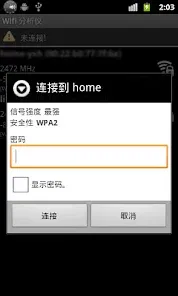
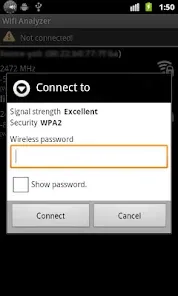
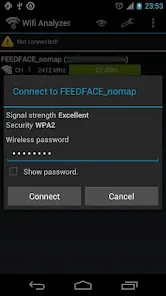
The "Wifi Connecter Library" is designed to simplify the process of connecting to Wi-Fi networks in mobile applications. One of its primary features is the ability to scan for available Wi-Fi networks, allowing users to view a list of nearby connections. This feature enhances user experience by providing real-time information about network availability.
Another significant feature is the library's capability to manage Wi-Fi connections programmatically. Developers can easily connect, disconnect, and switch between networks without requiring extensive coding. Additionally, the library supports both open and secured networks, enabling users to connect seamlessly to various types of Wi-Fi.
Moreover, the "Wifi Connecter Library" offers robust error handling and connection status monitoring, ensuring that users are informed about their connection state. The library is also lightweight and easy to integrate into existing projects, making it a popular choice among developers looking to enhance their applications with Wi-Fi connectivity features.
To utilize the "Wifi Connecter Library," developers first need to include the library in their project. This can typically be done by adding the library dependency in the build.gradle file for Android projects. Once integrated, developers should request the necessary permissions to access Wi-Fi features, such as location and network state permissions, to ensure proper functionality.
After setting up the library, developers can initiate a Wi-Fi scan by calling the appropriate methods provided by the library. This will return a list of available networks, which can be displayed to users. To connect to a specific network, developers can use the connection methods, passing the network credentials as parameters.
Additionally, it is essential to implement listeners to handle connection status updates and errors. This allows the application to respond dynamically to changes in connectivity, providing a smoother user experience. Overall, the library's documentation provides detailed examples and guidelines to help developers effectively implement Wi-Fi connectivity in their applications.
The "Wifi Connecter Library" offers several advantages that make it appealing to developers. One of the primary pros is its ease of integration, allowing developers to add Wi-Fi connectivity features without extensive coding. The library's ability to handle both open and secured networks is another significant benefit, as it caters to a wide range of user needs. Additionally, the robust error handling and connection monitoring features enhance the overall user experience by providing real-time feedback on connectivity status.
However, there are some drawbacks to consider. One potential con is that the library may require specific permissions that could raise privacy concerns among users. Additionally, reliance on third-party libraries can sometimes lead to compatibility issues with future updates of the operating system or other libraries. Furthermore, while the library is lightweight, it may not offer all the advanced features that some developers might need for more complex applications.
In summary, while the "Wifi Connecter Library" provides a user-friendly solution for Wi-Fi connectivity, developers should weigh its pros and cons based on their specific project requirements and user expectations.

 Seamless integration with various devices enhances user experience. Fast connection speeds ensure smooth streaming and browsing. User-friendly interface simplifies setup and usage for everyone. Robust security protocols protect your data from unauthorized access. Support for multiple connections allows sharing with friends and family.
 Limited compatibility with older devices can hinder connectivity. Signal interference can disrupt stable connections in crowded areas. Security vulnerabilities may expose networks to unauthorized access.
  Google Play
  App Store
 Yes, users can submit suggestions or feedback directly through the app's support section or by contacting customer service via email.
Wifi Connecter Library adheres to privacy policies and does not collect personal data unless explicitly provided by the user for specific features.
Yes, Wifi Connecter Library allows certain features to be accessed offline, such as previously saved network information and user-generated content.
Users can cancel their subscription through the settings menu within the app or by managing their subscription through the app store where it was purchased.
The subscription cost for premium features varies based on the plan selected, typically ranging from a monthly to an annual fee.
Yes, you can log in from multiple devices using the same account credentials. Just ensure you log out from any device if security is a concern.
Customer numbers cannot be updated directly. Please contact customer service for any changes to your customer information.
To log in, visit our website and enter your registered email and password in the login section.
After registration, check your email for the activation link. Click on it to activate your account. If you can't find the email, contact customer service for help.
You can reach our customer service team via the support section on our website or by calling our dedicated helpline.



























