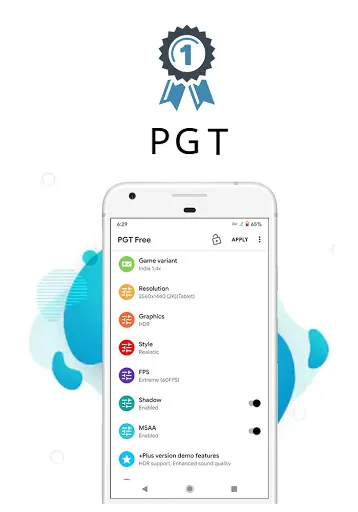
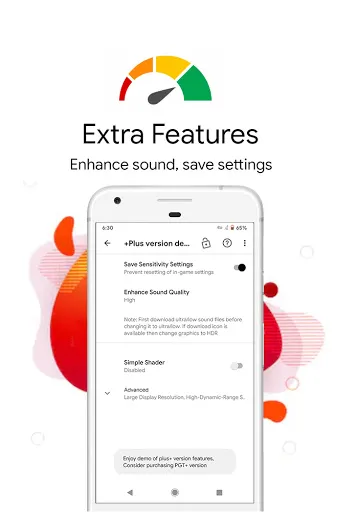
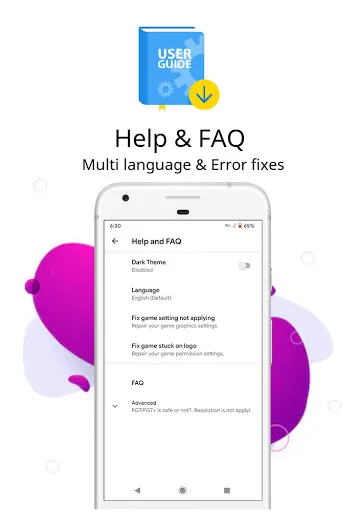
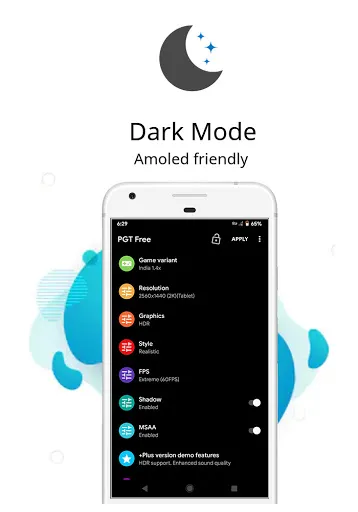
"PGT: GFX, Launcher & Optimizer" is a versatile application designed to enhance the gaming experience on mobile devices. One of its standout features is the GFX tool, which allows users to adjust graphics settings for various games, improving visual quality and performance. This feature is particularly beneficial for gamers who want to optimize their gameplay without compromising on graphics.
Additionally, the app includes a customizable launcher that enables users to personalize their home screen with various themes and layouts. This feature not only enhances aesthetics but also improves accessibility to frequently used apps and games. The optimizer function further boosts device performance by clearing cache and managing background processes, ensuring that games run smoothly without lag.
Moreover, "PGT" supports multiple resolutions and frame rates, allowing users to tailor their gaming experience according to their device capabilities. The app also provides a user-friendly interface, making it easy for both novice and experienced users to navigate and utilize its features effectively.
Using "PGT: GFX, Launcher & Optimizer" is straightforward and user-friendly. First, download and install the app from the Google Play Store. Once installed, open the application, and you will be greeted with a clean interface that showcases its various features. To optimize your gaming experience, select the GFX tool option, where you can choose your desired game from the list provided.
After selecting a game, you can adjust various graphics settings, such as resolution, frame rate, and graphics quality. Once you have made your adjustments, simply save the settings and launch the game directly from the app. For the launcher feature, navigate to the launcher settings to customize your home screen with themes, icons, and layouts that suit your style.
Lastly, utilize the optimizer feature to enhance your device's performance. This can be done by clearing cache and managing background applications, which helps in freeing up resources for a smoother gaming experience. Overall, the app is designed to be intuitive, making it easy for users to enhance their mobile gaming without any technical expertise.
Like any application, "PGT: GFX, Launcher & Optimizer" comes with its own set of advantages and disadvantages. On the positive side, one of the main pros is its ability to significantly enhance gaming performance by allowing users to customize graphics settings. This feature is particularly useful for gamers who want to achieve higher frame rates and better visuals, especially on lower-end devices.
Another advantage is the customizable launcher, which provides a unique way to personalize the home screen, making it more visually appealing and user-friendly. The optimizer feature is also a plus, as it helps in maintaining device performance by managing background processes and clearing unnecessary files.
However, there are some cons to consider. Some users may find that the app does not support all games, limiting its functionality. Additionally, while the app is designed to be user-friendly, some features may still be complex for novice users. Lastly, excessive use of the optimizer may lead to unintended consequences, such as the removal of important files or settings. Overall, while "PGT" offers valuable features, users should weigh these pros and cons before fully relying on the app.

 Enhances gaming performance with optimized graphics settings for smoother gameplay. Streamlines app launching for faster access to your favorite games. Reduces lag and latency, ensuring a seamless gaming experience. Customizes device settings for improved battery life during extended play. User-friendly interface simplifies navigation and enhances overall usability.
 Limited customization options may frustrate advanced users seeking tailored experiences. Frequent ads can disrupt user experience and hinder smooth performance. Potential compatibility issues with certain devices might limit functionality and access.
  Google Play
  App Store
 Yes, users can submit suggestions or feedback through the app’s support or feedback section, which is often available in the settings menu. The developers appreciate user input for future improvements.
PGT: GFX, Launcher & Optimizer has a privacy policy in place, and it does not collect personal data unless explicitly permitted by the user for certain features.
Yes, PGT: GFX, Launcher & Optimizer can be used offline, allowing users to apply optimizations and customizations without needing an internet connection.
To cancel your subscription, you can go to the subscription management section of your device's app store and follow the prompts to cancel your subscription to PGT: GFX, Launcher & Optimizer.
The subscription cost for PGT: GFX, Launcher & Optimizer can vary based on the plan chosen, with options for monthly or yearly subscriptions available. Users should check the app for the most current pricing.
Unfortunately, customer numbers cannot be changed. If you have concerns, please reach out to customer service for further assistance.
You can contact customer service through the app or our website. They are available to assist you with activation issues.
To activate your account, follow the link in the activation email you received after registration. If you need help, contact customer service.
You can reach customer service via the support section in the app or by visiting our website for contact details.
Open the PGT Launcher and enter your customer number and password. If you have trouble, contact customer service for help.