

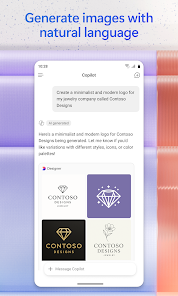
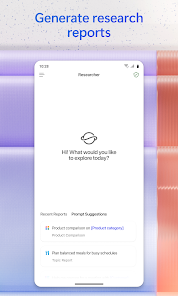
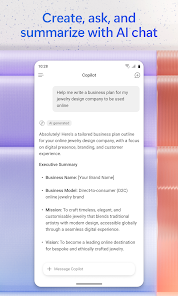
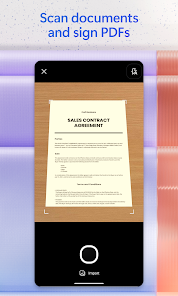
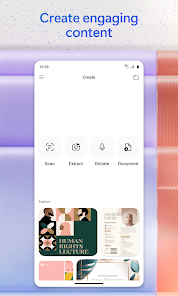
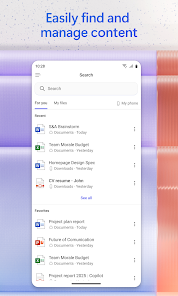
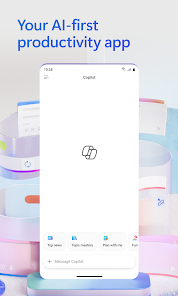
Microsoft 365 Copilot is an innovative tool designed to enhance productivity and streamline workflows within the Microsoft 365 suite. One of its standout features is its ability to generate content, allowing users to create documents, presentations, and emails with ease. By leveraging advanced AI capabilities, Copilot can suggest text, summarize information, and even provide insights based on user queries.
Another key feature is its integration with various Microsoft applications, such as Word, Excel, and PowerPoint. This seamless integration enables users to access Copilot's functionalities directly within their favorite tools, making it easier to harness AI assistance without disrupting their workflow. Additionally, Copilot can analyze data in Excel, offering recommendations and visualizations that help users make informed decisions.
Furthermore, Microsoft 365 Copilot is designed to learn from user interactions, continuously improving its suggestions and responses over time. This personalized approach ensures that the tool becomes more effective as it adapts to individual user preferences and work habits. Overall, Microsoft 365 Copilot aims to empower users by enhancing creativity, efficiency, and collaboration across the Microsoft ecosystem.
Using Microsoft 365 Copilot is straightforward and user-friendly, making it accessible for individuals and teams alike. To get started, users need to ensure they have a subscription to Microsoft 365, as Copilot is integrated into various applications within the suite. Once logged in, users can find Copilot features embedded in tools like Word, Excel, and PowerPoint.
In Word, for instance, users can activate Copilot by clicking on the Copilot icon or using a designated keyboard shortcut. From there, they can request assistance with drafting text, generating ideas, or summarizing existing content. In Excel, users can ask Copilot to analyze data sets, create charts, or suggest formulas, streamlining the data management process.
To maximize the benefits of Copilot, users should engage with the tool by asking specific questions or providing clear instructions. The more context users provide, the better Copilot can tailor its responses. Additionally, users can explore various templates and suggestions offered by Copilot to enhance their projects. Overall, utilizing Microsoft 365 Copilot can significantly boost productivity and creativity in everyday tasks.
Microsoft 365 Copilot offers several advantages that can greatly enhance user experience and productivity. One of the primary benefits is its ability to save time by automating repetitive tasks and generating content quickly. This feature allows users to focus on more strategic aspects of their work, ultimately improving efficiency. Additionally, the AI-driven insights provided by Copilot can help users make better-informed decisions based on data analysis and trends.
Another significant advantage is the seamless integration with existing Microsoft applications, which means users can leverage Copilot's capabilities without needing to switch between different platforms. This integration fosters a more cohesive workflow and enhances collaboration among team members. Furthermore, the personalized learning aspect of Copilot ensures that it becomes more attuned to individual user preferences over time.
However, there are some drawbacks to consider. One potential concern is the reliance on AI, which may lead to inaccuracies or misinterpretations in certain contexts. Users must remain vigilant and verify the information provided by Copilot. Additionally, some users may find the learning curve associated with new features to be challenging, particularly if they are not familiar with AI tools. Overall, while Microsoft 365 Copilot presents numerous benefits, users should weigh these against potential limitations to determine its suitability for their needs.

 Seamless collaboration across teams with real-time editing and sharing capabilities. Access your files from anywhere with cloud storage and mobility options. Regular updates provide the latest features without additional costs. Integrated applications enhance productivity and streamline workflows effortlessly. Robust security measures protect your data against threats and breaches.
 Subscription costs can accumulate over time, leading to higher long-term expenses. Limited offline functionality can hinder productivity without internet access. Frequent updates may disrupt workflows and require time to adapt.
  Google Play
  App Store
 Yes, users can submit suggestions or feedback to Microsoft 365 (Office) through the "Feedback" option available within the apps or via the Microsoft feedback portal online.
Yes, Microsoft 365 (Office) may collect personal data such as your name, email address, and usage statistics to enhance user experience and improve services, as outlined in their privacy policy.
Yes, Microsoft 365 (Office) supports offline use, allowing users to access and edit documents without an internet connection; changes will sync automatically once the device is back online.
To cancel your Microsoft 365 (Office) subscription, log into your Microsoft account, navigate to the "Services & subscriptions" section, and follow the prompts to cancel your subscription.
Subscription costs for Microsoft 365 (Office) vary depending on the plan chosen, with personal plans starting around $6.99 per month, and business plans starting at approximately $5 per user per month, with annual billing options available.
Yes, you can access customer service directly through the Microsoft 365 Copilot app by navigating to the help section.
Yes, you can update your contact details through the account settings in the Microsoft 365 portal.
To log in, visit the Microsoft 365 portal, enter your email and password, and follow the prompts. Ensure your account is active.
You can reach customer service by visiting the support section of the Microsoft website and choosing your preferred contact method.
To activate your account, follow the activation link sent to your email and complete the setup process.