


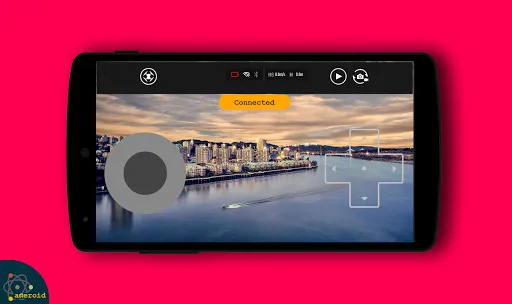
Drone remote controls come equipped with a variety of features that enhance the flying experience and improve the functionality of the drone. One of the primary features is the ability to control the drone's altitude and direction with precision. Most remote controls include joysticks that allow for smooth maneuvering, enabling users to perform complex aerial stunts or capture stunning aerial photography.
Another significant feature is the integration of GPS technology, which provides real-time location tracking and allows for automated flight paths. This is particularly useful for beginners, as it helps prevent loss of the drone. Many remote controls also offer a live video feed, allowing users to see what the drone's camera sees in real-time, which is essential for photography and videography.
Additionally, advanced remote controls may include features such as obstacle avoidance sensors, customizable flight modes, and programmable flight paths. Some models even support smartphone integration, enabling users to control the drone via a mobile app. Overall, these features make drone remote controls versatile tools for both hobbyists and professionals alike.
Using a drone remote control effectively requires a basic understanding of its components and functions. First, ensure that the drone and remote control are fully charged and that the drone is properly calibrated. Begin by turning on the remote control and then the drone, following the manufacturer's instructions for pairing the two devices.
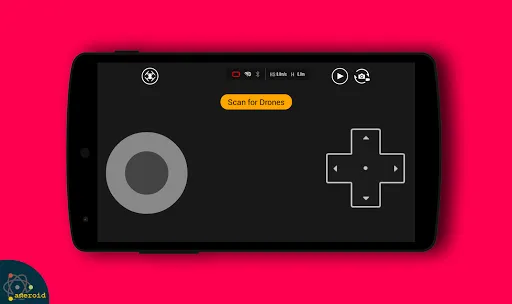
Once connected, familiarize yourself with the controls. The left joystick typically controls altitude and rotation, while the right joystick manages forward, backward, and lateral movements. Start with gentle movements to get a feel for the drone's responsiveness. It’s advisable to practice in an open area free from obstacles to avoid accidents.
Many remote controls also feature a "return to home" function, which can be a lifesaver if you lose sight of the drone. Always keep an eye on the battery level and be prepared to land the drone safely when it runs low. Lastly, consider using the drone's camera features to capture images or videos, but remember to follow local regulations regarding drone usage.
Drone remote controls offer several advantages that enhance the flying experience. One of the primary benefits is the level of control they provide, allowing users to maneuver their drones with precision. This is particularly important for tasks such as aerial photography, where stability and accuracy are crucial. Additionally, many remote controls come with advanced features like GPS tracking and obstacle avoidance, making flying easier and safer, especially for beginners.
However, there are also some drawbacks to consider. One significant con is the learning curve associated with using a remote control, particularly for those new to flying drones. It can take time to become proficient, and inexperienced users may experience crashes or accidents. Furthermore, the reliance on batteries means that both the drone and remote control need to be charged regularly, which can be inconvenient during extended flying sessions.
Lastly, while many remote controls are user-friendly, some advanced models can be quite complex, requiring a deeper understanding of their features. Overall, weighing these pros and cons can help users make informed decisions about which drone remote control best suits their needs.
```
 Enhanced precision allows for accurate operations in various environments. Reduces human risk by keeping operators at a safe distance. Enables real-time monitoring, improving decision-making and response times. Increases efficiency, covering large areas quickly and effectively. Cost-effective solution compared to traditional methods of operation.
 Limited range can restrict operational effectiveness in remote areas Signal interference may disrupt control and navigation High costs for advanced systems can deter widespread usage
  Google Play
  App Store
 Yes, users can submit suggestions or feedback through the app's feedback feature or by contacting customer support via the official website.
Drone Remote Control may collect certain personal data to enhance user experience and app functionality, but it adheres to strict privacy policies and guidelines to protect user information.
Yes, Drone Remote Control allows for certain features to be accessed offline, such as pre-loaded maps and previously planned flight paths, although live streaming and real-time telemetry require an internet connection.
You can cancel your subscription through your device's app store settings, where you can manage subscriptions and follow the prompts to unsubscribe from the service.
Subscription costs vary based on the plan selected, but they typically range from a monthly fee of around $9.99 to an annual fee of approximately $99.99, offering savings for longer commitments.
Yes, you can log in to your account on multiple devices using the same credentials. Just ensure you are logged out from other devices if you face issues.
Log in to your account and check the dashboard for activation status, or contact customer service for further details.
You can reach our customer service at the support number listed on our website or through the contact form in your account.
To log in, visit our website and click on the "Log In" button at the top right corner, then enter your credentials.
Click on the "Forgot Password?" link on the log in page and follow the instructions to reset your password.



























