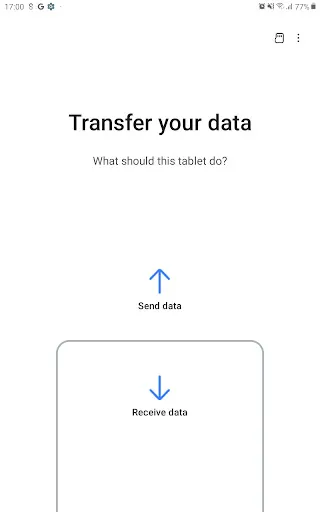
Samsung Smart Switch Mobile is a versatile application designed to facilitate the transfer of data between devices, particularly when switching to a new Samsung smartphone. One of its standout features is the ability to transfer a wide range of data types, including contacts, messages, photos, videos, music, and even apps. This ensures that users can seamlessly transition to their new device without losing important information.
Another notable feature is its compatibility with various operating systems, allowing users to transfer data from iOS, Android, and even Windows devices. The app supports both wireless and wired connections, providing flexibility depending on user preferences and device capabilities. Additionally, Smart Switch offers a user-friendly interface, making it easy for individuals of all tech levels to navigate the transfer process. The app also includes backup and restore functionalities, ensuring that users can safeguard their data and restore it when needed.
Overall, Samsung Smart Switch Mobile is an essential tool for anyone looking to migrate to a new Samsung device, offering a comprehensive solution for data transfer and management.
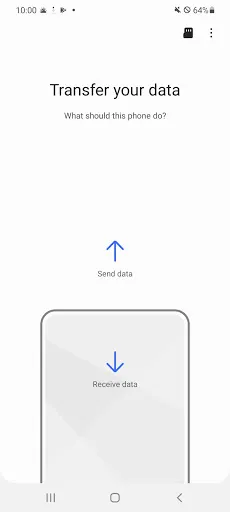
Using Samsung Smart Switch Mobile is a straightforward process that can be completed in just a few steps. First, download and install the Smart Switch app from the Google Play Store or the Samsung Galaxy Store on both the old and new devices. Once installed, open the app on both devices and select the appropriate option: "Send data" on the old device and "Receive data" on the new Samsung device.
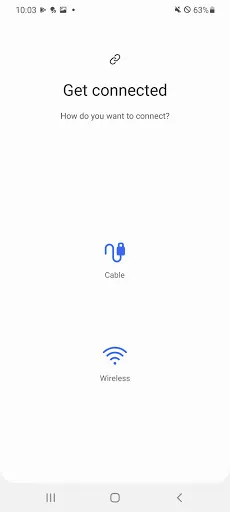
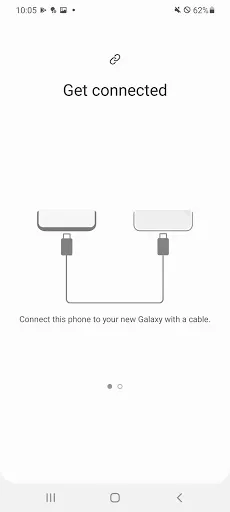
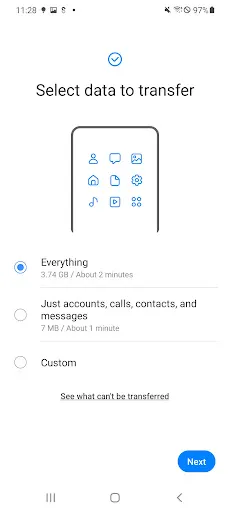
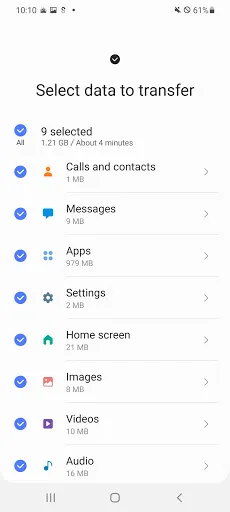
Next, choose the type of connection you prefer. You can opt for a wireless transfer, which requires both devices to be connected to the same Wi-Fi network, or a wired transfer using a USB cable. After establishing the connection, select the data you wish to transfer, such as contacts, messages, photos, and apps. Once you’ve made your selections, initiate the transfer process. The app will guide you through the steps, and depending on the amount of data, the transfer may take a few minutes.
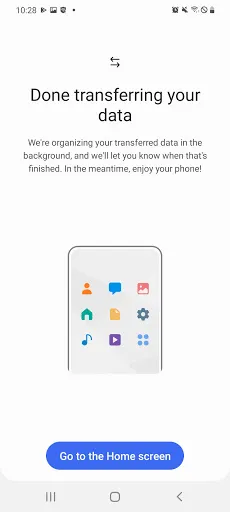
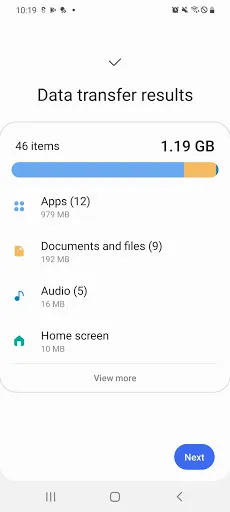
After the transfer is complete, you can review the data on your new device to ensure everything has been successfully migrated. This simple process makes switching to a new Samsung device hassle-free and efficient.
Samsung Smart Switch Mobile comes with several advantages that make it a popular choice for users transitioning to new devices. One of the primary benefits is its ability to transfer a wide variety of data types, ensuring that users can retain their important information during the switch. The app's compatibility with multiple operating systems, including iOS and Android, allows for a seamless transition regardless of the previous device. Additionally, the user-friendly interface simplifies the process, making it accessible for users of all technical backgrounds.
However, there are some drawbacks to consider. One potential con is that the app may not support the transfer of certain app data, which can be frustrating for users who rely on specific applications. Furthermore, while the wireless transfer option is convenient, it can be slower than wired transfers, especially when dealing with large amounts of data. Some users have also reported occasional connectivity issues, which can hinder the transfer process. Overall, while Samsung Smart Switch Mobile is a powerful tool for data migration, users should be aware of its limitations and plan accordingly.

 Easily transfer data between devices without losing important files. Supports various data types, including photos, contacts, and messages. User-friendly interface simplifies the switching process for everyone. Compatible with both Android and iOS devices for versatility. Offers backup and restore options to safeguard your data.
 Limited compatibility with non-Samsung devices can restrict data transfer options. Sometimes experiences connectivity issues, leading to interrupted transfers. The app can be slow or laggy during large data migrations.
  Google Play
  App Store
 Yes, users can submit suggestions or feedback through the app’s support section or by visiting Samsung's official website.
Samsung Smart Switch Mobile does not collect personal data during the transfer process, as all data is transferred directly between devices without being stored on external servers.
Yes, Samsung Smart Switch Mobile supports offline data transfers, allowing users to transfer data without needing an internet connection.
Since Samsung Smart Switch Mobile is a free app and does not require a subscription, there is no need to cancel anything. Users can simply uninstall the app if they no longer wish to use it.
Samsung Smart Switch Mobile does not require a subscription; it is a completely free app with no associated costs.
Yes, you can log in using your Samsung account credentials for a seamless experience with Samsung Smart Switch Mobile.
Yes, you can use some features of Samsung Smart Switch Mobile without logging in, but logging in will provide access to additional functionalities and backups.
You can reach Samsung customer service through their official website or by calling their support hotline. Make sure to have your customer number ready for faster assistance.
To activate your account, download the app, open it, and follow the on-screen instructions to complete the activation process.
You can find customer service contact information on the official Samsung website under the support section for Smart Switch Mobile.