



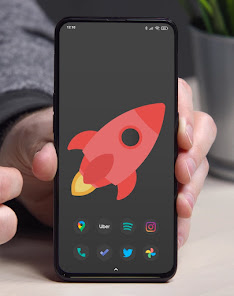
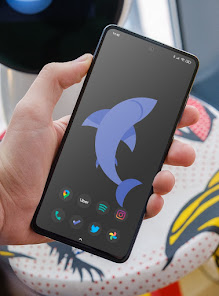
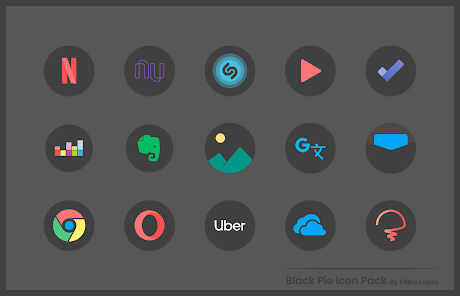
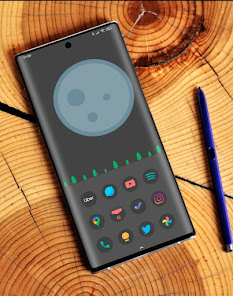
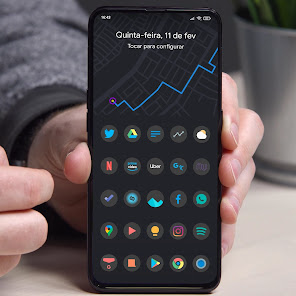
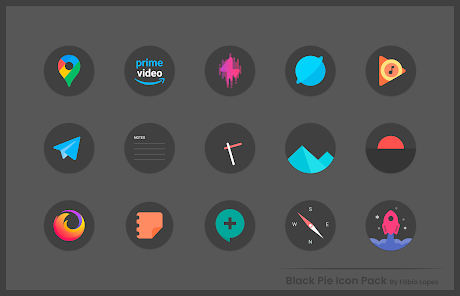
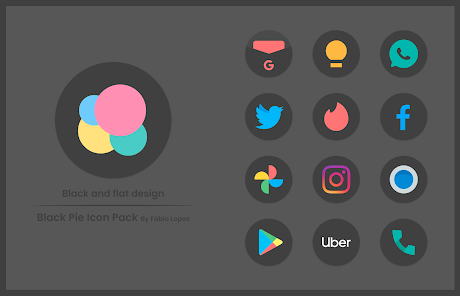
"Black Pie - Icon Pack" is designed to enhance the aesthetic appeal of your device with its sleek and modern design. One of its standout features is the extensive collection of over 3,000 icons, each crafted with attention to detail to ensure a cohesive look across your home screen. The icons are designed in a minimalist style, predominantly featuring black and white tones, which can complement various themes and wallpapers.
Additionally, the icon pack supports dynamic calendar icons, allowing users to see the current date without needing to open an app. The pack is regularly updated, ensuring that new icons are added frequently to keep up with the latest app releases. Users can also enjoy a variety of alternative icons for popular applications, providing flexibility in customization. Furthermore, "Black Pie" is compatible with most major launchers, making it accessible for a wide range of users. The user-friendly interface allows for easy navigation and selection of icons, enhancing the overall user experience.
Using "Black Pie - Icon Pack" is a straightforward process that allows users to personalize their devices effortlessly. First, ensure that you have a compatible launcher installed on your device, such as Nova Launcher, Apex Launcher, or any other popular option. Once the launcher is set up, download and install the "Black Pie - Icon Pack" from the Google Play Store.
After installation, open the app, and you will be greeted with a user-friendly interface showcasing all the available icons. To apply the icon pack, navigate to your launcher settings, where you can find the option to select icon packs. Choose "Black Pie" from the list, and the icons will be applied to your home screen automatically. You can also customize individual app icons by long-pressing on them and selecting the option to change the icon. This flexibility allows you to create a unique look that reflects your personal style.
Like any application, "Black Pie - Icon Pack" comes with its own set of advantages and disadvantages. One of the primary pros is its extensive library of over 3,000 beautifully designed icons, which allows for significant customization of your device's appearance. The minimalist design is appealing to many users who prefer a sleek and modern aesthetic. Additionally, the regular updates ensure that new icons are added, keeping the pack fresh and relevant.
On the downside, some users may find that not all apps are covered, which can lead to inconsistencies in the overall look if they use less common applications. Furthermore, the reliance on third-party launchers may be a barrier for those who prefer the default interface of their devices. Lastly, while the design is appealing, it may not suit everyone's taste, particularly those who prefer vibrant colors and intricate designs. Overall, "Black Pie - Icon Pack" is a solid choice for users looking to enhance their device's visual appeal, but it may not be for everyone.

 Sleek, modern designs enhance your device's aesthetic appeal. Extensive collection of icons for personalization choices. Regular updates ensure compatibility with the latest apps. Easy installation process for quick setup and use. Compatible with various launchers for versatile customization options.
 Limited icon variety may not suit all users' tastes Some icons lack detailed design, feeling simplistic Frequent updates may disrupt existing setups, causing inconsistency
  Google Play
  App Store
 Black Pie - Icon Pack does not collect personal data from users. Privacy and security are prioritized, ensuring that your information remains confidential.
Black Pie - Icon Pack may offer a free version with limited features, but a full version is typically available for purchase to access all icon designs and features.
No, Black Pie - Icon Pack does not require an internet connection to function. Once downloaded, you can use it offline to customize your icons.
You can contact support or send feedback for Black Pie - Icon Pack through the app's support section or by visiting the developer’s website or their contact email provided in the app store listing.
Since Black Pie - Icon Pack typically does not have a subscription plan, there is no need to manage or cancel any subscriptions. Users simply purchase the app once for lifetime access.
Customer numbers are unique and cannot be changed. Please contact customer service for further assistance.
You can contact customer service via the support section in the app or email us at support
You can update your customer information in the 'Profile' section of your account settings.
After purchasing, check your email for an activation link and follow the instructions to activate your account.
Click on 'Forgot Password?' on the login screen, and follow the instructions to reset it.



























