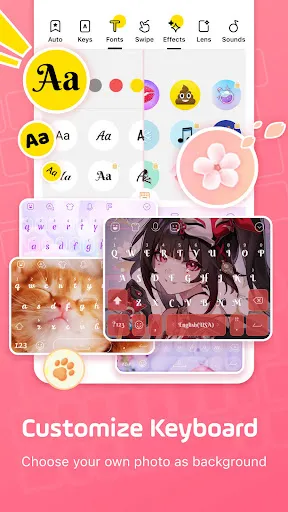


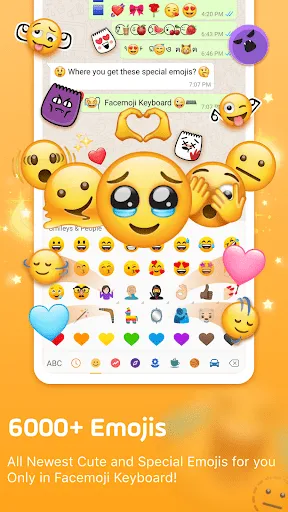
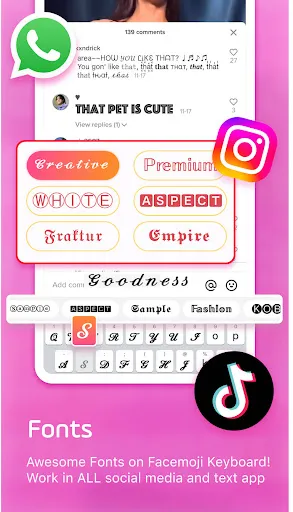



The "Facemoji AI Emoji Keyboard" offers a variety of innovative features designed to enhance your messaging experience. One of its standout features is the extensive library of emojis, stickers, and GIFs, which allows users to express themselves in unique ways. The keyboard also includes customizable themes, enabling users to personalize their typing interface according to their preferences. Additionally, the app supports multiple languages, making it accessible to a global audience.
Another notable feature is the AI-powered emoji prediction, which suggests relevant emojis based on the text you type. This functionality streamlines the communication process, allowing for quicker and more expressive messaging. The keyboard also includes a built-in search function, making it easy to find specific emojis or stickers without scrolling through endless options. Furthermore, the app is designed to be user-friendly, with a simple interface that ensures a smooth typing experience.
Using the "Facemoji AI Emoji Keyboard" is a straightforward process that enhances your messaging capabilities. First, download and install the app from your device's app store. Once installed, you will need to enable the keyboard in your device's settings. This typically involves navigating to the keyboard settings and selecting "Facemoji" as your preferred input method.
After activation, you can start using the keyboard in any messaging app. Simply tap on the text input field, and the "Facemoji" keyboard will appear. You can access emojis, stickers, and GIFs by tapping the corresponding icons on the keyboard. The AI emoji prediction feature will suggest emojis as you type, making it easier to find the perfect expression for your message. Additionally, you can customize the keyboard's appearance by selecting different themes and layouts to suit your style.
The "Facemoji AI Emoji Keyboard" comes with several advantages that make it appealing to users. One of the primary pros is its vast collection of emojis and stickers, which allows for diverse expression in conversations. The AI-powered emoji prediction feature is another significant benefit, as it enhances typing efficiency by suggesting relevant emojis based on the context of your message. Additionally, the customizable themes provide a personalized touch, making the keyboard visually appealing.
However, there are some drawbacks to consider. Some users may find the app's size to be larger than other keyboard options, which could take up valuable storage space on their devices. Additionally, while the AI prediction feature is helpful, it may not always accurately interpret the intended meaning, leading to occasional mismatches in emoji suggestions. Lastly, privacy concerns may arise, as with any third-party keyboard app, since it may require access to your typing data. Overall, weighing these pros and cons can help users decide if this keyboard is the right fit for their needs.

 Facemoji AI Emoji Keyboard offers personalized emoji suggestions for every conversation. It features a wide variety of unique and creative emojis. The keyboard supports seamless integration with all major messaging apps. Users can easily customize their keyboard themes for a unique look. It enhances communication with expressive stickers and GIFs for more fun.
 Limited customization options may restrict personal expression. Frequent updates can disrupt user experience and familiarity. Performance issues may lead to lag during heavy usage.
  Google Play
  App Store
 Yes, users can submit suggestions or feedback through the app's support section or via the official website to help improve the app.
Yes, the app may collect certain personal data to enhance user experience, but it is committed to protecting user privacy and follows data protection regulations.
No, Facemoji AI Emoji Keyboard requires an internet connection for many of its features, particularly those involving AI-generated content and updates.
You can cancel your subscription through your device's app store settings under subscriptions or by following the cancellation instructions provided within the app.
Subscription pricing for Facemoji AI Emoji Keyboard varies, with options typically including monthly and yearly plans that provide access to premium features.
Unfortunately, customer numbers cannot be changed after activation. Please reach out to customer service for any related concerns.
Yes, you can delete your account; please contact customer service for the steps to permanently remove your account.
You can reach our customer service through the in-app support option or email us at support
To log in on a different device, simply download the app, and use your registered email and password to access your account.
To log in, open the app and enter your registered email and password in the login screen.