


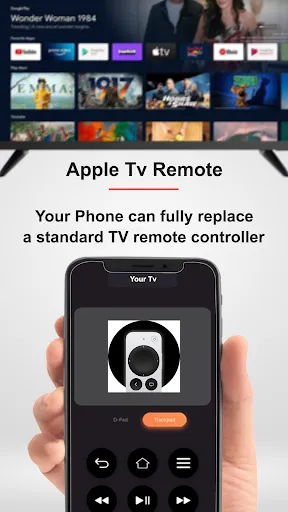
The Apple TV Remote is designed to enhance the user experience when navigating through the Apple TV interface. One of its standout features is the touch-sensitive surface, which allows users to swipe and tap for easy navigation. This feature enables quick access to menus, apps, and content without the need for traditional buttons. Additionally, the remote includes a built-in microphone for voice commands, allowing users to search for shows, control playback, and even ask Siri for recommendations.
Another notable feature is the dedicated buttons for essential functions such as play, pause, and volume control, making it user-friendly. The remote also supports motion sensors, which can be utilized in compatible games, adding an interactive element to the gaming experience. Furthermore, the Apple TV Remote is rechargeable, eliminating the need for disposable batteries, and it connects via Bluetooth, ensuring a reliable connection without the hassle of line-of-sight limitations.
Using the Apple TV Remote is straightforward and intuitive. To start, ensure that your Apple TV is powered on and that the remote is charged. You can navigate the Apple TV interface by swiping on the touch surface; swiping left or right will move through menus, while swiping up or down will scroll through lists. To select an item, simply tap the touch surface. For quick access to Siri, press and hold the microphone button and speak your command.
To control playback, use the dedicated play/pause button, and adjust the volume with the volume buttons located on the side of the remote. If you want to return to the previous screen, the back button is conveniently placed for easy access. Additionally, if you have multiple Apple devices, you can use the remote to switch between them seamlessly. Remember to keep the remote charged, as it uses a Lightning connector for recharging, ensuring you can enjoy uninterrupted viewing.
The Apple TV Remote comes with several advantages that enhance the overall user experience. One of the primary pros is its sleek design and intuitive touch interface, which allows for smooth navigation through the Apple TV menus. The integration of Siri for voice commands is another significant benefit, making it easier to search for content without manual input. Additionally, the remote's rechargeable battery is eco-friendly and convenient, eliminating the need for frequent battery replacements.
However, there are some drawbacks to consider. Some users find the touch surface to be overly sensitive, leading to accidental selections. The lack of a traditional directional pad can also be a downside for those who prefer tactile feedback while navigating. Furthermore, the remote's small size may make it easy to misplace, especially in larger living spaces. Overall, while the Apple TV Remote offers a modern and efficient way to control your Apple TV, it may not suit everyone's preferences.
```
 The Apple TV Remote features a sleek, ergonomic design for comfortable handling. Its touchpad enables intuitive navigation for seamless browsing and interaction. Voice control allows hands-free operation, enhancing convenience and accessibility. The remote integrates easily with Apple devices for a unified user experience. Long battery life ensures you won't frequently interrupt your viewing for recharging.
 The touch sensitivity can lead to accidental inputs during use. Limited compatibility with non-Apple devices can restrict functionality. Small size makes it easy to misplace or lose frequently.
  Google Play
  App Store
 Yes, users can submit feedback or suggestions through the App Store or via Apple's support channels.
Yes, like many apps, Apple tv Remote may collect some user data as outlined in its privacy policy, primarily for functionality and improvement of the app.
No, Apple tv Remote requires an internet connection to communicate with the Apple TV device.
Since there is no subscription for the Apple tv Remote app, there is no need to cancel anything.
Apple tv Remote does not require a subscription; it is completely free to use.
Yes, you can log in by using the remote to navigate to the settings and entering your Apple ID and password.
To activate your Apple TV Remote, ensure it’s charged, then press and hold the Menu and Volume Up buttons simultaneously until the Apple logo appears.
If the remote is working and can control your Apple TV, it is activated. If not, try re-pairing it.
You can reach Apple customer service by calling 1-800-MY-APPLE or visiting their support website for live chat options.
Use your remote to navigate to the Settings app, select Accounts, and then enter your Apple ID and password to log in.



























