


Apple CarPlay is a game-changer for anyone who spends significant time driving. This smart integration of iOS into your vehicle’s infotainment system enhances both convenience and safety. Below are some core features that stand out:
Every time I get behind the wheel, I find myself using Apple CarPlay. Whether it’s a daily commute to the office or a weekend road trip, this application seamlessly integrates into my driving routine. On weekdays, I often leave my house early to avoid traffic. As I pull out of my driveway, I simply plug in my phone, and CarPlay pops up with my daily itinerary, showing me the best route based on current traffic conditions.
During a recent road trip to visit family, I used CarPlay to navigate through winding backroads. The turn-by-turn navigation kept me on track while I enjoyed the scenic views, all without having to glance down at my phone. Thanks to Siri, I could easily switch between my favorite playlists and podcasts, making the drive feel much shorter and more enjoyable.
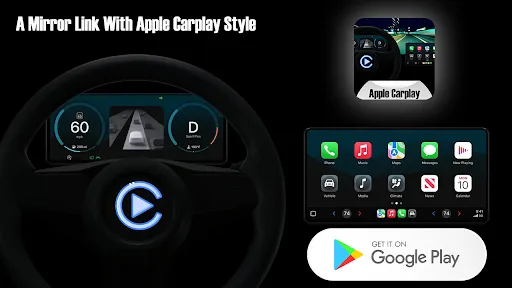
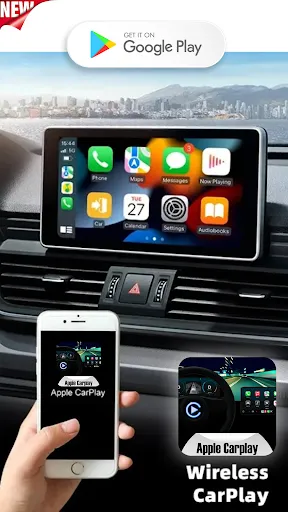
The UI of Apple CarPlay is slick and user-friendly. The interface mirrors that of the iPhone, which means that anyone familiar with iOS will feel right at home. The large icons are easy to tap, and the layout is intuitive. I particularly appreciate how it minimizes distractions; the design encourages you to focus on the road while still accessing essential functions.
Performance-wise, CarPlay is incredibly responsive. I have experienced minimal lag when switching between apps, and the voice command recognition is impressive. I often find myself relying on Siri to manage my calls and messages, and I can confidently say that it rarely misinterprets my commands. Overall, the experience is streamlined and efficient, reinforcing my belief that Apple CarPlay is an indispensable tool for modern drivers.
One of the best aspects of Apple CarPlay is that it comes at no additional cost beyond your existing iPhone and vehicle. Many new cars support CarPlay, and as long as you have an iPhone running iOS 7.1 or later, you can enjoy the service. This means you can leverage the capabilities of your iPhone without worrying about subscription fees or hidden costs—an excellent value for any tech-savvy driver.
Apple regularly updates CarPlay, enhancing existing features and adding new ones based on user feedback. The integration with other apps continues to expand, enabling more third-party applications to work seamlessly with the platform. If I run into issues, Apple’s support system is robust, with extensive online resources and the option to contact support directly. It’s reassuring to know that help is just a click away should I need it.
When using Apple CarPlay, security and privacy are paramount concerns for many American users, and I share these sentiments. The application is available through the official App Store, ensuring that the software is legitimate and safe to use. Unlike many other apps that may collect excessive personal data, CarPlay adheres to Apple’s strict privacy policies, meaning that minimal information is required for registration.
During setup, I only needed to grant permission for specific features, such as contacts and location services. I appreciate that Apple CarPlay does not bombard me with ads or tracking behavior, allowing for a more focused driving experience. This commitment to user privacy makes me feel more secure while using the app, knowing that my data is protected and not being exploited for advertising purposes.

 Seamless integration with iPhone for easy access User-friendly interface designed for safe driving Access to navigation apps for real-time directions Voice control for hands-free operation and convenience Wide compatibility with various car models and brands
 Limited app compatibility restricts user choices Requires a wired connection for some setups Dependent on iPhone for functionality Interface can be distracting while driving
  Google Play
  App Store
 Apple CarPlay itself does not collect personal data, but the apps you use through CarPlay may have their own data collection policies, so it’s essential to review those separately.
Apple CarPlay does not have a subscription model or a free trial; it is included as a feature on compatible vehicles and requires an iPhone for use.
While some features of Apple CarPlay, like navigation and music streaming, may require an internet connection, certain functionalities can work offline using downloaded content.
You can contact Apple Support for assistance with CarPlay issues or send feedback through the official Apple website, where you can find specific contact options for your region.
Since Apple CarPlay does not involve a subscription, there is no need to manage or cancel a subscription; it is simply a feature of your vehicle and iPhone.
To activate CarPlay, connect your iPhone to the car's USB port using a Lightning cable or via Bluetooth if supported. Follow on-screen prompts.
You can reach Apple Support by visiting their website or calling 1-800-MY-APPLE for assistance with Apple CarPlay.
You can log in to your Apple account by going to Settings on your iPhone and tapping on your name at the top.
The customer service number for Apple products, including CarPlay, is 1-800-MY-APPLE (1-800-692-7753).



























