

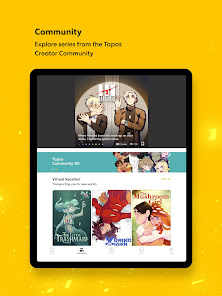


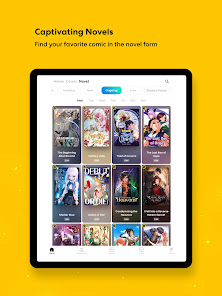
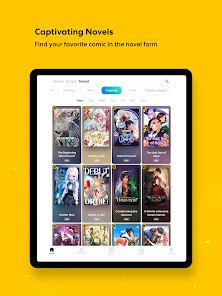



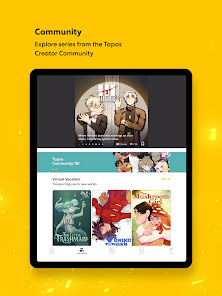

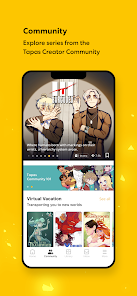




Tapas is a digital platform designed for creators and readers of webcomics and stories. One of its standout features is its extensive library, which includes a diverse range of genres such as romance, fantasy, horror, and more. Users can easily browse through thousands of titles, making it simple to find content that suits their interests. Additionally, Tapas offers a user-friendly interface that enhances the reading experience, allowing for smooth navigation between chapters and series.
Another notable feature is the ability for creators to monetize their work. Through a system of coins, readers can support their favorite authors by purchasing episodes or unlocking premium content. This not only incentivizes creators to produce high-quality work but also fosters a supportive community. Furthermore, Tapas encourages interaction between creators and readers through comments and ratings, creating a vibrant ecosystem where feedback is valued. Overall, Tapas combines accessibility, community engagement, and monetization opportunities, making it a unique platform for both creators and fans.
Using Tapas is straightforward and user-friendly, making it accessible for both new and seasoned users. To get started, you need to download the Tapas app from your device's app store or visit their website. Once installed, you can create an account using your email or social media profiles. After signing up, you can personalize your profile and start exploring the vast library of webcomics and stories available on the platform.
To find content that interests you, utilize the search function or browse through curated categories. You can follow your favorite creators to receive updates on new releases. If you wish to support creators, consider purchasing Tapas coins, which can be used to unlock premium episodes or exclusive content. Additionally, you can engage with the community by leaving comments and ratings on the stories you read. Overall, Tapas provides a seamless experience for discovering and enjoying a wide array of creative works.
Like any platform, Tapas has its advantages and disadvantages. One of the primary pros is its extensive library, which offers a diverse range of genres and stories, catering to various tastes. The platform also provides a space for independent creators to showcase their work and earn money through reader support. This monetization feature encourages high-quality content and fosters a sense of community among users. Additionally, the app's user-friendly interface makes it easy to navigate and discover new content.
On the downside, some users may find that not all content is free, as many creators offer premium episodes that require payment. This can be a barrier for readers who prefer free content. Furthermore, the quality of stories can vary significantly, as the platform hosts a wide range of creators, from amateurs to professionals. Lastly, while the community aspect is a strength, it can also lead to negative interactions, such as trolling or harsh criticism. Balancing these pros and cons is essential for users to make the most of their Tapas experience.

 Discover a diverse library of original comics and novels. Enjoy content from both established and emerging creators. Engage with a vibrant community of passionate readers and artists. Access stories across various genres and themes easily. Support creators directly through a user-friendly platform.
 Limited content variety may not satisfy diverse reader preferences Frequent ads can disrupt the reading experience User interface can be challenging for new users to navigate
  Google Play
  App Store
 Yes, Tapas – Comics and Novels encourages users to submit suggestions and feedback through their support channels or community forums to help improve the app experience.
Yes, Tapas – Comics and Novels may collect personal data as part of its user registration and for providing a personalized experience, but users can review the privacy policy for details on data handling.
Yes, Tapas – Comics and Novels allows users to download content for offline reading, making it convenient to enjoy stories without an internet connection.
Users can cancel their subscription through their account settings in the app or the platform they used to subscribe, following the provided instructions for cancellation.
The subscription cost can vary, but typically it offers different tiers, including monthly and yearly options, allowing users to choose a plan that suits their needs.
Unfortunately, customer numbers cannot be changed. However, you can contact customer service for alternative verification methods to access your account.
Yes, you can log in using your connected social media accounts if you linked them during signup. Just select the social media option on the login page.
You can reach customer service through the help section on the Tapas app or website, where you'll find options for live chat and email support.
After signing up, you will receive an activation email. Click the link in the email to activate your account. If you don't see it, check your spam folder.
To log in on a different device, simply open the Tapas app or website and enter your registered email and password.