


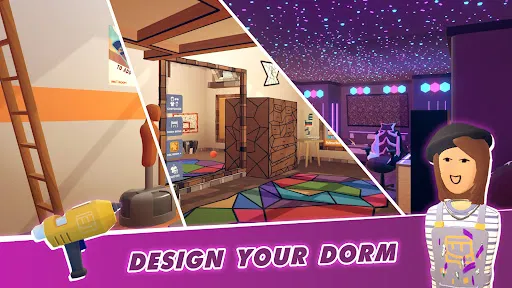






"Rec Room" is a versatile social platform that allows users to create, share, and play games in a virtual environment. One of its standout features is the ability to customize avatars, enabling players to express their individuality. The platform supports cross-play across various devices, including VR headsets, PCs, and mobile devices, making it accessible to a wide audience. Users can engage in a variety of activities, from playing games to attending events, and even creating their own rooms and games using the in-game creation tools.
Another notable feature is the social aspect of "Rec Room." Players can interact with friends and meet new people in a safe, moderated environment. The platform also includes a variety of mini-games, ranging from paintball to escape rooms, catering to different interests. Additionally, "Rec Room" offers a robust system for user-generated content, allowing players to design their own experiences and share them with the community. This fosters creativity and collaboration, making it a unique space for social interaction and entertainment.
To get started with "Rec Room," first, download the app from your preferred platform, whether it’s a VR headset, PC, or mobile device. Once installed, create your account and customize your avatar to reflect your personality. After setting up, you can explore various rooms and games available in the "Rec Room" universe. The user interface is intuitive, allowing you to navigate easily through different options and features.
Joining games or rooms is simple; you can either create your own or join existing ones by searching through the community listings. Communication is key in "Rec Room," so use voice chat or text chat to interact with other players. As you become more familiar with the platform, consider trying your hand at creating your own games or rooms using the in-game tools. This not only enhances your experience but also contributes to the vibrant community of creators within "Rec Room."
"Rec Room" offers numerous advantages, making it a popular choice among users. One of the primary benefits is its social interaction capabilities, allowing players to connect with friends and meet new people in a fun, engaging environment. The platform's cross-play feature ensures that users can enjoy the experience regardless of their device, promoting inclusivity. Additionally, the extensive range of user-generated content encourages creativity and collaboration, making it a dynamic space for exploration.
However, there are some drawbacks to consider. The app can sometimes experience technical issues, such as lag or connectivity problems, which may disrupt gameplay. Furthermore, while the moderation system is in place, there can still be instances of inappropriate behavior from users, which may detract from the overall experience. Lastly, the learning curve for creating custom content can be steep for some users, potentially discouraging those who are less tech-savvy. Balancing these pros and cons is essential for a fulfilling experience in "Rec Room."

 Rec Room offers a vibrant social environment for meeting new friends. It provides endless creative opportunities through customizable rooms and games. The platform supports cross-play, connecting users across different devices seamlessly. Regular updates introduce fresh content and experiences, keeping gameplay exciting. User-generated content empowers players to create and share their own games.
 Limited content creation tools hinder user creativity and customization. Performance issues can disrupt gameplay and user experience. The social environment may expose users to harassment or negative interactions.
  Google Play
  App Store
 Yes, users can submit suggestions or feedback through the official Rec Room website or within the app's community forums.
Yes, Rec Room collects certain personal data to enhance user experience and for safety purposes, but they provide privacy controls for users.
Rec Room requires an internet connection to access its features and social functionalities, so offline use is not supported.
You can cancel your Rec Room subscription through the platform where you purchased it, such as the app store or the website, following their specific cancellation process.
Rec Room offers a subscription called Rec Room Plus, which provides additional features for a monthly fee, typically around $5.99, but prices may vary.
Unfortunately, customer numbers are unique and cannot be changed once assigned. Contact customer service for further assistance.
Click on the "Forgot Password?" link on the login page to reset your password via email.
To activate your account, click the activation link sent to your email after registration. If you didn’t receive it, check your spam folder.
You can reach customer service through the support page in Rec Room or by emailing support
If you can't log in, check your email for a verification link or reset your password to regain access to your account.