

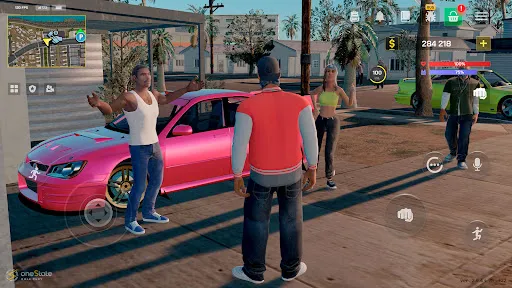

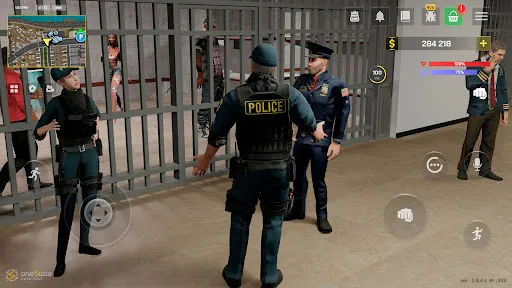
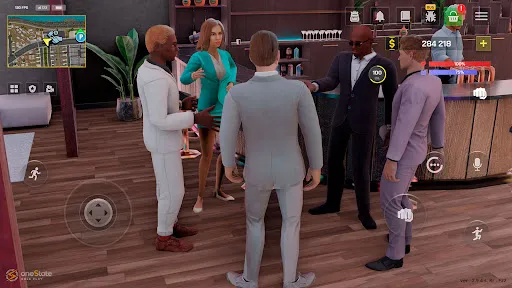
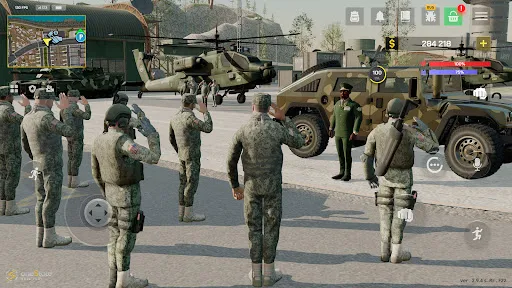
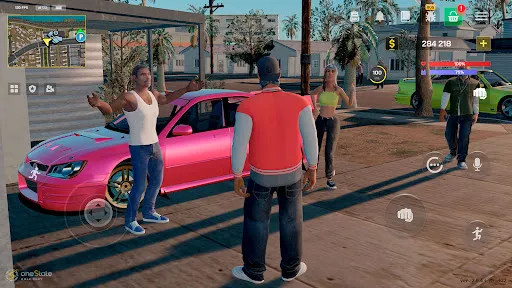

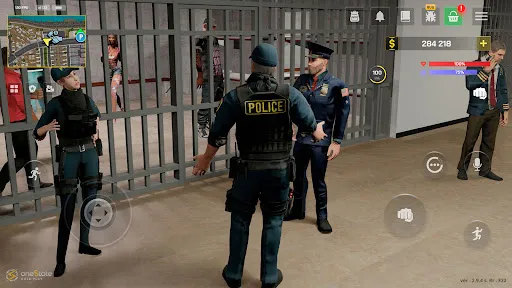
"One State RP - Role Play Life" offers a rich and immersive experience for players who enjoy role-playing games. One of its standout features is the extensive character customization, allowing users to create unique avatars with various appearances, outfits, and backgrounds. This personalization enhances the gaming experience, making each player's journey distinct.
Another notable feature is the dynamic open-world environment, which provides a realistic setting for players to explore. The game includes various locations, from bustling city streets to serene countryside, each filled with opportunities for interaction and adventure. Additionally, the game supports a variety of roles, enabling players to choose from professions such as police officers, doctors, or business owners, which adds depth to the gameplay.
Furthermore, "One State RP" emphasizes community engagement through events and activities that encourage player interaction. The game also includes a robust economy system, allowing players to earn and spend virtual currency, enhancing the realism of the role-playing experience. Overall, these features combine to create a captivating and engaging environment for players to immerse themselves in.
To get started with "One State RP - Role Play Life," first, download the app from your preferred app store and create an account. Once registered, you can begin by customizing your character, selecting their appearance, clothing, and background story to reflect your desired role in the game.
After setting up your character, explore the open-world environment. Navigate through various locations, interact with other players, and engage in activities that align with your chosen profession. The game encourages players to participate in community events, which can enhance your experience and help you build relationships with other users.
As you progress, take advantage of the in-game economy by earning virtual currency through jobs or completing tasks. This currency can be used to purchase items or services that enhance your gameplay. Remember to stay engaged with the community, as collaboration and interaction with other players are key components of the role-playing experience in "One State RP."
Like any application, "One State RP - Role Play Life" has its advantages and disadvantages. One of the primary pros is the immersive gameplay experience it offers. The extensive character customization and dynamic open-world environment allow players to fully engage in their roles, making the game enjoyable and unique for each user. Additionally, the strong community aspect fosters social interaction, which can enhance the overall experience.
However, there are some cons to consider. The game may require a significant time investment to fully explore its features and build a character. New players might find the learning curve steep, especially when navigating the complex economy and various roles. Furthermore, as with many online games, there can be issues with player behavior, including toxicity or harassment, which can detract from the experience.
In summary, while "One State RP - Role Play Life" offers a captivating and engaging role-playing experience, potential players should weigh the pros and cons to determine if it aligns with their gaming preferences.

 Immersive storylines foster deep engagement and creativity among players. Diverse roles and scenarios cater to various interests and skills. A supportive community encourages collaboration and friendship among participants. Regular updates and events keep the gameplay fresh and exciting. User-friendly interface makes it easy for newcomers to join.
 Limited player interaction can hinder immersive experiences Strict rules may restrict creative storytelling opportunities Frequent updates can disrupt established narratives and character development
  Google Play
  App Store
 Yes, users can submit suggestions or feedback through the app's support section or official website, where developers often seek community input for improvements.
Yes, One State RP - Role Play Life may collect personal data as outlined in its privacy policy, including user information for account management and gameplay enhancements.
One State RP - Role Play Life primarily requires an internet connection for multiplayer interactions, but some features may be accessible offline.
To cancel your One State RP - Role Play Life subscription, you can go to your account settings in the app or through the app store where you purchased the subscription and follow the cancellation instructions.
The subscription cost for One State RP - Role Play Life varies based on the chosen plan, with options available for monthly or yearly subscriptions.
Yes, you can activate your account using a mobile device by following the link in the activation email.
You can reach customer service by emailing support
You cannot update your customer number yourself. Please contact customer service for assistance with any changes.
To log in, go to the website, enter your username and password, then click the 'Log In' button.
If you haven't received your customer number, please check your spam folder or contact customer service for support.