
 Home
Home  Apps
Apps  Games
Games  Windows
  Topics
  Terms of Service
  Cookies & Privacy Policy
  Disclaimer
Burner: Second Phone Number


Information
- Category: Communication
- Price: 0
- Age Rating: Everyone
- Rating: 4.4
- Developer: Ad Hoc Labs, Inc
- Version: 5.12.2.2474.3831418
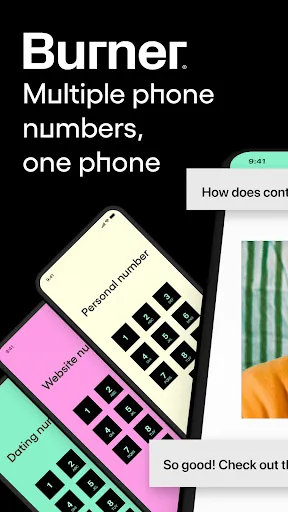
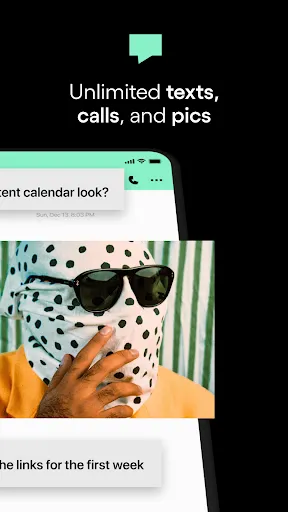
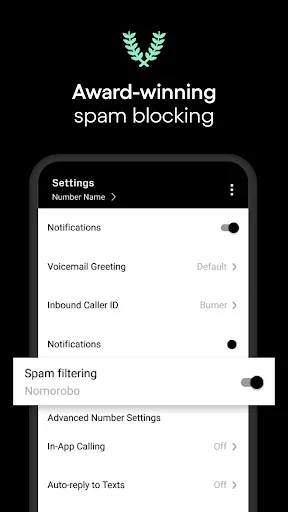
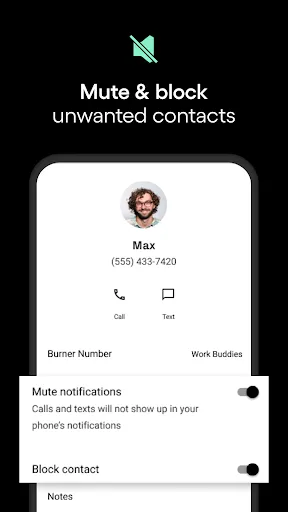
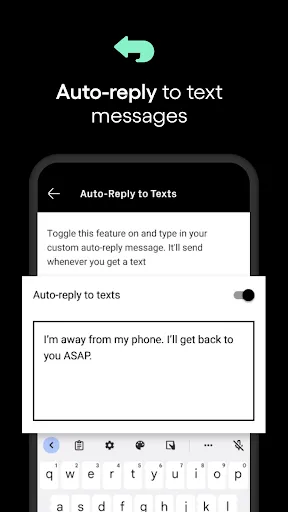
Burner: Second Phone Number is a versatile app designed to provide users with temporary phone numbers for privacy and convenience. Ideal for online transactions, dating, or business communications, Burner allows you to create and manage multiple phone numbers without the need for additional SIM cards. With features like call forwarding, text messaging, and voicemail, you can maintain your privacy while staying connected. Enjoy peace of mind knowing your personal number remains secure and private.
Features of "Burner: Second Phone Number"
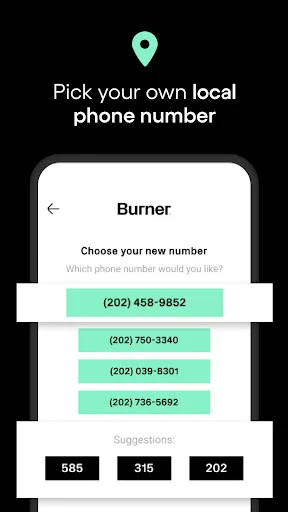
"Burner: Second Phone Number" is a versatile app designed to provide users with temporary phone numbers for various purposes. One of its standout features is the ability to create multiple phone numbers that can be used for different situations, such as online dating, business transactions, or privacy protection. Each number can be customized, allowing users to choose area codes that suit their needs.
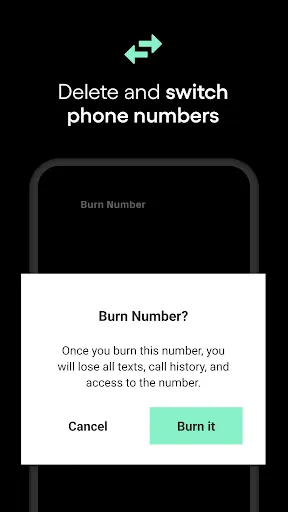
Another key feature is the app's user-friendly interface, which makes it easy to manage and switch between different numbers. Users can send and receive texts and calls without revealing their personal phone number, enhancing privacy. Additionally, the app offers voicemail services, allowing users to receive messages without disclosing their identity. The option to delete or "burn" a number when it's no longer needed adds an extra layer of security, ensuring that users can maintain control over their communication. Overall, "Burner" is an excellent tool for anyone looking to separate their personal and professional lives while maintaining privacy.
How to Use "Burner: Second Phone Number"
Using "Burner: Second Phone Number" is straightforward and user-friendly. After downloading the app from your device's app store, you will need to create an account. Once registered, you can easily select a new phone number from a list of available options. The app allows you to choose area codes, making it convenient for users who want a local presence.
After obtaining a number, you can start using it immediately for calls and texts. The app provides a dedicated interface for managing your communications, including options for voicemail and message storage. If you ever need to stop using a number, simply navigate to the settings and choose to "burn" it, which will delete the number and all associated data. This feature ensures that your privacy is maintained, as the number cannot be traced back to you. Overall, the app is designed for ease of use, making it accessible for anyone looking to enhance their privacy in communication.
Pros & Cons of the App
Like any app, "Burner: Second Phone Number" has its advantages and disadvantages. One of the primary pros is the enhanced privacy it offers. Users can communicate without revealing their personal phone numbers, which is particularly useful for online transactions or dating. The ability to create multiple numbers for different purposes allows for better organization and separation of personal and professional communications.
On the downside, some users may find the subscription model a drawback, as it requires ongoing payments for continued access to features. Additionally, while the app is generally reliable, there can be occasional issues with call quality or message delivery, which may frustrate users. Furthermore, the temporary nature of the numbers may not suit everyone, especially those looking for a long-term solution. Overall, while "Burner" offers significant benefits for privacy-conscious users, potential drawbacks should be considered before committing to the service.
Get Installation Details  Google Play
  App Store
Google Play App Store FAQ
Can I create playlists on Spotify?
Yes, users can create, share, and collaborate on playlists with friends.
Can I download music on Spotify?
Yes, premium users can download songs and playlists for offline listening.
Can I listen to Spotify offline?
Yes, premium users can listen to downloaded music offline without an internet connection.
Can I use Spotify on multiple devices?
Yes, you can use Spotify on multiple devices, but only one device can stream at a time.
Does Spotify have podcasts?
Yes, Spotify hosts a wide range of podcasts across various genres.
Similar Apps














You May Like

Skype
Communication
4.3

UC Browser-Safe, Fast, Private
Communication
4.4

TextNow: Call + Text Unlimited
Communication
4.6

GroupMe
Communication
4.6

LINE: Calls & Messages
Communication
3.6

Firefox: el navegador privado
Communication
4.6

Brave Private Web Browser, VPN
Communication
4.7

Cafe - Live video chat
Communication
4.6

CallApp: Caller ID & Block
Communication
4.4

Coco - Live Video Chat HD
Communication
3.1

Contacts
Communication
4.3

CryptoTab Browser Pro Level
Communication
4.1