
 Home
Home  Apps
Apps  Games
Games  Windows
  Topics
  Terms of Service
  Cookies & Privacy Policy
  Disclaimer
Flipboard:Your Social Magazine


Information
- Category: News & Magazines
- Price: free
- Age Rating: 10+
- Rating: 3.5
- Developer: Flipboard
- Version: 4.3.40
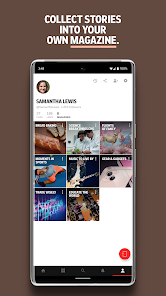
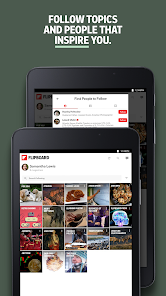
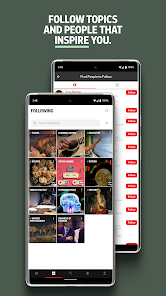
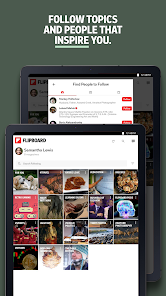
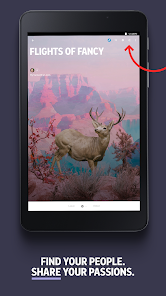
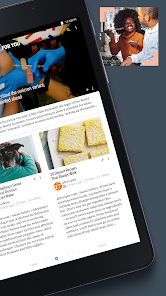
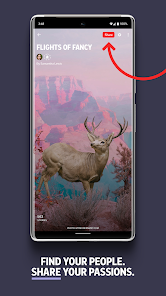
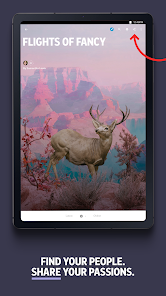
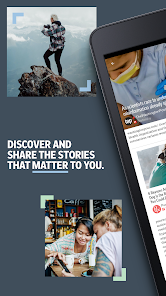

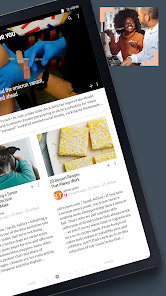
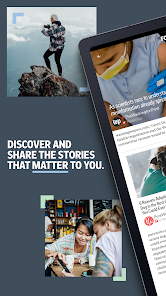
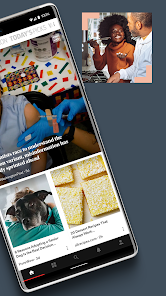
Flipboard is your personalized social magazine, curating content from around the web to match your interests. With a sleek, intuitive interface, it allows you to discover, collect, and share articles, photos, and videos from various sources. Whether you’re into news, technology, fashion, or lifestyle, Flipboard brings together the stories that matter to you, creating a unique reading experience tailored to your preferences. Dive into a world of curated content and stay informed with Flipboard.
Features of "Flipboard: Your Social Magazine"
Flipboard: Your Social Magazine is a unique platform that curates content from various sources, allowing users to create personalized magazines. One of its standout features is the ability to aggregate articles, videos, and images from social media, blogs, and news sites, all tailored to individual interests. Users can follow specific topics, people, or publications, ensuring a customized reading experience.
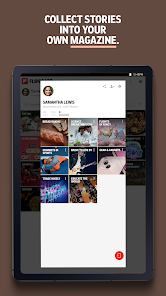
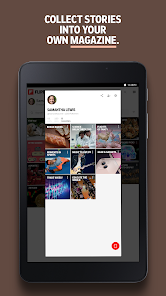
Another notable feature is the magazine creation tool, which enables users to compile their favorite content into a visually appealing format. This feature not only allows for personal expression but also facilitates sharing with friends and followers. Additionally, Flipboard supports social sharing, making it easy to distribute content across various platforms. The app's sleek design and user-friendly interface enhance the reading experience, allowing for easy navigation and interaction with the content. Furthermore, Flipboard offers offline reading capabilities, enabling users to access their favorite articles without an internet connection.
Overall, Flipboard combines social networking with content curation, making it a versatile tool for anyone looking to stay informed and engaged with their interests.
How to Use "Flipboard: Your Social Magazine"
Using Flipboard: Your Social Magazine is straightforward and user-friendly. To get started, download the app from your device's app store and create an account. Once logged in, you can customize your profile by selecting topics that interest you, such as technology, health, or travel. This initial setup allows Flipboard to curate content that aligns with your preferences.
After setting up your interests, you can explore the app's interface, which features a visually appealing layout. You can swipe through articles, save your favorites, and even create your own magazines by collecting articles that resonate with you. To share content, simply tap the share icon, which allows you to post on social media or send links to friends. Additionally, you can follow other users and their magazines, expanding your content discovery. Regularly check the app for updates and new articles tailored to your interests, ensuring you stay informed and engaged.
With its intuitive design and extensive content library, Flipboard makes it easy to stay connected with the topics you love.
Pros & Cons of the App
Flipboard: Your Social Magazine offers several advantages that enhance the user experience. One of the primary pros is its ability to curate content from a wide range of sources, providing users with diverse perspectives on topics of interest. The visually appealing layout makes reading enjoyable, and the magazine creation feature allows for personal expression and sharing. Additionally, the app's offline reading capability is a significant benefit for users who want to access content without an internet connection.
However, there are some drawbacks to consider. One con is that the app can sometimes overwhelm users with an abundance of content, making it challenging to find specific articles. Additionally, the reliance on algorithms for content curation may lead to a filter bubble, where users are only exposed to viewpoints that align with their existing beliefs. Some users may also experience occasional glitches or slow loading times, which can detract from the overall experience. Despite these drawbacks, Flipboard remains a popular choice for those seeking a personalized content curation experience.
In summary, while Flipboard has its pros and cons, its unique features and user-friendly design make it a valuable tool for content discovery.
Get Installation Details  Google Play
  App Store
Google Play App Store FAQ
Can I create playlists on Spotify?
Yes, users can create, share, and collaborate on playlists with friends.
Can I download music on Spotify?
Yes, premium users can download songs and playlists for offline listening.
Can I listen to Spotify offline?
Yes, premium users can listen to downloaded music offline without an internet connection.
Can I use Spotify on multiple devices?
Yes, you can use Spotify on multiple devices, but only one device can stream at a time.
Does Spotify have podcasts?
Yes, Spotify hosts a wide range of podcasts across various genres.
Similar Apps














You May Like

Fox News - Daily Breaking News
News & Magazines
3.2
NewsBreak: Local News & Alerts
News & Magazines
4.6

NBC News: Breaking News & Live
News & Magazines
3.9

ABC NEWS
News & Magazines
4.2

FOX Nation: Celebrate America
News & Magazines
3.9

Apex News: Breaking & Local
News & Magazines
4.5
Broadcastify Police Scanner Pro
News & Magazines
3.7

Citizen: Protect The World
News & Magazines
4.5

Local News - Latest & Smart
News & Magazines
4.2
Opera News: breaking & local
News & Magazines
4.5

Police Scanner - Live Radio
News & Magazines
4.8

Relay for reddit
News & Magazines
4.2