
 Home
Home  Apps
Apps  Games
Games  Windows
  Topics
  Terms of Service
  Cookies & Privacy Policy
  Disclaimer
Face Dance: AI Photo Animator


Information
- Category: Entertainment
- Price: free
- Age Rating: 17+
- Rating: 4.0
- Developer: Deep Flow Apps
- Version: 1.8.8
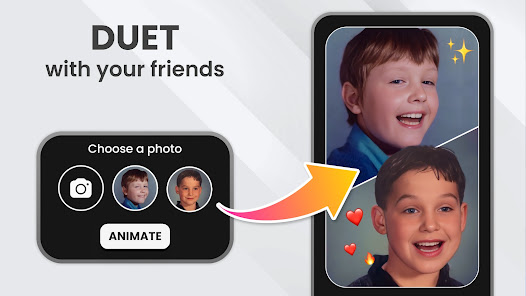
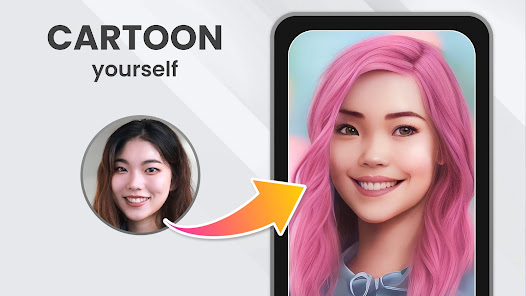
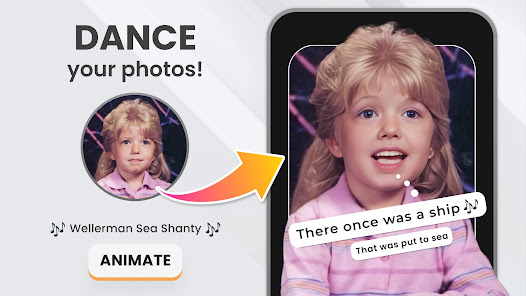
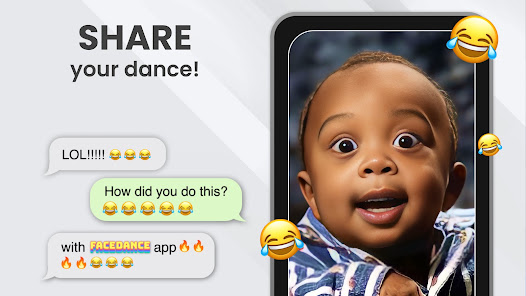
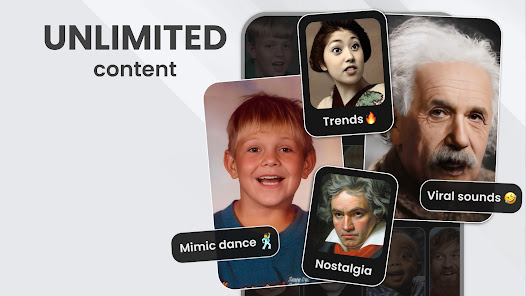
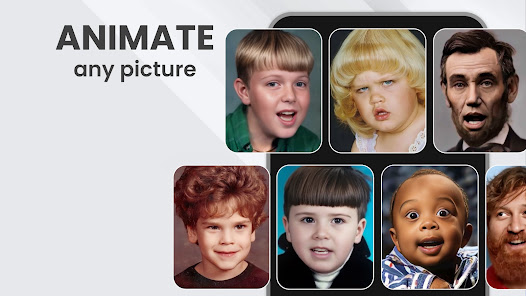
"Face Dance: AI Photo Animator" brings your photos to life with cutting-edge AI technology. Transform static images into dynamic animations, allowing faces to express emotions and movements like never before. With user-friendly features, you can easily create captivating videos that showcase your creativity. Whether for fun or storytelling, Face Dance offers endless possibilities to animate your memories and share them with friends and family. Unleash your imagination and watch your photos dance!
Features of "Face Dance: AI Photo Animator"
"Face Dance: AI Photo Animator" is an innovative application that brings static images to life through advanced artificial intelligence technology. One of its standout features is the ability to animate photos by creating realistic facial movements, allowing users to see their images express emotions and reactions. The app supports a wide range of animations, from simple smiles to complex expressions, making it versatile for various creative projects.
Another notable feature is the user-friendly interface, which makes it accessible for both beginners and experienced users. The app provides a library of pre-set animations, enabling users to quickly apply effects to their photos. Additionally, "Face Dance" allows for customization, where users can adjust the intensity of animations to suit their preferences. The app also supports sharing options, making it easy to post animated photos on social media platforms. Overall, "Face Dance: AI Photo Animator" combines cutting-edge technology with ease of use, making it a popular choice for those looking to add a dynamic touch to their images.
How to Use "Face Dance: AI Photo Animator"
Using "Face Dance: AI Photo Animator" is a straightforward process that anyone can master. First, download and install the app from your device's app store. Once installed, open the app and create an account or log in if you already have one. The main interface will prompt you to upload a photo from your gallery or take a new one using your camera. Ensure that the photo clearly shows the face for the best results.
After uploading the image, you can select from a variety of animation styles available within the app. Choose the desired effect and adjust any settings to customize the animation to your liking. Once satisfied, preview the animation to see how it looks. If everything meets your expectations, you can save the animated photo to your device or share it directly on social media platforms. The app also offers tutorials and tips for users who want to explore more advanced features, ensuring a smooth and enjoyable experience.
Pros & Cons of the App
"Face Dance: AI Photo Animator" comes with several advantages that make it appealing to users. One of the primary pros is its ability to create engaging and lifelike animations from static images, which can enhance social media content and personal projects. The app's user-friendly interface allows for easy navigation, making it accessible for users of all skill levels. Additionally, the variety of animation styles and customization options provide users with creative flexibility, enabling them to produce unique results.
However, there are some cons to consider. The app may require a stable internet connection for optimal performance, which can be a limitation for users in areas with poor connectivity. Some users have reported occasional glitches or slow processing times, particularly with high-resolution images. Furthermore, while the app offers a free version, many advanced features may be locked behind a paywall, which could deter users looking for a completely free experience. Balancing these pros and cons is essential for potential users to determine if the app meets their needs.
Get Installation Details  Google Play
  App Store
Google Play App Store FAQ
Can I create playlists on Spotify?
Yes, users can create, share, and collaborate on playlists with friends.
Can I download music on Spotify?
Yes, premium users can download songs and playlists for offline listening.
Can I listen to Spotify offline?
Yes, premium users can listen to downloaded music offline without an internet connection.
Can I use Spotify on multiple devices?
Yes, you can use Spotify on multiple devices, but only one device can stream at a time.
Does Spotify have podcasts?
Yes, Spotify hosts a wide range of podcasts across various genres.
Similar Apps















You May Like

PlutoTV: Live TV & Free Movies
Entertainment
3.7

Peacock TV: Stream TV & Movies
Entertainment
4.7

Lifetime: TV Shows & Movies
Entertainment
4.1

Telemundo: Series y TV en vivo
Entertainment
4.7

Prime Video
Entertainment
3.9

Hulu: Stream TV shows & movies
Entertainment
4.5

The Roku App (Official)
Entertainment
4.7

Bitmoji
Entertainment
4.5

AMC+
Entertainment
2.5

Akinator
Entertainment
4.6

Amazon Freevee: Free Movies/TV
Entertainment
4

CBS
Entertainment
3.8