
 Home
Home  Apps
Apps  Games
Games  Windows
  Topics
  Terms of Service
  Cookies & Privacy Policy
  Disclaimer
e-Sword: Bible Study to Go


Information
- Category: Books & Reference
- Price: $2.99
- Age Rating: Everyone
- Rating: 4.6
- Developer: Rick Meyers
- Version: 7.0.1
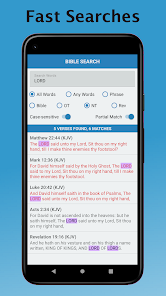
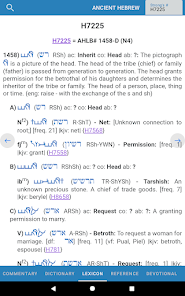
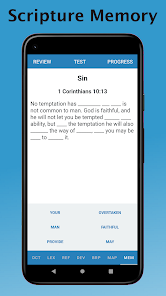
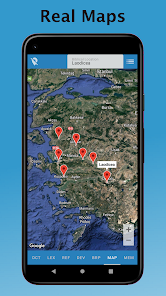
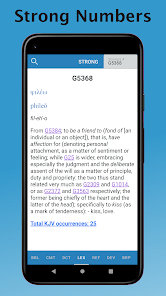
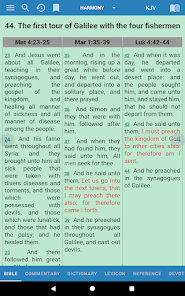
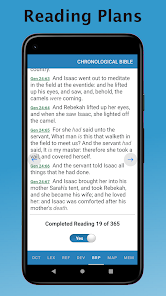
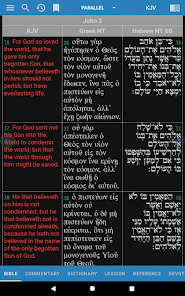
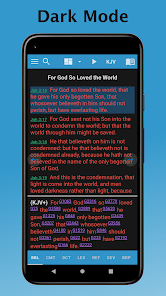
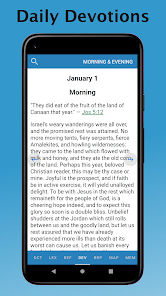
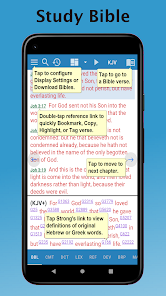
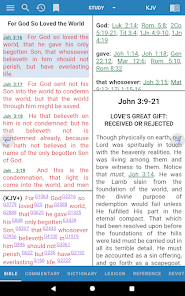
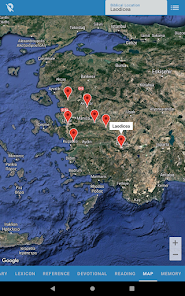
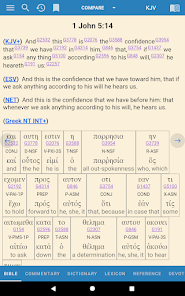
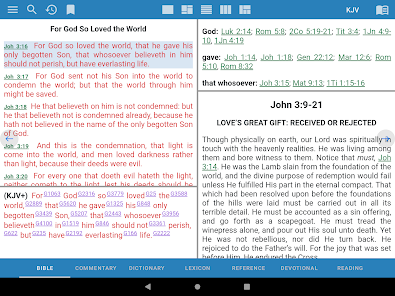
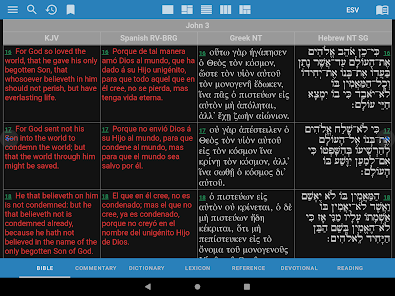
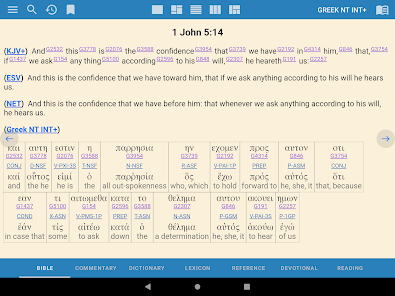
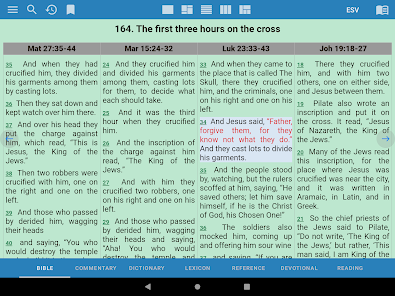
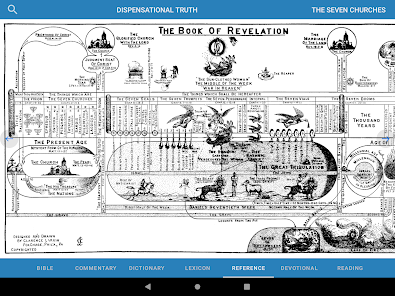
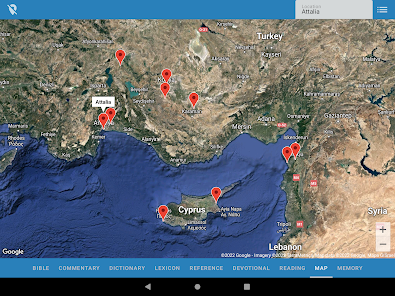
e-Sword: Bible Study to Go is a powerful and versatile app designed for anyone seeking to deepen their understanding of the Bible. With a user-friendly interface, it offers a wealth of resources, including multiple translations, commentaries, and study tools, all accessible on your mobile device. Whether you're a casual reader or a serious scholar, e-Sword empowers you to explore scripture anytime, anywhere, making your Bible study experience both enriching and convenient.
Features & Highlights
- User-Friendly Interface: e-Sword boasts an intuitive design that makes navigating through biblical texts a breeze. The layout is clean, ensuring that users can find their preferred books or chapters without any hassle. For instance, when I want to quickly reference a verse during a discussion, I can effortlessly search by keyword, and the app retrieves the information instantly.
- Extensive Resource Library: The app is rich in resources, offering access to various translations, commentaries, and dictionaries. It’s like having a mini library in my pocket. Recently, I was preparing for a Bible study group, and I was able to pull up multiple translations of a specific verse alongside different commentaries, which enriched my understanding and helped me lead a more informed discussion.
- Note-Taking and Highlighting: This feature allows users to jot down thoughts or highlight important passages. I often use this during my personal study time. For example, while studying the Book of Proverbs, I highlighted verses that resonated with me and added personal notes, which I later reviewed to deepen my insights.
- Cross-Referencing: e-Sword makes it easy to connect related scriptures. When I stumbled upon a verse that seemed significant, I utilized the cross-reference feature, which took me to other verses that echoed similar themes or concepts, enriching my understanding of the Bible's interconnectedness.
- Offline Access: With the ability to download translations and resources, I can study anywhere, even without internet access. I recently found myself in a remote area with no connectivity, but I was still able to dive into my Bible study, thanks to the offline capabilities of e-Sword.
Real Experience Using e-Sword: Bible Study to Go
Application Scenarios
In my daily life, I find e-Sword to be an invaluable companion for exploring the Bible. Whether I’m at home, commuting, or waiting for an appointment, I always have access to scripture and study materials. During my morning coffee, I often open the app to read a chapter and reflect on its meaning. On weekends, when I lead a small group, e-Sword becomes my go-to for preparing lessons. I’ve even used it while sitting in a park, pulling up a commentary to clarify a verse that sparked a discussion.
User Experience
The user interface of e-Sword is designed with simplicity in mind, which I truly appreciate. The main menu is well-organized, allowing me to switch between different translations and resources seamlessly. The performance is top-notch; I’ve never encountered lag or crashes, even when I have multiple resources open. The workflow is smooth—I can highlight verses and take notes without disrupting my reading flow. Overall, my feelings after using the app are overwhelmingly positive; it feels like I have a personal Bible study assistant at my fingertips, ready to enhance my spiritual journey.
Pricing
e-Sword: Bible Study to Go is competitively priced, with a free version that offers a substantial amount of content. For those seeking additional resources, the premium features are reasonably priced, making it accessible for most users. I’ve personally found the investment in the premium features to be worthwhile, given the depth and breadth of materials available for study.
Updates & Support
The developers of e-Sword are committed to providing regular updates that enhance functionality and introduce new features. I’ve noticed improvements in usability and additional resources since I first downloaded the app. The support team is responsive and helpful; I once had a query about a feature, and they replied promptly with clear guidance, which further solidified my confidence in the app.
Security & Privacy Review
As an American user, security and privacy are paramount, especially when using an app that involves personal data and preferences. e-Sword is available on reliable app stores like the App Store and Google Play, ensuring a level of security inherent to these platforms. The app does not require extensive personal information for registration, which is a relief; I appreciate that I can use it with minimal personal data shared. Furthermore, e-Sword is free of intrusive ads and tracking behavior, allowing me to focus solely on my Bible study without distractions. It’s reassuring to know that my personal information remains private while I delve into spiritual growth.
Pros 
-
 e-Sword: Bible Study to Go offers a wealth of advantages for users seeking to deepen their faith.
 - Access a vast library of translations, commentaries, and dictionaries at your fingertips.
- User-friendly interface makes navigating scriptures easy and efficient for all ages.
- Bookmark, highlight, and take notes for personalized study and reflection.
- Offline access ensures you can study anywhere, anytime, without interruption.
Cons 
-
 Limited offline content access
 - User interface can feel cluttered
- Lacks advanced search options
- No integration with other tools
Get Installation Details  Google Play
  App Store
Google Play App Store FAQ
Can I submit suggestions or feedback to e-Sword: Bible Study to Go?
Yes, users can typically submit suggestions or feedback through the app's support or contact options available within the app.
Does e-Sword: Bible Study to Go collect my personal data?
e-Sword: Bible Study to Go has a privacy policy that outlines data collection practices, typically focusing on non-personal information.
Does e-Sword: Bible Study to Go support offline use?
Yes, e-Sword: Bible Study to Go allows users to download content for offline access, enabling study without an internet connection.
How do I cancel my e-Sword: Bible Study to Go subscription?
Since there is no subscription model, users can simply uninstall the app or refrain from purchasing any additional resources.
How much does a subscription to e-Sword: Bible Study to Go cost?
e-Sword: Bible Study to Go does not have a subscription model; most features are available for free or through one-time purchases.
How to use e-Sword: Bible Study to Go
How can I contact Customer Service for e-Sword: Bible Study to Go?
You can contact Customer Service via their official website or through the app’s support section for assistance.
How do I find the Customer Number for e-Sword: Bible Study to Go?
The Customer Number can typically be found in the app settings or on your purchase receipt.
Is there a way to activate e-Sword: Bible Study to Go after purchase?
Activation is usually automatic upon purchase; ensure you are logged in with the same account used for the purchase.
What should I do if I forget my login information for e-Sword: Bible Study to Go?
Use the "Forgot Password" feature on the login screen to reset your credentials.
Similar Apps















You May Like

Wikipedia
Books & Reference
4.4

YouVersion Bible App + Audio
Books & Reference
4.9

Ancestry: Family History & DNA
Books & Reference
4.6

Bible Home - Daily Bible Study
Books & Reference
4.8

Bible Offline-KJV Holy Bible
Books & Reference
4.8

Buenovela - Webnovel & Stories
Books & Reference
4.6

CCW
Books & Reference
4.8

Dreame-Read Romance Stories
Books & Reference
4.4

Galatea: Books & Audiobooks
Books & Reference
4.6

GoodNovel - Booktok, Stories
Books & Reference
4.5

JoyRead
Books & Reference
4.1

King James Bible - Verse+Audio
Books & Reference
4.8