
 Home
Home  Apps
Apps  Games
Games  Windows
  Topics
  Terms of Service
  Cookies & Privacy Policy
  Disclaimer
Moon+ Reader Pro


Information
- Category: Books & Reference
- Price: $11.99
- Age Rating: Everyone
- Rating: 4.2
- Developer: Moon+
- Version: 10.3
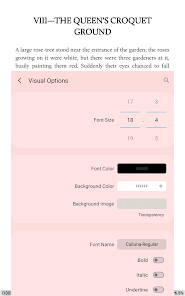
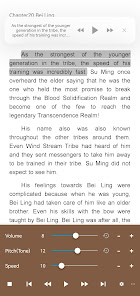
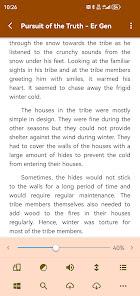
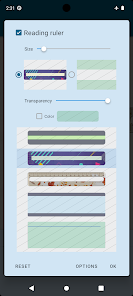
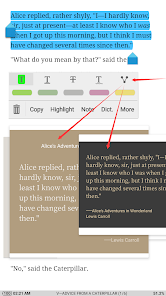

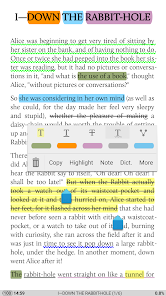
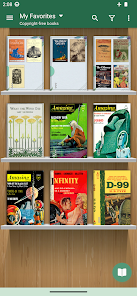
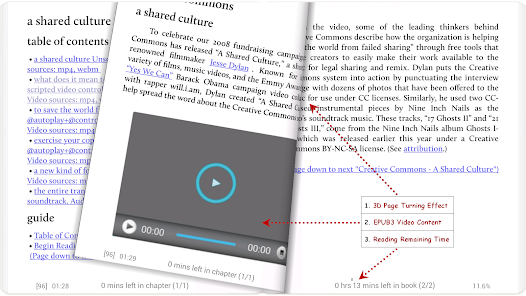
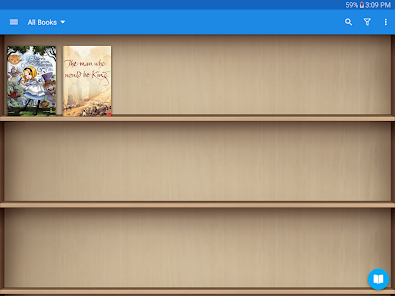
Moon+ Reader Pro is a versatile eBook reader designed for Android devices, offering a rich reading experience with support for various formats, including EPUB, PDF, and MOBI. It features customizable themes, advanced text-to-speech capabilities, and a user-friendly interface, allowing readers to personalize their reading environment. With options for annotations, bookmarks, and cloud syncing, Moon+ Reader Pro caters to both casual readers and avid bibliophiles, making it an essential tool for anyone who loves digital literature.
Features of "Moon+ Reader Pro"
Moon+ Reader Pro is a versatile eBook reader that offers a plethora of features designed to enhance the reading experience. One of its standout features is the extensive support for various file formats, including EPUB, PDF, MOBI, and more, allowing users to access a wide range of eBooks. The app also includes customizable reading settings, enabling users to adjust font size, style, and background color to suit their preferences.
Another notable feature is the built-in dictionary and translation tools, which facilitate quick lookups of unfamiliar words or phrases. Additionally, Moon+ Reader Pro supports cloud services, enabling users to sync their library across multiple devices seamlessly. The app also offers a night mode for comfortable reading in low-light conditions, along with options for text-to-speech functionality. Furthermore, users can create bookmarks, highlights, and notes, making it easy to reference important sections later.
Overall, Moon+ Reader Pro combines a user-friendly interface with powerful features, making it an excellent choice for avid readers looking for a comprehensive eBook reading solution.
How to Use "Moon+ Reader Pro"
Using Moon+ Reader Pro is straightforward and user-friendly, making it accessible for readers of all levels. After downloading and installing the app, users can easily import their eBook files by navigating to the library section and selecting the option to add books. The app supports various formats, so users can enjoy their existing collection without hassle.
Once the books are added, users can customize their reading experience by adjusting settings such as font size, background color, and brightness. The app also allows for the creation of bookmarks and notes, which can be accessed later for quick reference. For those who enjoy reading at night, the night mode feature can be activated to reduce eye strain.
Additionally, users can explore the app's built-in dictionary and translation tools to enhance their understanding of the text. With its intuitive interface and extensive features, Moon+ Reader Pro makes it easy for users to immerse themselves in their reading material and enjoy a personalized experience.
Pros & Cons of the App
Moon+ Reader Pro comes with several advantages that make it a popular choice among eBook enthusiasts. One of the primary pros is its extensive format support, allowing users to read a wide variety of eBook types without needing additional software. The app's customization options are another significant benefit, as users can tailor their reading experience to their preferences, enhancing comfort and enjoyment.
Moreover, the app's features, such as text-to-speech, cloud syncing, and built-in dictionary, add to its functionality, making it a comprehensive reading tool. However, there are some drawbacks to consider. Some users may find the interface slightly overwhelming due to the abundance of features, which can lead to a steeper learning curve for newcomers. Additionally, while the app is feature-rich, some users have reported occasional bugs or performance issues, particularly with larger files.
In summary, while Moon+ Reader Pro offers a wealth of features and customization options that cater to diverse reading preferences, potential users should weigh these benefits against the learning curve and occasional technical issues.
Get Installation Details  Google Play
  App Store
Google Play App Store FAQ
Can I create playlists on Spotify?
Yes, users can create, share, and collaborate on playlists with friends.
Can I download music on Spotify?
Yes, premium users can download songs and playlists for offline listening.
Can I listen to Spotify offline?
Yes, premium users can listen to downloaded music offline without an internet connection.
Can I use Spotify on multiple devices?
Yes, you can use Spotify on multiple devices, but only one device can stream at a time.
Does Spotify have podcasts?
Yes, Spotify hosts a wide range of podcasts across various genres.
Similar Apps















You May Like

Wikipedia
Books & Reference
4.4

YouVersion Bible App + Audio
Books & Reference
4.9

Ancestry: Family History & DNA
Books & Reference
4.6
Bible Home - Daily Bible Study
Books & Reference
4.8

Bible Offline-KJV Holy Bible
Books & Reference
4.8
Buenovela - Webnovel & Stories
Books & Reference
4.6

CCW
Books & Reference
4.8

Dreame-Read Romance Stories
Books & Reference
4.4

Galatea: Books & Audiobooks
Books & Reference
4.6

GoodNovel - Booktok, Stories
Books & Reference
4.5

JoyRead
Books & Reference
4.1
King James Bible - Verse+Audio
Books & Reference
4.8