

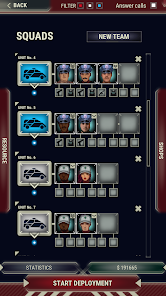
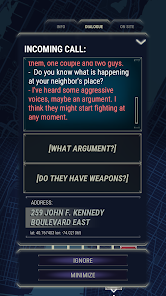
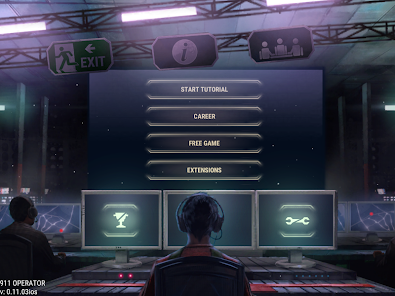
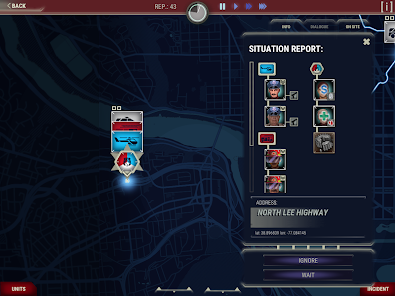
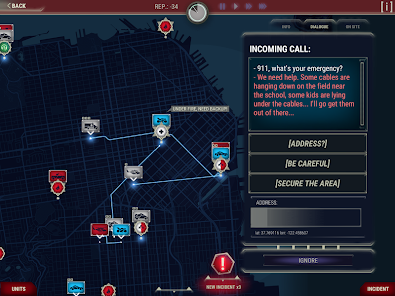
"911 Operator" is a unique simulation game that allows players to step into the shoes of a 911 dispatcher. One of its standout features is the real-time emergency response system, where players must manage incoming calls, dispatch emergency services, and prioritize incidents based on urgency. The game includes a variety of scenarios, from minor accidents to major disasters, requiring quick thinking and effective decision-making.
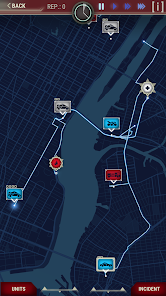
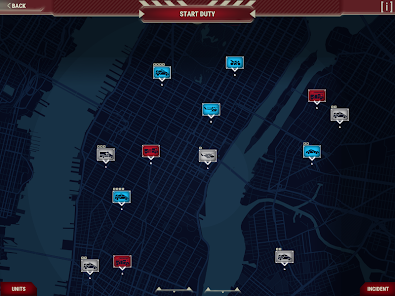
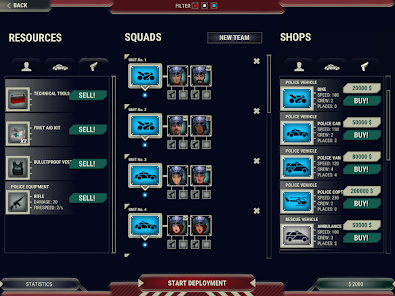
Another notable feature is the detailed map of the city, which players can navigate to send police, fire, or medical units to the scene of an emergency. The game also incorporates a dynamic AI system that simulates the behavior of citizens and emergency responders, adding depth to the gameplay. Additionally, players can customize their dispatch center and unlock new equipment and vehicles as they progress. The game also offers a campaign mode with various missions and a free mode for more relaxed gameplay, making it accessible to both casual and dedicated gamers.
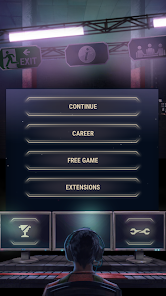
To start using "911 Operator," players first need to download and install the game on their preferred platform, which includes PC, consoles, and mobile devices. Once the game is launched, players can choose between different modes, such as the campaign or free mode. In campaign mode, players will follow a series of missions that gradually increase in complexity, while free mode allows for more open-ended gameplay.
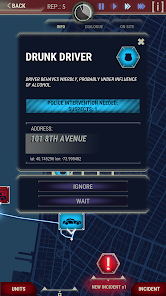
During gameplay, players will receive emergency calls that require immediate attention. It’s essential to listen carefully to the details provided by the caller and assess the situation accurately. Players must then decide which emergency services to dispatch and where to send them. Managing resources effectively is crucial, as players must balance the needs of multiple incidents simultaneously. As players progress, they can unlock new features and improve their dispatch center, enhancing their overall experience and efficiency in handling emergencies.
"911 Operator" offers several advantages that make it an engaging simulation experience. One of the primary pros is its realistic portrayal of emergency dispatching, which can provide players with a deeper understanding of the challenges faced by real-life operators. The game’s variety of scenarios keeps gameplay fresh and exciting, while the ability to customize the dispatch center adds a personal touch. Additionally, the educational aspect of the game can raise awareness about emergency response systems and the importance of quick decision-making.
However, there are also some cons to consider. Some players may find the gameplay repetitive over time, as the core mechanics remain similar throughout different scenarios. Additionally, the game may not appeal to everyone, particularly those who prefer action-oriented titles. The learning curve can be steep for new players, as mastering the intricacies of dispatching requires practice and patience. Overall, while "911 Operator" has its drawbacks, it remains a unique and thought-provoking simulation that can be both entertaining and educational.

 Provides immediate assistance in emergencies, saving lives quickly. Offers a vital link between callers and first responders for efficient communication. Trained to remain calm under pressure, ensuring clear guidance during crises. Utilizes advanced technology for accurate location tracking and resource allocation. Creates a sense of security by supporting the community during emergencies.
 High-stress environment can lead to emotional burnout over time. Shift work often disrupts personal life and sleep patterns. Limited control over outcomes can be frustrating and disheartening.
 911 Operator may collect some data for functionality and analytics purposes, but it typically does not collect personal data unless explicitly provided by the user. Be sure to review the privacy policy for specific details.
911 Operator does not offer a free version, but it may provide a demo or trial version on certain platforms to allow potential players to experience the game before purchasing.
911 Operator does not require a constant internet connection for single-player mode, but an internet connection may be needed for updates and online features.
You can contact support or send feedback for 911 Operator through the official website or the platform where you purchased the game, where you can find support options and contact forms.
Since 911 Operator is usually a one-time purchase, there is no subscription to manage or cancel. For any additional content or services, refer to the platform’s policies for managing purchases.
Yes, you can log in to your 911 Operator account from any device using your customer number and password.
To activate your account, click the activation link sent to your email. If you didn't receive it, check your spam folder or request a new link from customer support.
To log in, enter your customer number and password on the login page. If you encounter any issues, please reset your password.
You can reach customer service via email or phone. Visit our support page for contact details and assistance with your account issues.
You cannot change your customer number directly. Please contact customer service for guidance on managing your account details.











 Google Play
  App Store