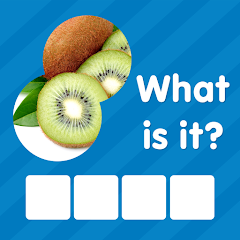


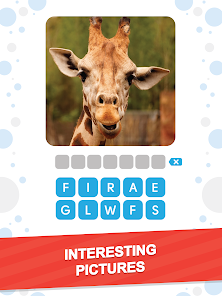
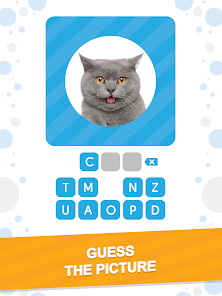
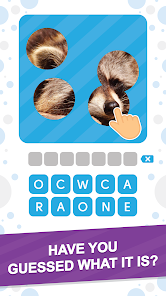
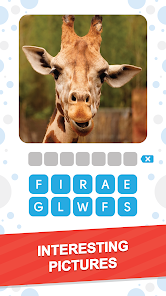
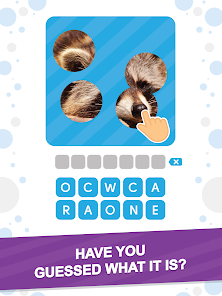

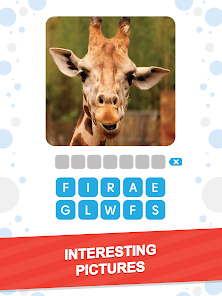

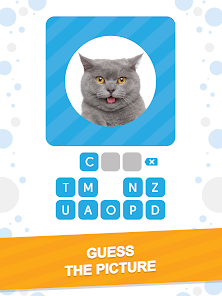
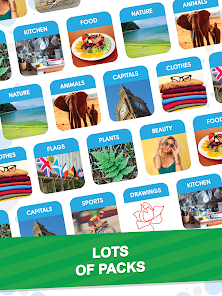
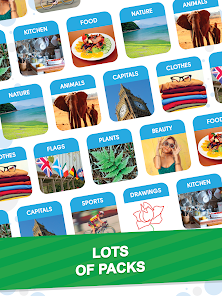


"101 Pics: Photo Quiz" is an engaging trivia game that challenges players to identify various images across multiple categories. One of its standout features is the extensive range of topics, which includes everything from animals and food to famous landmarks and pop culture references. This variety ensures that players can find something that piques their interest, making the game enjoyable for a wide audience.
Another notable feature is the user-friendly interface, which allows players to navigate through the game effortlessly. The game also includes hints and clues to assist players when they encounter challenging images, enhancing the overall experience. Additionally, players can earn coins by completing levels, which can be used to unlock further hints or to access new categories. The game also offers a social aspect, allowing players to compete with friends and share their scores, adding a layer of friendly competition. Overall, "101 Pics: Photo Quiz" combines fun, education, and social interaction, making it a popular choice among trivia enthusiasts.
Using "101 Pics: Photo Quiz" is straightforward and user-friendly, making it accessible for players of all ages. To get started, simply download the app from your device's app store and install it. Once you open the app, you will be greeted with a simple menu that allows you to choose from various categories. Select a category that interests you, and the game will present you with a series of images to identify.
As you progress through the levels, you will encounter images that become increasingly challenging. If you find yourself stuck, you can use hints to help you guess the correct answer. You can earn coins by completing levels, which can be spent on additional hints or unlocking new categories. The game also allows you to track your progress and compare your scores with friends, adding a competitive edge. Overall, the intuitive design and engaging gameplay make "101 Pics: Photo Quiz" easy to pick up and play, ensuring hours of entertainment.
"101 Pics: Photo Quiz" comes with several advantages that make it a popular choice among trivia game enthusiasts. One of the main pros is its vast array of categories, which keeps the gameplay fresh and exciting. The game is also visually appealing, with high-quality images that enhance the user experience. Additionally, the inclusion of hints and the ability to earn coins adds a strategic element to the game, allowing players to think critically about their answers. The social features, such as competing with friends, further enhance the enjoyment and engagement.
However, the app is not without its drawbacks. Some users have reported that the hints can be limited, making it challenging to progress through tougher levels without spending coins. Additionally, while the game is free to download, it may include in-app purchases that could deter some players. There are also occasional ads that can interrupt gameplay, which may be frustrating for some users. Overall, while "101 Pics: Photo Quiz" offers a fun and engaging experience, potential players should be aware of these limitations before diving in.

 Engaging gameplay boosts your knowledge in a fun way. Wide variety of categories keeps the experience fresh and exciting. User-friendly interface makes it easy for everyone to play. Compete with friends to enhance social interaction and enjoyment. Regular updates introduce new content, ensuring endless fun.
 Limited variety in quizzes can lead to repetitive gameplay. Some users may find the interface cluttered and confusing. In-app purchases can detract from the overall enjoyment of the game.
  Google Play
  App Store
 Yes, users can submit suggestions or feedback through the app's support feature or directly via their website, contributing to future improvements and updates.
The app may collect certain personal data for account management and service improvement, but it respects user privacy and complies with relevant data protection regulations.
Yes, 101 Pics: Photo Quiz allows users to play quizzes offline after downloading the necessary content, making it convenient for on-the-go gaming.
To cancel your subscription, you can go to your device's settings, access your subscriptions, and follow the prompts to cancel it before the next billing cycle.
Subscription prices for 101 Pics: Photo Quiz can vary based on the chosen plan, but they generally offer monthly and yearly options for users.
Customer numbers are unique and cannot be changed. For any concerns, please reach out to customer service for guidance.
To activate your account, click the link sent to your email during registration. If you don't see the email, check your spam folder.
You can reach our customer service team via the support section in the app or by emailing support
To log in, open the app and enter your email and password. If you have trouble, use the "Forgot Password" option.
To update your login information, go to your account settings in the app and make the necessary changes.