
 Home
Home  Apps
Apps  Games
Games  Windows
  Topics
  Terms of Service
  Cookies & Privacy Policy
  Disclaimer
Real Piano


Information
- Category: Music
- Price: free
- Age Rating: Everyone
- Rating: 3.7
- Developer: Bilkon
- Version: 1.28
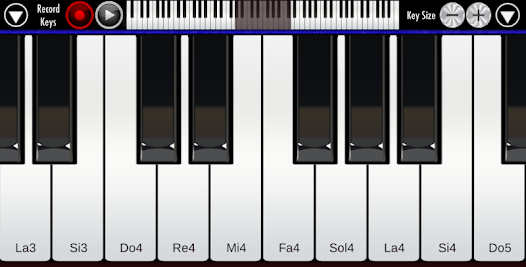
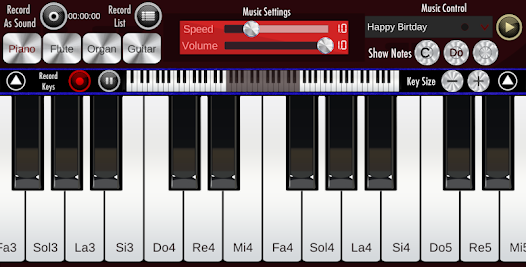
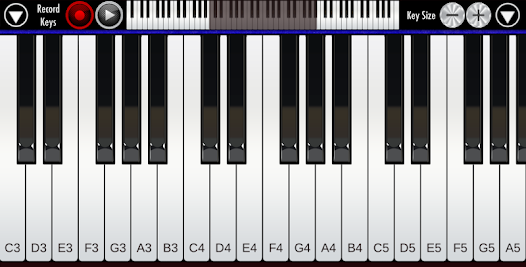
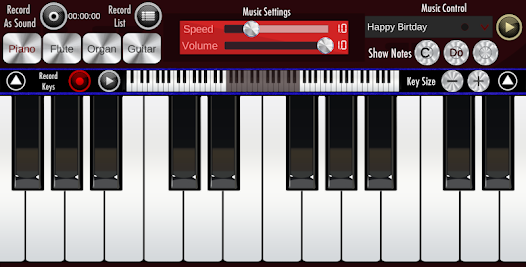
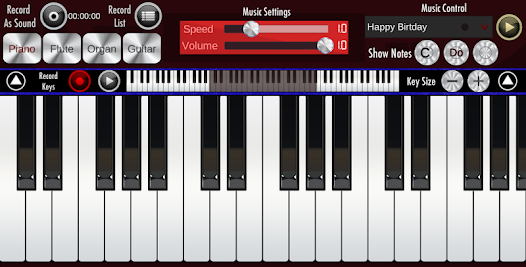
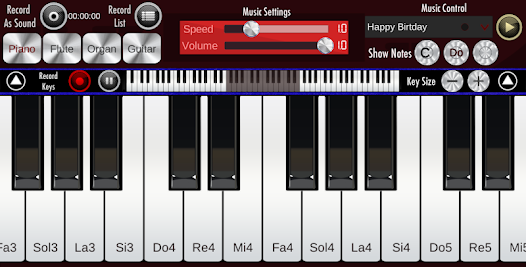
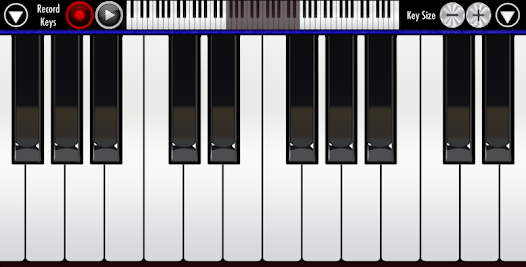
"Real Piano" is your ultimate digital piano experience, designed for music lovers of all skill levels. With a user-friendly interface and realistic sound quality, you can play, practice, and compose anywhere, anytime. Explore a wide range of features, including multiple instrument sounds, recording capabilities, and interactive lessons to enhance your musical journey. Whether you're a beginner or an experienced musician, "Real Piano" brings the joy of music right to your fingertips. Start your musical adventure today!
Features of "Real Piano"
"Real Piano" is a versatile app designed for both novice and experienced musicians. One of its standout features is the realistic piano sound quality, which mimics the tones of an acoustic piano, providing an authentic playing experience. The app includes a full 88-key keyboard, allowing users to play a wide range of musical pieces. Additionally, it offers various sound options, including different instrument sounds like organ, guitar, and strings, enabling users to experiment with different musical styles.
Another notable feature is the recording function, which allows users to capture their performances and share them with others. The app also includes a built-in metronome, helping users maintain a steady tempo while practicing. For those looking to improve their skills, "Real Piano" offers a selection of tutorials and sheet music, making it easier for beginners to learn new songs. Furthermore, the user-friendly interface ensures that navigating through the app is intuitive, enhancing the overall user experience.
How to Use "Real Piano"
Using "Real Piano" is straightforward and user-friendly, making it accessible for musicians of all skill levels. To get started, simply download the app from your device's app store and open it. Once launched, you'll be greeted with a virtual keyboard that you can tap to play notes. You can adjust the keyboard size to fit your screen, allowing for a comfortable playing experience.
To explore different sounds, navigate to the settings menu where you can select various instrument options. If you want to practice a specific song, you can access the sheet music section, which provides a range of tutorials and pieces to choose from. The recording feature is easily accessible, allowing you to save your performances with just a few taps. Additionally, make use of the metronome to help you keep time while practicing. Overall, "Real Piano" is designed to be intuitive, making it easy for anyone to start playing right away.
Pros & Cons of the App
"Real Piano" comes with several advantages that make it a popular choice among music enthusiasts. One of the primary pros is its realistic sound quality, which enhances the playing experience. The app's extensive range of features, including various instrument sounds and a recording function, allows users to explore their creativity. Additionally, the inclusion of tutorials and sheet music is beneficial for beginners looking to improve their skills. The user-friendly interface also makes navigation simple, ensuring that users can focus on playing rather than struggling with the app.
However, there are some drawbacks to consider. One potential con is that the app may require a stable internet connection for certain features, which could be inconvenient for users in areas with limited connectivity. Additionally, while the app is free, some advanced features may require in-app purchases, which could deter users looking for a completely free experience. Lastly, the virtual keyboard may not fully replicate the tactile feel of a real piano, which could be a downside for those accustomed to playing on an acoustic instrument. Overall, while "Real Piano" offers many benefits, users should weigh these pros and cons before diving in.
 Google Play
  App Store
 FAQ
Can I create playlists on Spotify?
Yes, users can create, share, and collaborate on playlists with friends.
Can I download music on Spotify?
Yes, premium users can download songs and playlists for offline listening.
Can I listen to Spotify offline?
Yes, premium users can listen to downloaded music offline without an internet connection.
Can I use Spotify on multiple devices?
Yes, you can use Spotify on multiple devices, but only one device can stream at a time.
Does Spotify have podcasts?
Yes, Spotify hosts a wide range of podcasts across various genres.
Similar Apps















You May Like

Tubidy : Music, Videos, Songs
Music
4.5

A Dance of Fire and Ice
Music
4.6

Beatstar - Touch Your Music
Music
4.6

Cyber Surfer : Rhythm Odyssey
Music
4.4

Cytus II
Music
4.1
FNF Music Battle Full Mod
Music
4

HATSUNE MIKU: COLORFUL STAGE!
Music
4.5

Incredibox
Music
4.9
Magic Hop : Jump with Beats
Music
4.2
Magic Tiles 3™ - Piano Game
Music
4.6

Muse Dash
Music
4.5
My Singing Monsters Composer
Music
4.2