

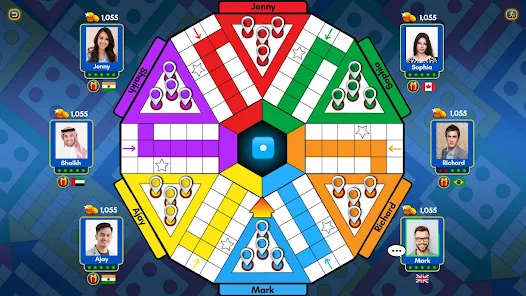






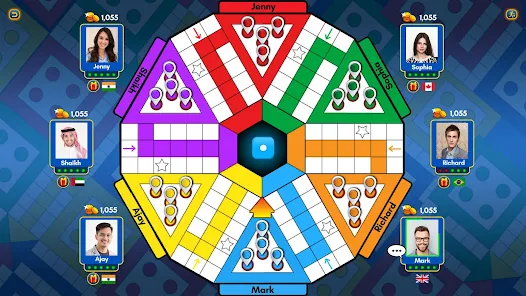












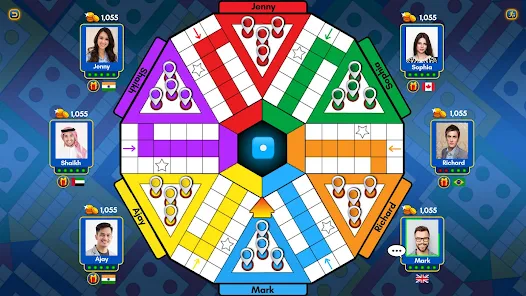
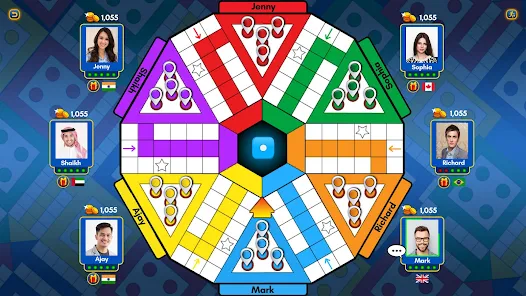



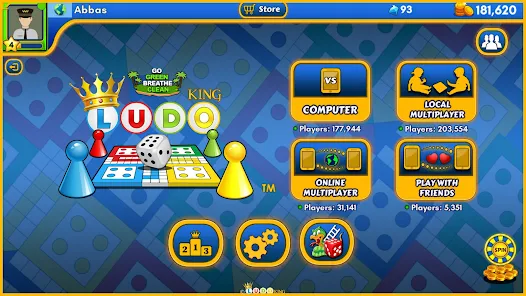
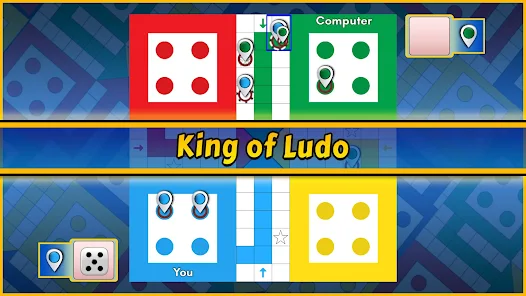





"Ludo King®" is a modern adaptation of the classic board game, offering a variety of features that enhance the gaming experience. One of its standout features is the ability to play with friends and family, either locally or online. Players can invite others to join their game through social media or by sharing a unique code. The game supports up to six players, making it perfect for gatherings.
Another notable feature is the multiple game modes available, including the traditional Ludo mode, as well as a quick mode for faster gameplay. The app also includes a chat function, allowing players to communicate during the game. Additionally, "Ludo King®" offers various themes and board designs, giving players the option to customize their gaming experience. The game is available on multiple platforms, including Android, iOS, and Windows, ensuring accessibility for all users. Regular updates and seasonal events keep the gameplay fresh and engaging, making it a favorite among both casual and competitive players.
Using "Ludo King®" is straightforward and user-friendly, making it accessible for players of all ages. To get started, download the app from your device's app store and create an account or log in using your social media credentials. Once you're in, you can choose to play a quick match, create a private game, or join an online match with players from around the world.
To set up a game, select the number of players and the desired game mode. If you're playing with friends, share the game code or invite them directly through the app. The game board will appear, and players take turns rolling the dice to move their tokens around the board. The objective is to get all your tokens to the home area before your opponents. Utilize strategies like blocking opponents and forming safe zones to enhance your chances of winning. The intuitive interface and clear instructions make it easy to navigate, ensuring a fun experience for everyone involved.
"Ludo King®" comes with several advantages that make it a popular choice among board game enthusiasts. One of the main pros is its multiplayer functionality, allowing players to connect with friends and family regardless of their location. The game is also free to download, with optional in-app purchases that do not hinder gameplay. Its vibrant graphics and engaging sound effects enhance the overall experience, making it visually appealing. Additionally, the app is regularly updated with new features and seasonal events, keeping the gameplay fresh and exciting.
However, there are some drawbacks to consider. Some users have reported occasional connectivity issues during online matches, which can disrupt the gaming experience. The presence of ads, while manageable, can be distracting for some players. Furthermore, the reliance on luck can sometimes overshadow strategy, leading to frustration for those who prefer skill-based games. Despite these cons, "Ludo King®" remains a beloved choice for casual gamers looking for a fun and interactive way to enjoy a classic board game.

 Enjoy classic Ludo gameplay with friends and family anytime, anywhere. Experience seamless online multiplayer matches with players worldwide. Customize your experience with various themes and game modes. Play against AI opponents for solo practice and fun. Engage in exciting tournaments to win rewards and showcase your skills.
 Ludo King™ can be plagued by frequent connectivity issues during gameplay. The app often experiences lag, disrupting the gaming experience for players. In-game ads can interrupt play and diminish overall enjoyment.
 Yes, players can submit suggestions or feedback to the Ludo King™ team through the app or their official website, helping to improve the game experience.
Yes, Ludo King™ may collect personal data as outlined in their privacy policy, which typically includes information necessary for account management and game functionality.
Yes, Ludo King™ allows players to enjoy the game offline against computer opponents or with friends on the same device.
To cancel your Ludo King™ subscription, you can go to the app store where you purchased the subscription and follow the cancellation instructions specific to that platform.
The subscription to Ludo King™ varies based on the plans offered, typically providing additional features and an ad-free experience, but users should check the app for current pricing.
Yes, you can activate your account by clicking the link sent to your registered email after signing up.
No, customer numbers cannot be changed after activation. Please contact customer service for any concerns.
You can contact Ludo King® customer service through the app or their official website for assistance.
You need to contact customer service for assistance with updating your customer number.
You can reach customer service through the app's help section or visit the official website for support regarding activation issues.










 Google Play
  App Store