
 Home
Home  Apps
Apps  Games
Games  Windows
  Topics
  Terms of Service
  Cookies & Privacy Policy
  Disclaimer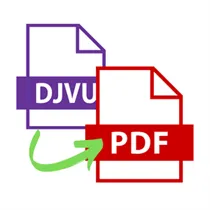
Converter: DJVU To PDF


The DJVU To PDF Converter is a desktop software that allows users to easily convert DJVU files to PDF format. With a user-friendly interface, this software provides a quick and efficient solution for converting files, making it ideal for both personal and professional use. Whether you need to convert a single file or multiple files at once, this converter ensures high-quality output and preserves the original formatting of the documents. Experience the convenience of converting DJVU files to PDF with this reliable desktop software.
- Rating: 1.5
- Category: Productivity
- Version: 8/24/2022
- Developer: Greg Zeng
- Language: English(UnitedStates)
- Platform: windows
Features of Converter: DJVU To PDF desktop software
The Converter: DJVU To PDF desktop software offers several features that make it a convenient tool for converting DJVU files to PDF format. Some of its key features include:
- Batch conversion: The software allows users to convert multiple DJVU files to PDF format simultaneously, saving time and effort.
- Customizable output settings: Users can customize the output PDF file by selecting the page size, orientation, and compression options.
- High-quality conversion: The software ensures that the converted PDF files retain the original quality of the DJVU files, including text, images, and formatting.
- User-friendly interface: The software has a simple and intuitive interface, making it easy for users to navigate and perform the conversion process.
- Fast conversion speed: The software utilizes advanced algorithms to convert DJVU files to PDF format quickly and efficiently.
How to Use Converter: DJVU To PDF desktop software
To use the Converter: DJVU To PDF desktop software, follow these steps:
- Download and install the software on your computer.
- Launch the software and click on the "Add Files" button to import the DJVU files you want to convert.
- Select the output folder where you want to save the converted PDF files.
- Customize the output settings, such as page size, orientation, and compression options, if desired.
- Click on the "Convert" button to start the conversion process.
- Wait for the software to convert the DJVU files to PDF format. The converted files will be saved in the specified output folder.
Pros & Cons of Converter: DJVU To PDF desktop software
The Converter: DJVU To PDF desktop software offers several advantages and disadvantages:
Pros:
- Easy to use with a user-friendly interface.
- Supports batch conversion, saving time and effort.
- Allows customization of output settings.
- Fast conversion speed.
- Retains the original quality of DJVU files.
Cons:
- Only available for desktop use, limiting accessibility on other devices.
- May require a paid license for full access to all features.
- Limited file format support, focusing primarily on DJVU to PDF conversion.
- Potential compatibility issues with certain operating systems or file versions.







Popular Now

Hamachi
VPN
4.5

ClipGrab
Video
4.0

Desktop Goose
Strategy
4.0

ScreenRec
Office Suites
4.0

SimpleStickyNotes
Planners & Calendars
3.5

3uTools
System Tuning & Utilities
4.5

Voicemod
Audio
4.0

Notepad++
Photography
4.0

Speccy
System Tuning & Utilities
4.0

WinZip
File Compression
4.5

WinRAR
File Compression
4.5

7-Zip
File Compression
4.0