
 Home
Home  Apps
Apps  Games
Games  Windows
  Topics
  Terms of Service
  Cookies & Privacy Policy
  Disclaimer
Coin Master


Information
- Category: Casino
- Price: free
- Age Rating: Teen
- Rating: 4.8
- Developer: Moon Active
- Version: 3.5.2400
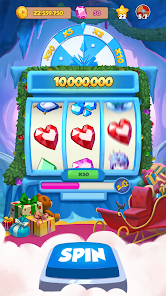
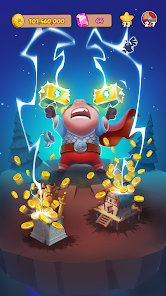
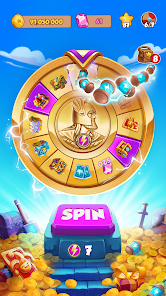



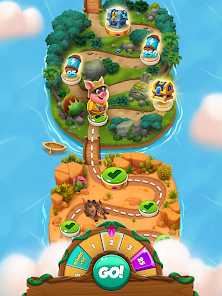
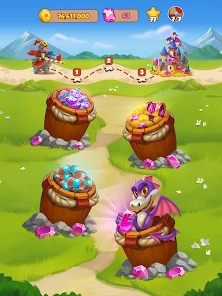
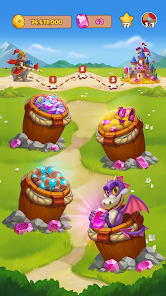
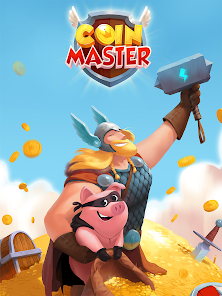
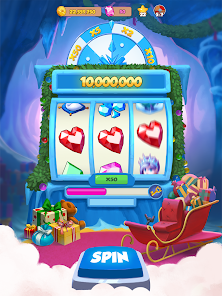
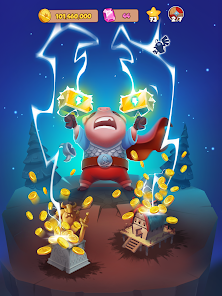

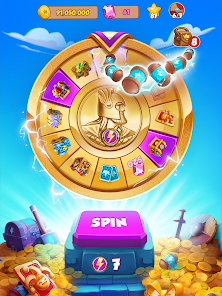
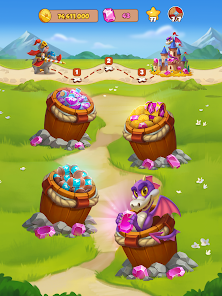
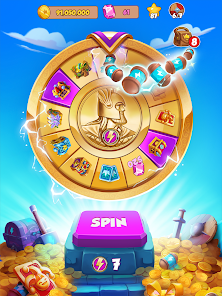
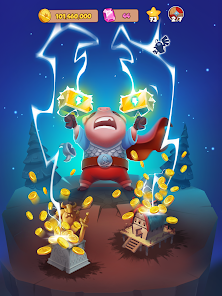
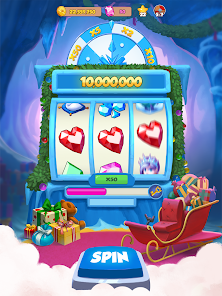
"Coin Master" is a popular mobile game that combines elements of slot machines, village building, and social interaction. Players spin a virtual slot machine to earn coins, attack other players, and raid their villages for resources. The goal is to build and upgrade your own village while collecting cards to complete sets. With its engaging gameplay and vibrant graphics, "Coin Master" offers a fun and addictive experience for players of all ages. Join friends and compete to become the ultimate Coin Master!
Features & Highlights
Coin Master is a unique blend of slot machines and social gaming that brings an engaging twist to the familiar mechanics of village-building games. Here are some of its standout features:
- Spin the Slot Machine: The game’s core mechanic revolves around spinning a slot machine to earn coins, spins, and various rewards. For instance, I once hit a jackpot that gave me enough coins to upgrade my village and unlock new areas, making the game even more exciting.
- Build Your Village: As you collect coins from spins, you can build and upgrade your village. I was thrilled to complete my first village set, which not only enhanced my gameplay but also gave me a sense of achievement and progression.
- Raid and Attack: Interacting with friends through raids and attacks adds a layer of strategy. I remember planning a raid against a friend who had a treasure chest full of coins, which turned out to be a fun and competitive experience.
- Daily Events and Challenges: The game frequently hosts events that provide extra rewards for completing specific tasks. I eagerly participated in a recent event where I was able to earn exclusive pets that boost my earnings, keeping my gameplay fresh and exciting.
- Social Connections: Coin Master encourages social interactions by letting you connect with friends. I often find myself sending and receiving cards to complete my collections, which not only enhances my gameplay but also strengthens my bonds with friends.
Real Experience Using Coin Master
Application Scenarios
In my daily life, I often find myself turning to Coin Master during my commute or while waiting for appointments. The gameplay is perfect for short bursts of entertainment, as I can quickly spin the slots and check on my village without needing to invest a lot of time. One memorable instance was during a long wait at the DMV; I managed to complete a village while also connecting with friends via the game, sharing spins and trading cards. It made the otherwise tedious wait a lot more enjoyable.
User Experience
The user interface of Coin Master is vibrant and intuitive. The colorful graphics and playful animations make every spin feel rewarding. I found the workflow to be seamless; it was easy to navigate between the slot machine, the village map, and the card collection. The performance has been smooth on both my Android and iOS devices, with minimal lag during gameplay. After using Coin Master for several weeks, I appreciate how it keeps me engaged with its addictive gameplay, and I often find myself coming back for just one more spin!
Pricing
Coin Master is free to download and play, but like many mobile games, it offers in-app purchases for players who want to progress faster. Prices range from small amounts for additional spins to larger packs that can significantly enhance your gaming experience. While I appreciate the free aspect, I sometimes feel tempted to make purchases to speed up my village-building process, especially during special events.
Updates & Support
The developers of Coin Master are quite proactive with updates, regularly introducing new events, features, and bug fixes. I’ve noticed that they frequently listen to user feedback, which is reassuring. Whenever I’ve had questions or issues, I reached out to their support team through the app, and they were responsive and helpful, resolving my inquiries quickly. This level of support enhances my overall experience and trust in the game.
Security & Privacy Review
As an American user, security and privacy are always top of mind when using mobile apps, and Coin Master does a commendable job in this regard. The app is available on both the App Store and Google Play, which adds a layer of credibility. Upon registration, I was only required to provide basic personal data such as my name and email address, which I appreciated as it minimized my exposure to unnecessary data collection.
In terms of ads, Coin Master does feature advertisements, but they are not intrusive. I’ve noticed some tracking behavior, as the app occasionally suggests friends based on my social media connections. However, this is common in social games and allows for a more connected experience. Overall, I feel secure using Coin Master, as it balances the need for user data with adequate transparency regarding privacy practices.
Pros 
-
 Experience thrilling slots
 - Build your own village
- Trade cards with friends
- Join fun multiplayer raids
- Collect unique pets
Cons 
-
 In-app purchases can be costly
 - Gameplay can become repetitive
- Progress may rely on luck
- Ads can disrupt the experience
 Google Play
  App Store
 FAQ
Can I submit suggestions or feedback to Coin Master?
Yes, players can submit suggestions and feedback through the game's support feature or on their official social media channels.
Does Coin Master collect my personal data?
Yes, Coin Master collects certain personal data to enhance user experience, including gameplay statistics and social connections. Refer to their privacy policy for details.
Does Coin Master support offline use?
Coin Master requires an internet connection to play, as it relies on online interactions and updates for gameplay.
How do I cancel my Coin Master subscription?
Since Coin Master does not have subscriptions, you can simply stop making in-app purchases. For specific purchases, check your app store settings.
How much does a subscription to Coin Master cost?
Coin Master does not have a traditional subscription model; however, it offers in-app purchases that vary in price.
How to use Coin Master
Can I change my Coin Master account email?
Currently, Coin Master does not allow users to change the email associated with their account once it's linked.
How can I contact Coin Master customer service?
You can reach Coin Master customer service through the in-game support option or by visiting their official website for additional help.
How can I recover my Coin Master account?
If you need to recover your account, log in with the same social media account you previously used to play.
How do I find the customer service number for Coin Master?
Coin Master does not have a direct customer service number; support is primarily available through their in-game help feature.
How do I log in to my Coin Master account?
To log in, open the app and select the "Login" option, then choose to connect via Facebook or Google Play.
Similar Games










You May Like

88 Fortunes Casino Slot
Casino
4.3
BJA: Card Counting Trainer Pro
Casino
4.7
Baba Wild Slots - Casino Games
Casino
4.6

Big Fish Casino - Slots Games
Casino
4.1
Billionaire Casino Slots 777
Casino
4.4
Bingo Aloha-Bingo Live at home
Casino
4.9
Bingo Bash: Live Bingo Games
Casino
4.5
Bingo Blitz™️ - Bingo Games
Casino
4.7
Bingo Journey - Lucky Casino
Casino
4.7
Bingo Party - Lucky Bingo Game
Casino
4.7
Bingo Pop: Play Live Online
Casino
4.6
Bingo Showdown - Classic Bingo
Casino
4.6